Install
This is the repository archive. It installs, but the folder name will carry the branch suffix and updates will not flow.
Install straight from GitHub with WP-CLI:
wp plugin install https://github.com/ajvillegas/local-business-contact/archive/refs/heads/master.zipDisplay business contact information and operating hours with proper Schema.org markup when using the Genesis Framework.
Contributors: ajvillegas
Tags: address, seo, local seo, schema, genesis
Requires at least: 4.5
Tested up to: 4.9
Stable tag: 1.0.4
License: GPLv2 or later
Description
This plugin makes it easy to manage and display your business contact information and operating hours with proper SEO-friendly Schema.org markup. Requires the Genesis Framework.
It outputs clean, semantic HTML in the front-end with no styling to make it easy for you to integrate into your theme.
You can display all or individual sections on your website using the [local-business-contact] shortcode, as well as the 'Business Contact' widget.
Schema Types
The Schema Type select option let's you specify your type of business so search engines can index it accordingly. If you can't find an option that best describes your business you can default to a more generic option such as 'Local Business', or add an option to the list using the lbc_schema_list filter.
The example below demonstrates how you can implement this filter on your theme:
add_filter( 'lbc_schema_list', 'myprefix_add_schema_types' );
/**
 * Filter to add extra schema types to the schema select option.
 *
 * @param   array   An array containing default values.
 * @return  array   An array containing new values.
 */
function myprefix_add_schema_types( $schema ) {

    // Add new schema types to array
    $new_schema = array(
        'GardenStore' => esc_html__( 'Garden Store', 'my-text-domain' ),
        'ComputerStore' => esc_html__( 'Computer Store', 'my-text-domain' ),
    );

    // Combine the two arrays
    $schema = array_merge( $new_schema, $schema );

    return $schema;

}
For more information and a complete list of schema types, please refer to this page: Schema Types
Output Filters
The following filters can be used for editing the contact information label outputs, as well as the phone and fax number URI outputs.
lbc_filter_address_label- Filter the local address label.lbc_filter_phone_label- Filter the phone number label.lbc_filter_fax_label- Filter the fax number label.lbc_filter_email_label- Filter the email address label.lbc_filter_phone_uri- Filter the phone number URI output. Useful for prepending country codes to the phone number.lbc_filter_fax_uri- Filter the fax number URI output. Useful for prepending country codes to the fax number.
Import/Export
Local Business Contact fully integrates with the Genesis built-in import/export functionality so you can easily backup your settings.
To export your business settings, simply go to Genesis > Import/Export and select the 'Business Settings' checkbox and Genesis will generate a .json file with all your data. To import back into your website, choose the previously generated file and click on the 'Upload File and Import' button.
Installation
Using The WordPress Dashboard
- Navigate to the 'Add New' Plugin Dashboard
- Click on 'Upload Plugin' and select
local-business-contact.zipfrom your computer - Click on 'Install Now'
- Activate the plugin on the WordPress Plugins Dashboard
Using FTP
- Extract
local-business-contact.zipto your computer - Upload the
local-business-contactdirectory to yourwp-content/pluginsdirectory - Activate the plugin on the WordPress Plugins Dashboard
Screenshots
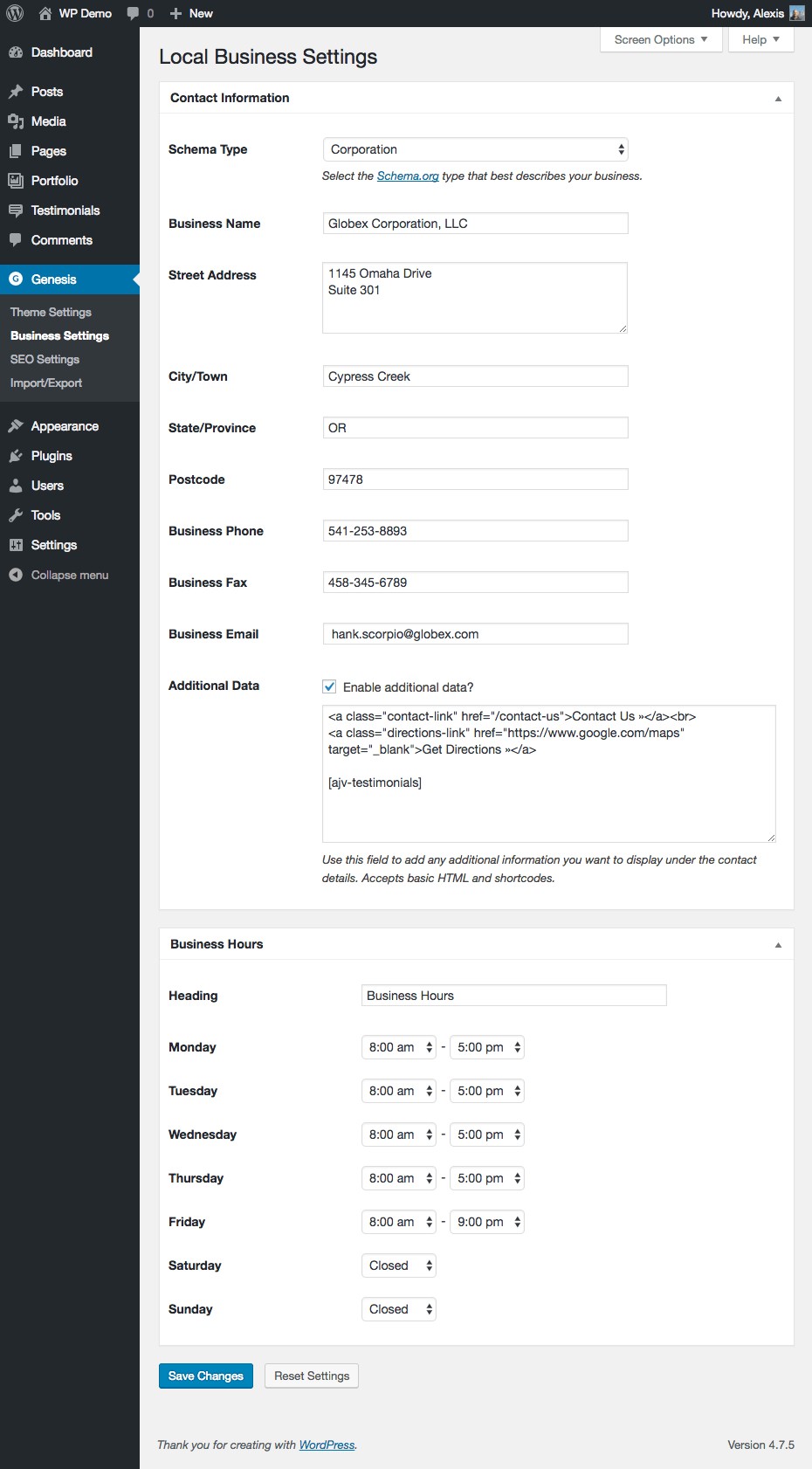
Local Business Settings
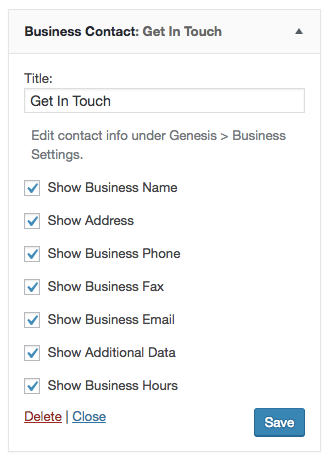
Business Contact widget
Changelog
1.0.4
- Edited the phone and fax URI output for better compatibility with the
lbc_filter_phone_uriand thelbc_filter_fax_urifilters.
1.0.3
- Added custom content filters for the Additional Data field to avoid conflicts with
the_contentfilter.
1.0.2
- Added the following filters for editing the contact information label outputs:
lbc_filter_address_label,lbc_filter_phone_label,lbc_filter_fax_label,lbc_filter_email_label. - Added the following filters for editing the phone and fax number URI outputs:
lbc_filter_phone_uri,lbc_filter_fax_uri.
1.0.1
- Updated the business hours default values.
- Added a parent div to the address output for styling purposes.
- Added encoding to email address output to block spam bots.
1.0.0
- Initial release.