Install
This is the repository archive. It installs, but the folder name will carry the branch suffix and updates will not flow.
Install straight from GitHub with WP-CLI:
wp plugin install https://github.com/ajvillegas/ajv-portfolio/archive/refs/heads/master.zipThis plugin adds a portfolio section to your website.
Contributors: ajvillegas
Tags: portfolio, admin, custom post type
Requires at least: 4.5
Tested up to: 5.5
Stable tag: 1.0.2
License: GPLv2 or later
Description
This plugin adds a portfolio section to your website by registering a new 'Portfolio' custom post type and custom taxonomy for categorizing portfolio items.
Custom Post Type Parameters
You can alter any of the custom post type and custom taxonomy parameters using the ajv_portfolio_post_type_filter and the ajv_portfolio_taxonomy_filter respectively. For a look at the plugin's default parameters, please refer to the AJV_Portfolio_CPT class under ajv-portfolio/admin/class-ajv-portfolio-cpt.php.
Note: If you update the rewrite parameter with these filters, make sure to also update your permalinks by visiting the permalinks settings page.
Custom Post Meta Box
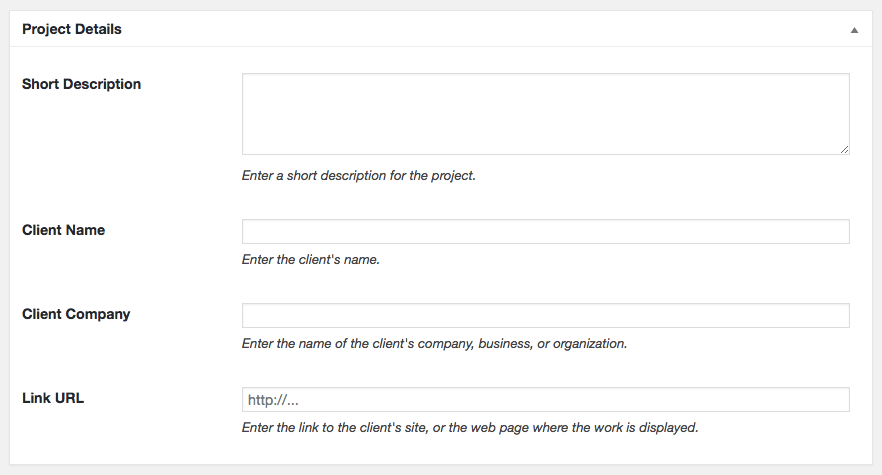
The plugin adds a custom post meta box to the portfolio editor screen that allows you to enter metadata relevant to each portfolio item.
If you don't need the meta box on your website, you can remove it completely using the ajv_portfolio_register_meta_box filter following the example below.
// Remove AJV Portfolio custom meta box
add_filter( 'ajv_portfolio_register_meta_box', '__return_false' );
To retrieve the meta box options use get_post_meta. The following example shows how you can implement this on your theme's template file.
<?php

// Get post meta
$description = get_post_meta( get_the_ID(), '_ajv_portfolio_description', true );
$client = get_post_meta( get_the_ID(), '_ajv_portfolio_client', true );
$company = get_post_meta( get_the_ID(), '_ajv_portfolio_company', true );
$url = get_post_meta( get_the_ID(), '_ajv_portfolio_url', true );
$anchor_text = get_post_meta( get_the_ID(), '_ajv_portfolio_url_text', true );

?>
<div class="portfolio-post-meta">
    <h4><?php echo __( 'Description:', 'my-text-domain' ); ?></h4>
    <p><?php echo esc_html( $description ); ?></p>

    <h4><?php echo __( 'Client:', 'my-text-domain' ); ?></h4>
    <p>
        <span class="client"><?php echo esc_html( $client ); ?></span>
        <span class="company"><?php echo ', ' . esc_html( $company ); ?></span>
    </p>

    <a class="button" href="<?php echo esc_url( $url ); ?>" target="_blank"><?php echo esc_html( $anchor_text ); ?></a>
</div>
<?php
For more information, please refer to this page: get_post_meta().
Installation
Using The WordPress Dashboard
- Navigate to the 'Add New' Plugin Dashboard
- Click on 'Upload Plugin' and select
ajv-portfolio.zipfrom your computer - Click on 'Install Now'
- Activate the plugin on the WordPress Plugins Dashboard
Using FTP
- Extract
ajv-portfolio.zipto your computer - Upload the
ajv-portfoliodirectory to yourwp-content/pluginsdirectory - Activate the plugin on the WordPress Plugins Dashboard
Screenshots
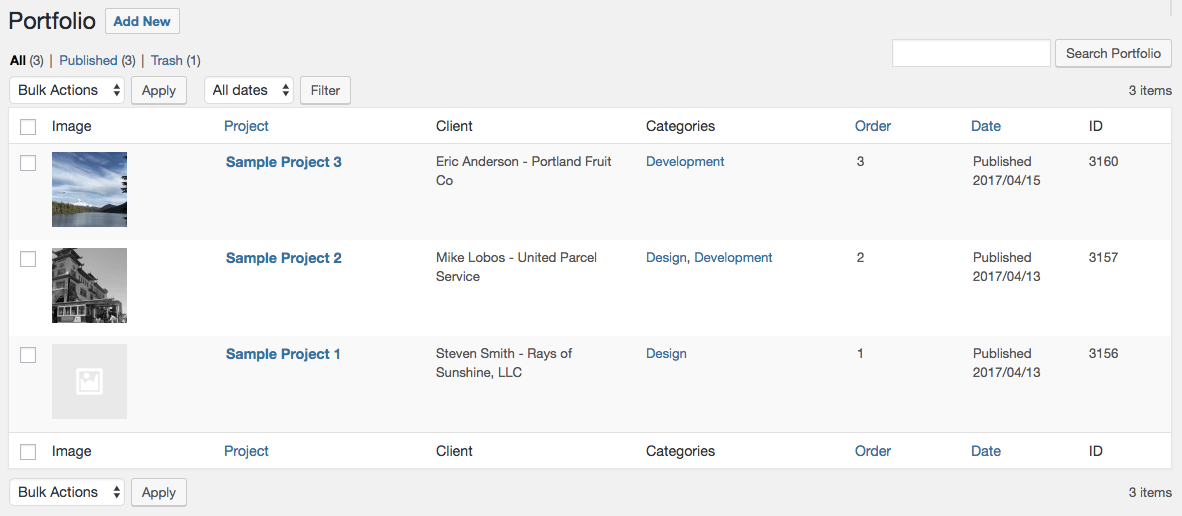
Admin table view
Custom post meta box
Changelog
1.0.2
- Added the 'Link Text' field to the Project Details meta box.
1.0.1
- Added the
ajv_portfolio_register_meta_boxfilter for removing the Project Details meta box if necessary.
1.0.0
- Initial release.