Install
This is the repository archive. It installs, but the folder name will carry the branch suffix and updates will not flow.
Install straight from GitHub with WP-CLI:
wp plugin install https://github.com/ajkost/wordpress-fingerprint-protection/archive/refs/heads/main.zipNo built-in updater. New versions won't appear under Dashboard → Updates. Install new releases yourself, or let Git Updater track the repository.
A comprehensive WordPress plugin for browser fingerprinting protection. Limit spam, prevent abuse, and protect your site using FingerprintJS.
Features
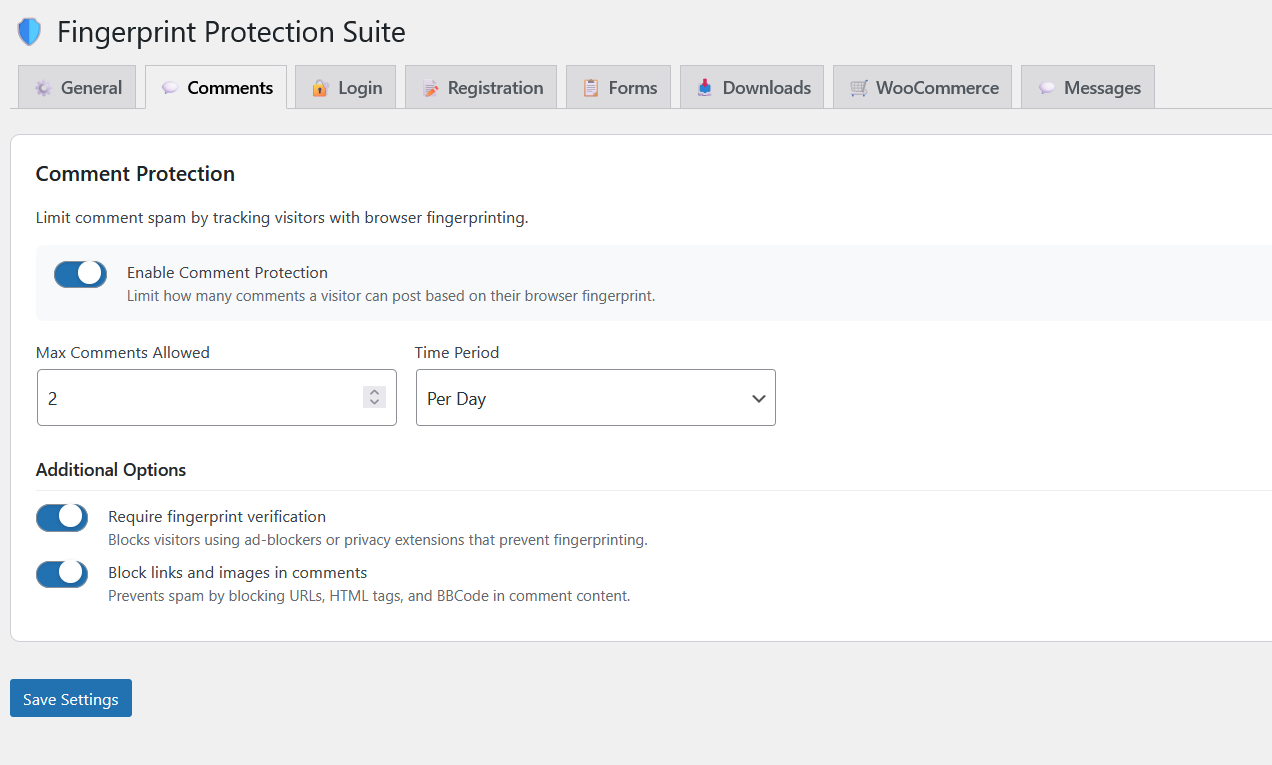
- Comment Protection - Limit comments per visitor with configurable rate limits
- Login Protection - Prevent brute force attacks with fingerprint-based lockouts
- Registration Protection - Stop spam registrations from the same browser
- Form Protection - Rate limit Contact Form 7, WPForms, and custom forms
- Download Protection - Limit downloads per visitor (Easy Digital Downloads)
- WooCommerce Protection - Prevent checkout abuse and track orders
Pro Features (with FingerprintJS Pro API key)
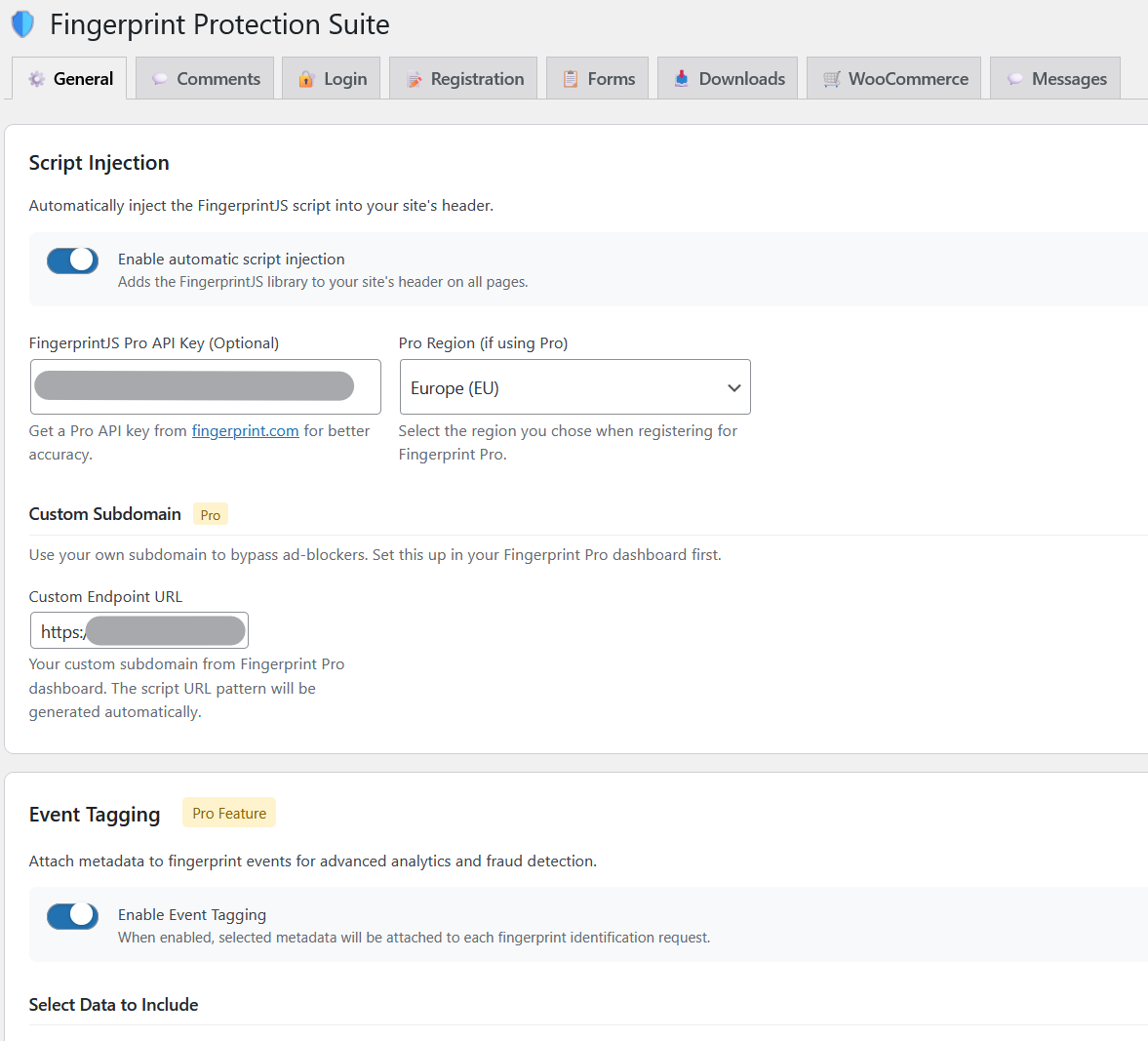
- Custom Subdomain - Bypass ad-blockers with your own subdomain
- Event Tagging - Attach metadata to fingerprint events for advanced analytics
- Higher Accuracy - Server-side identification with 99.5% accuracy
Screenshots
Settings - General Tab
Settings - Comments Tab
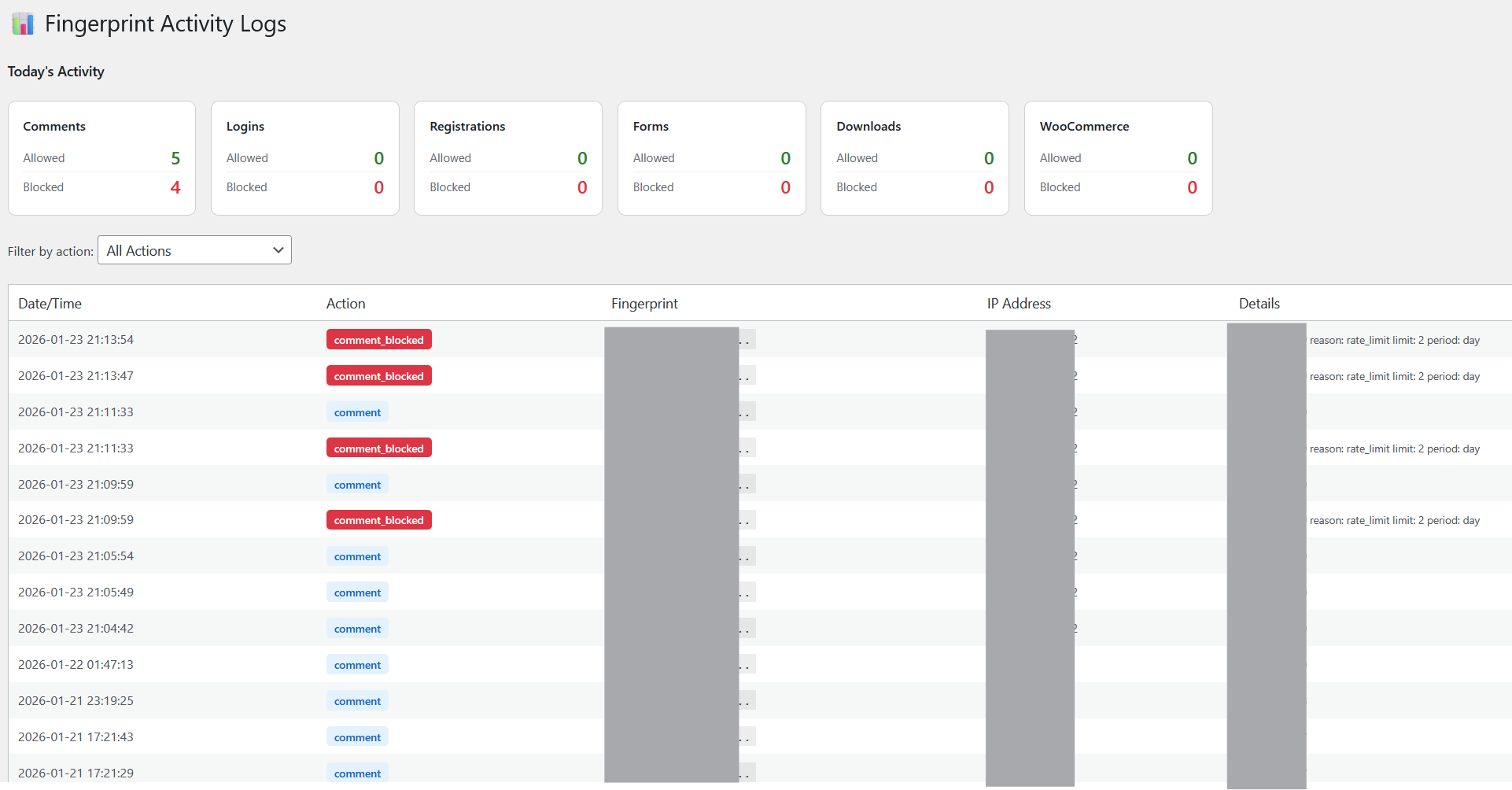
Activity Logs
Installation
- Download the
fingerprint-protection-suite.phpfile - Create a folder in your WordPress installation:
wp-content/plugins/fingerprint-protection-suite/ - Copy
fingerprint-protection-suite.phpinto that folder - Go to WordPress Admin → Plugins → Installed Plugins
- Find "Fingerprint Protection Suite" and click Activate
- Configure the plugin under the new Fingerprint menu item
Configuration
Basic Setup (Free)
- Go to Fingerprint → Settings
- Enable "Automatic script injection"
- Configure protection settings for Comments, Login, Registration, etc.
Pro Setup (with API Key)
- Get an API key from fingerprint.com
- Enter your API key in the General tab
- Select your region (Global/US, EU, or Asia-Pacific)
- (Optional) Set up a custom subdomain for ad-blocker bypass
Custom Subdomain Setup
- In your Fingerprint Pro dashboard, set up a custom subdomain
- Copy the endpoint URL (e.g.,
https://fp.yourdomain.com) - Paste it in the "Custom Endpoint URL" field
- The script URL pattern is generated automatically
Activity Logs
The plugin tracks all fingerprint-related activity:
- Allowed actions - Successful comments, logins, registrations, etc.
- Blocked actions - Rate-limited or blocked attempts
View logs under Fingerprint → Activity Logs
Data is automatically cleaned up after 30 days.
Requirements
- WordPress 5.0 or higher
- PHP 7.4 or higher
Changelog
2.0
- Added FingerprintJS Pro support with custom subdomains
- Added Event Tagging for advanced analytics
- Added comprehensive Activity Logs with blocked action tracking
- Added WooCommerce protection
- Added Form protection (Contact Form 7, WPForms)
- Added Download protection (Easy Digital Downloads)
- Improved admin UI with modern toggle switches
- Reorganized settings into tabbed interface
1.0
- Initial release with comment protection
License
This plugin is licensed under the GPL v2 or later.
Credits
- FingerprintJS - Browser fingerprinting library