Corpus Analytica – PainTracker WP Registry grade A. No security issues foundWP RegistryNo security issues foundOpen the reportA
PainTracker - WordPress Plugin - Interactive 3D pain mapping tool that lets patients mark pain areas on a male/female body model and saves the data as JSON for further processing.
Install
This is the repository archive. It installs, but the folder name will carry the branch suffix and updates will not flow.
Install straight from GitHub with WP-CLI:
wp plugin install https://github.com/aizech/corpus-analytica-paintracker/archive/refs/heads/main.zipInteractive 3D pain mapping tool for WordPress. PainTracker lets patients mark pain areas on a male/female 3D body model and stores the data as JSON for downstream processing (e.g. in the Corpus Analytica – Second Opinion workflow).
Features
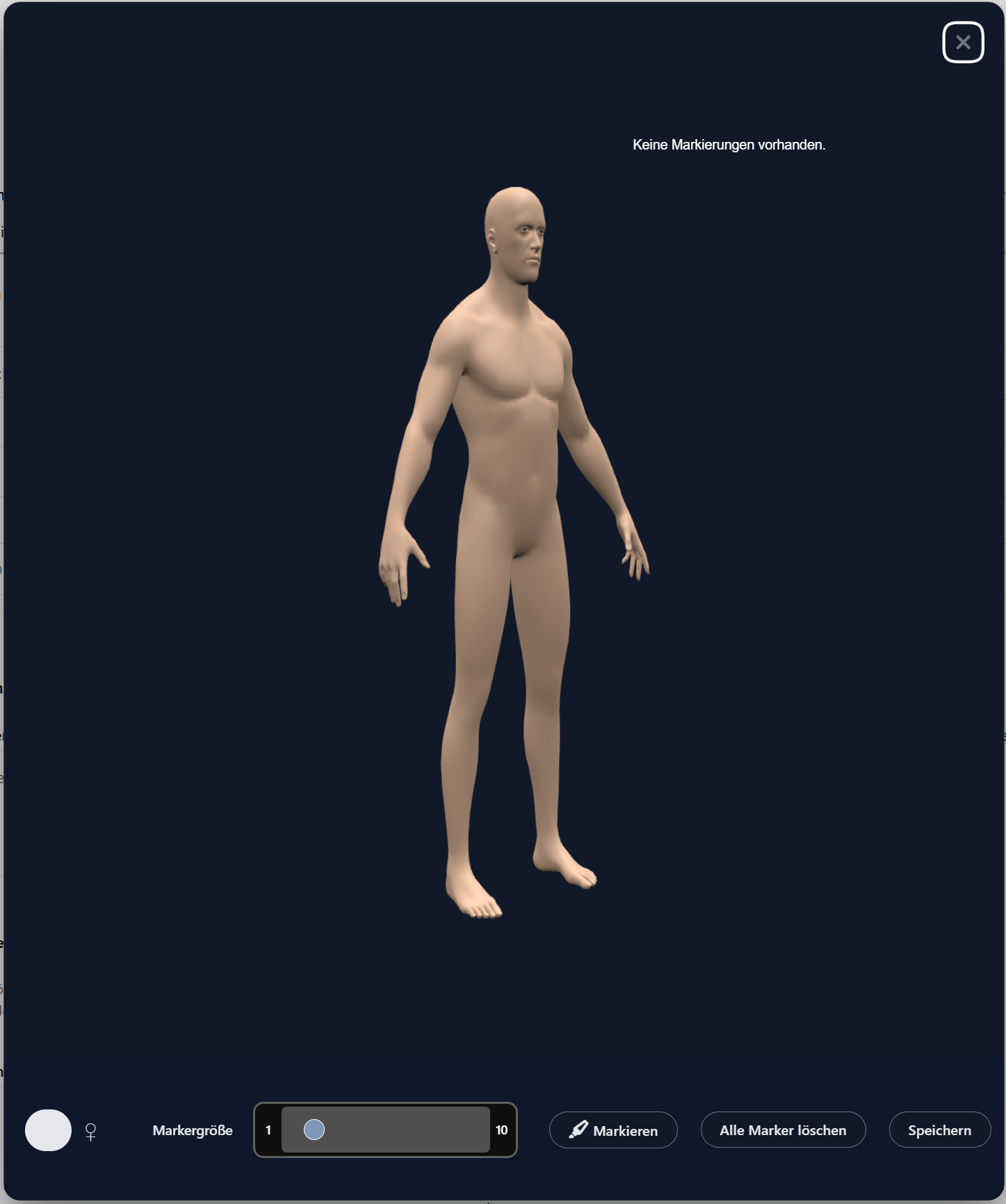
- 3D male/female body models rendered with Babylon.js
- Interactive cursor and adjustable marker size
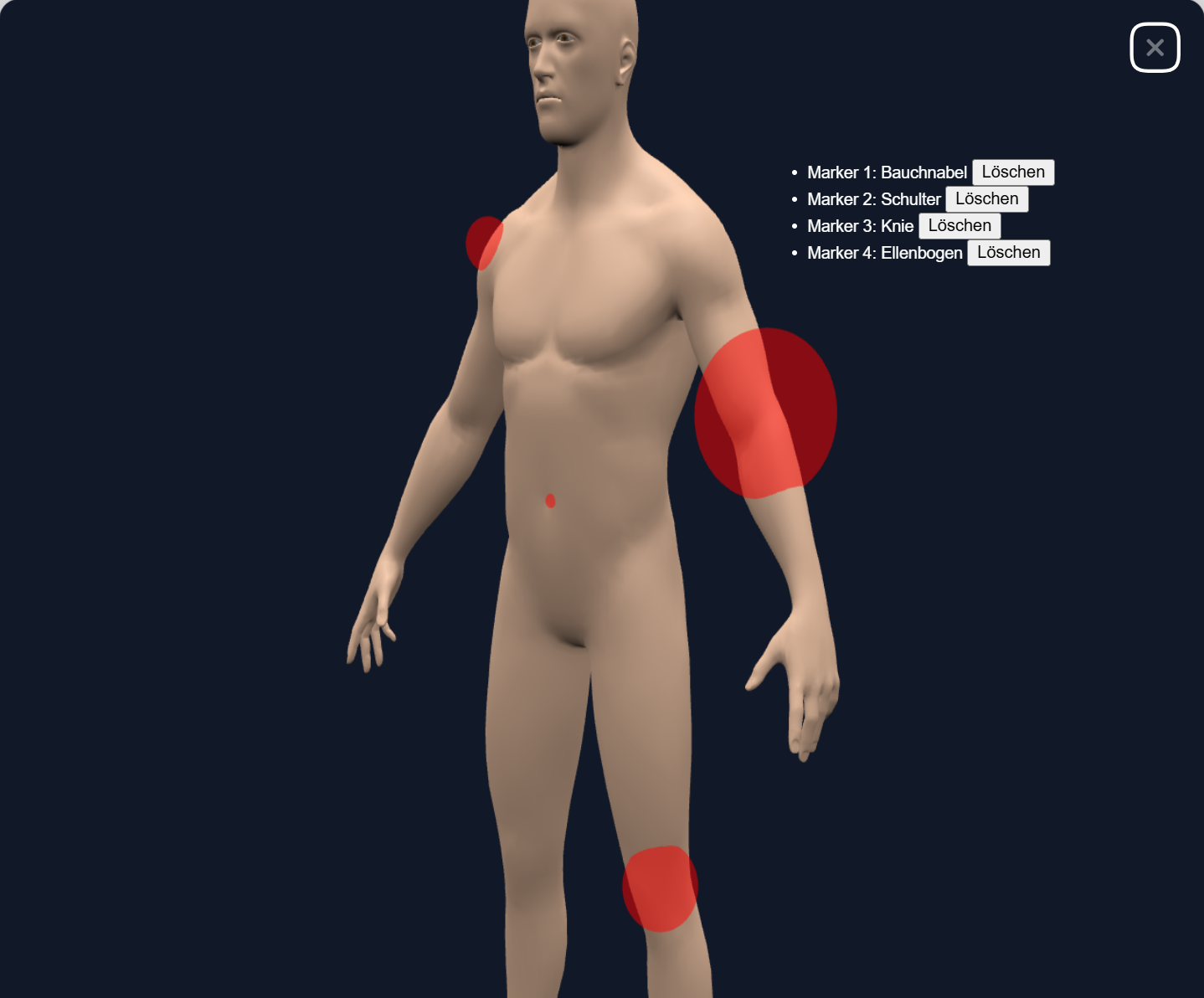
- List of all markers with per-marker delete buttons
- Global reset button to remove all markers at once
- Saves all marker data as JSON into a hidden form field
- Shortcode
[wp-paintracker]to embed the tool anywhere - Reusable PHP helper
paintracker_render_widget()for integrations - Support for smartphones with multi-touch gestures
Requirements
- WordPress 6.0 or higher
- PHP 8.0 or higher
Installation
-
Clone or download this repository into your WordPress
wp-content/plugins/directory aswp-paintracker. -
In the WordPress admin, go to Plugins → Installed Plugins and activate Corpus Analytica – PainTracker.
-
Add the shortcode to a page or post to display the PainTracker button:
[wp-paintracker]
Usage
Shortcode
Basic usage:
[wp-paintracker]With a custom button label:
[wp-paintracker label="Schmerzbereiche markieren"]When the user clicks the button, a modal opens with the 3D model and toolbar. After placing markers and clicking Speichern, all marker data is serialized as JSON into a hidden input field (json_data).
It is the responsibility of the integrating form or plugin to read that JSON on submission and store it (e.g. as a file or post meta).
PHP Integration Helper
From PHP you can embed the widget with the helper:
echo paintracker_render_widget([
    'label' => 'Schmerzbereiche markieren',
]);
This is useful for deeper integrations, such as within the Corpus Analytica – Second Opinion plugin.
Data Flow
- The user opens the PainTracker modal from a button.
- For each click on the 3D model, a marker is created (with size and description).
- The current marker set is kept in the browser and reflected in the UI list.
- When the user saves, the marker set is serialized into JSON and written to a hidden field (
json_data). - Your form handler can then store that JSON (for example as
paintracker.jsonalongside other intake files).
Screenshots
Screenshots used in this repository:
Development Notes
- The 3D rendering is handled by Babylon.js, loaded from the public CDN.
- GLB models (male/female) are stored under
models/and loaded dynamically based on a toggle. - Core UI and Babylon integration live in
js/script.js. - Styling is in
css/style.css, including the modal, toolbar, marker list, and cursor. - The plugin also registers an optional Contact Form 7 form tag (
3d_model_toggle) for legacy/advanced CF7 usage.
License
This project is licensed under the GPLv2 or later license, the same as WordPress.
See readme.txt for the WordPress.org-style plugin readme.
Releases
4 releases.
These releases are tags only. The author does not attach a packaged zip, so there are no download counts to report.