Thawani Pay for WooCommerce
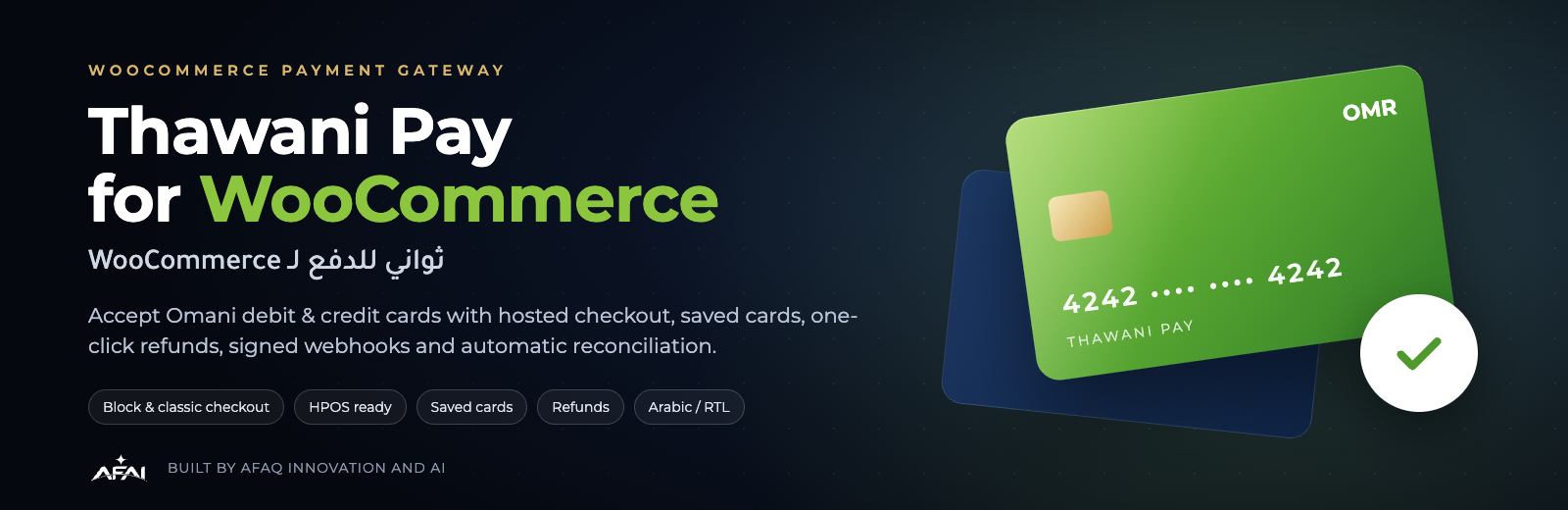
Thawani Checkout payment gateway for WooCommerce — hosted checkout, saved cards, subscriptions, refunds, signed webhooks and Arabic/RTL. By Afaq Innovation and AI.
by Afaq Innovation and AI · github.com/afaq-innovation-ai/thawani-pay-for-woocommerce · website
Install
No release zip yet. The repository archive installs, but the folder name will carry the branch suffix and updates will not flow:
wp plugin install https://github.com/afaq-innovation-ai/thawani-pay-for-woocommerce/archive/refs/heads/main.zip
English · العربية






Accept Omani debit and credit cards in WooCommerce, the professional way.
Your customers pay on Thawani's secure page, come back to a confirmed order, and you manage everything —
refunds, saved cards, subscriptions and live transactions — without leaving WordPress.
⬇️ Download the latest release · 🚀 Get started · 📸 Screenshots
✨ What it does
💳 Card payments in OMRCustomers pay with Visa and Mastercard debit or credit cards on Thawani's secure hosted page. No card data ever touches your server. |
✅ No lost paymentsEvery order is confirmed three ways: when the customer returns, by a signed webhook, and by a background check. It still works if the customer closes the tab. |
↩️ One-click refundsFull or partial refunds straight from the WooCommerce order screen. The money goes back through Thawani and the refund ID is saved on the order. |
🔁 Saved cards walletSaved cards appear as real bank cards under My account: brand colours, name, last digits and expiry. Customers can rename, set a default or remove them, and pick one at checkout straight from the card itself. |
📅 SubscriptionsMonthly or yearly plans with the free Subscriptions for WooCommerce plugin. Renewals charge the saved card, and send a payment link if an OTP is needed. |
📊 Transactions dashboardLive view of Thawani checkout sessions: collected amount, paid, awaiting and cancelled, with search and filters, each linked to its order. |
🧾 Clear order detailsA Thawani panel on every order: amount, status, card, payment ID, invoice, refunds, plus a Sync with Thawani button. |
🛡️ Secure by designThe plugin checks every payment with the Thawani API instead of trusting the browser. It also verifies amounts, checks webhook signatures and blocks duplicate charges. |
🇴🇲 Arabic & RTLComplete Arabic translation of the settings, checkout, emails and notes, with right-to-left layout out of the box. |
🧱 Any checkoutWorks with the modern WooCommerce block checkout and the classic shortcode checkout. Compatible with HPOS. |
🧪 Sandbox built inTest immediately with Thawani's public sandbox keys and test cards. Switch to live with one toggle when Thawani approves you. |
⚙️ Setup in minutesA settings screen with a live health panel shows the API connection, webhooks, currency and saved cards status at a glance. |
📸 Tour
For the store owner
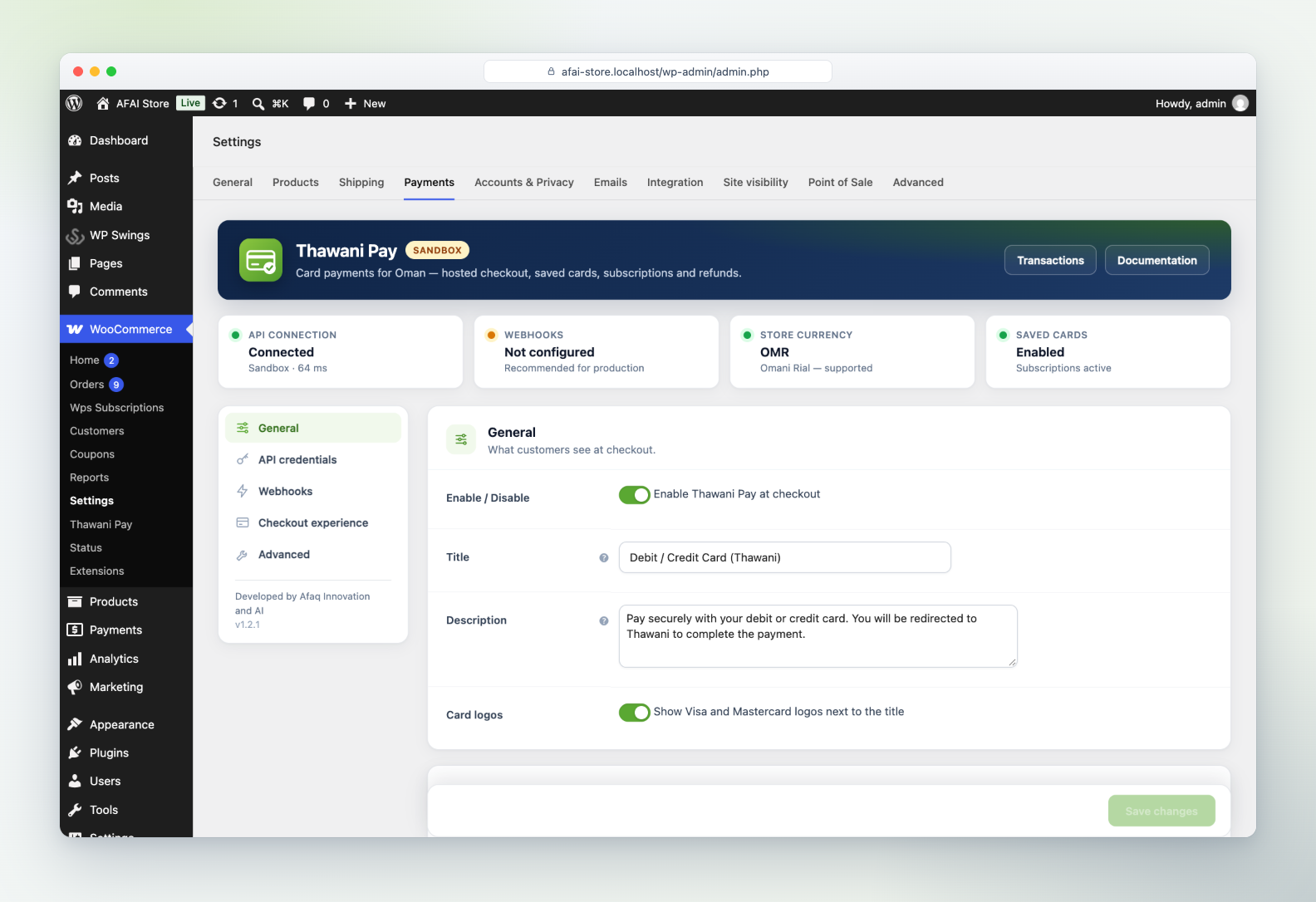
Settings with live health panel |
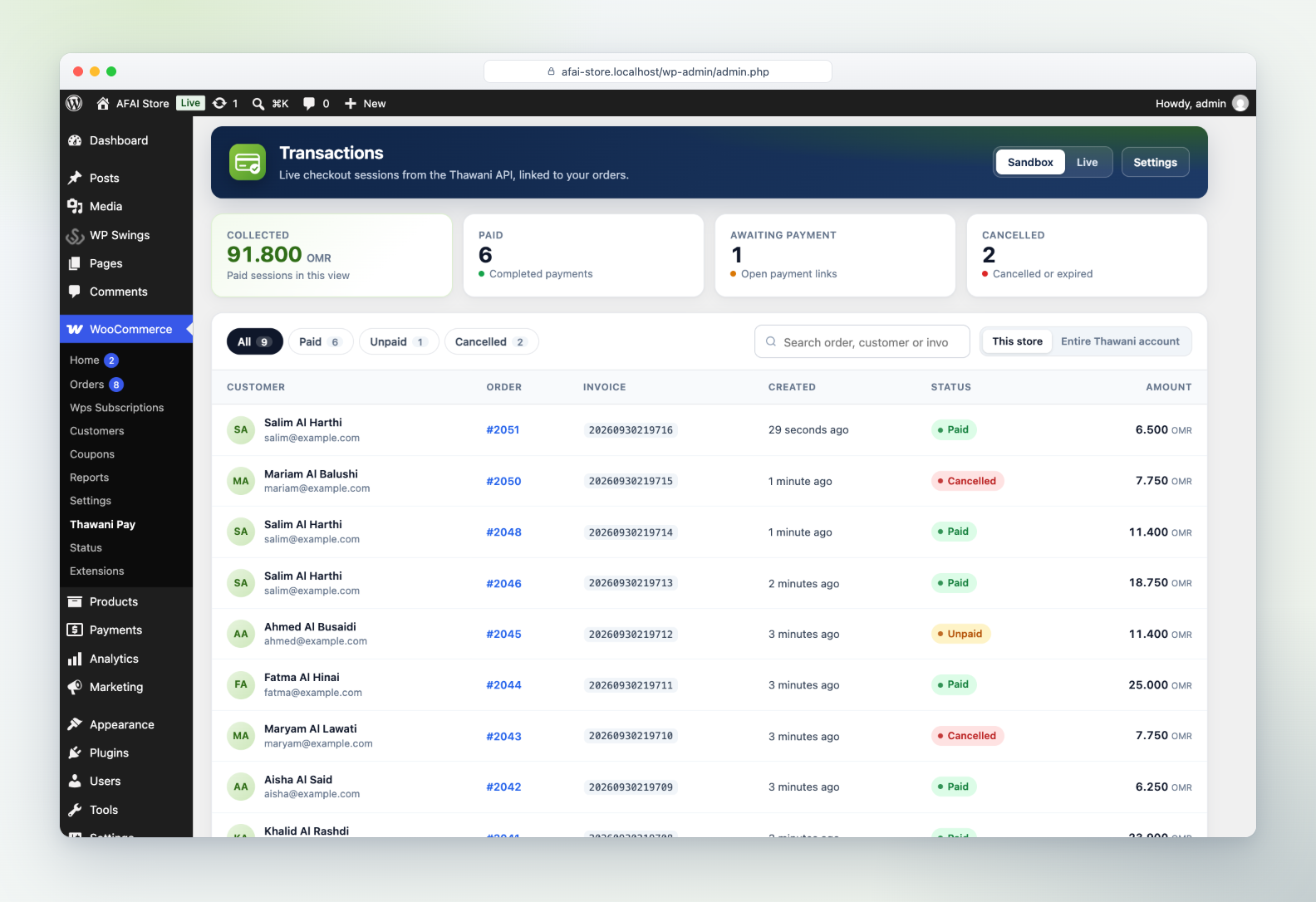
Transactions dashboard |
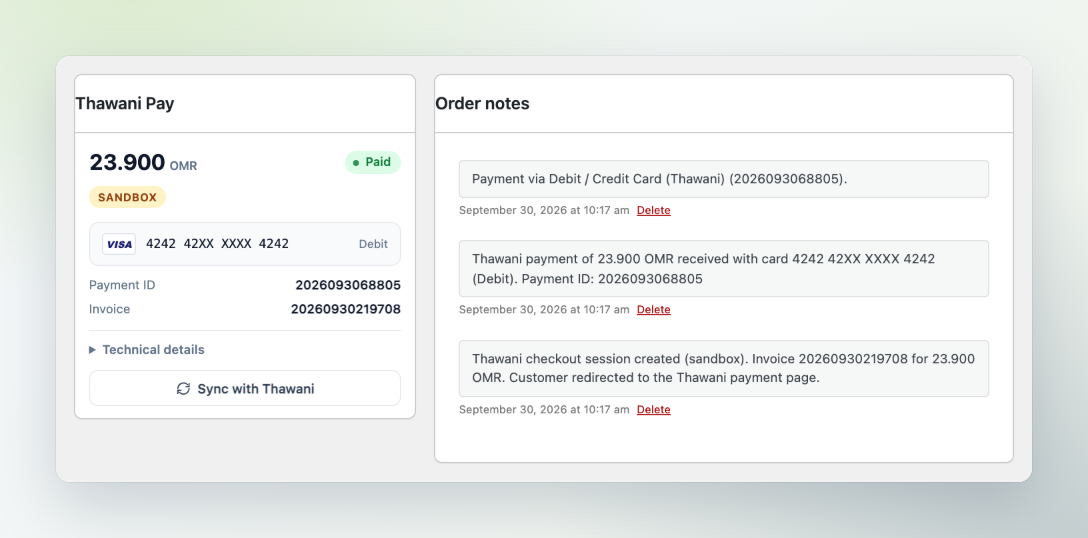
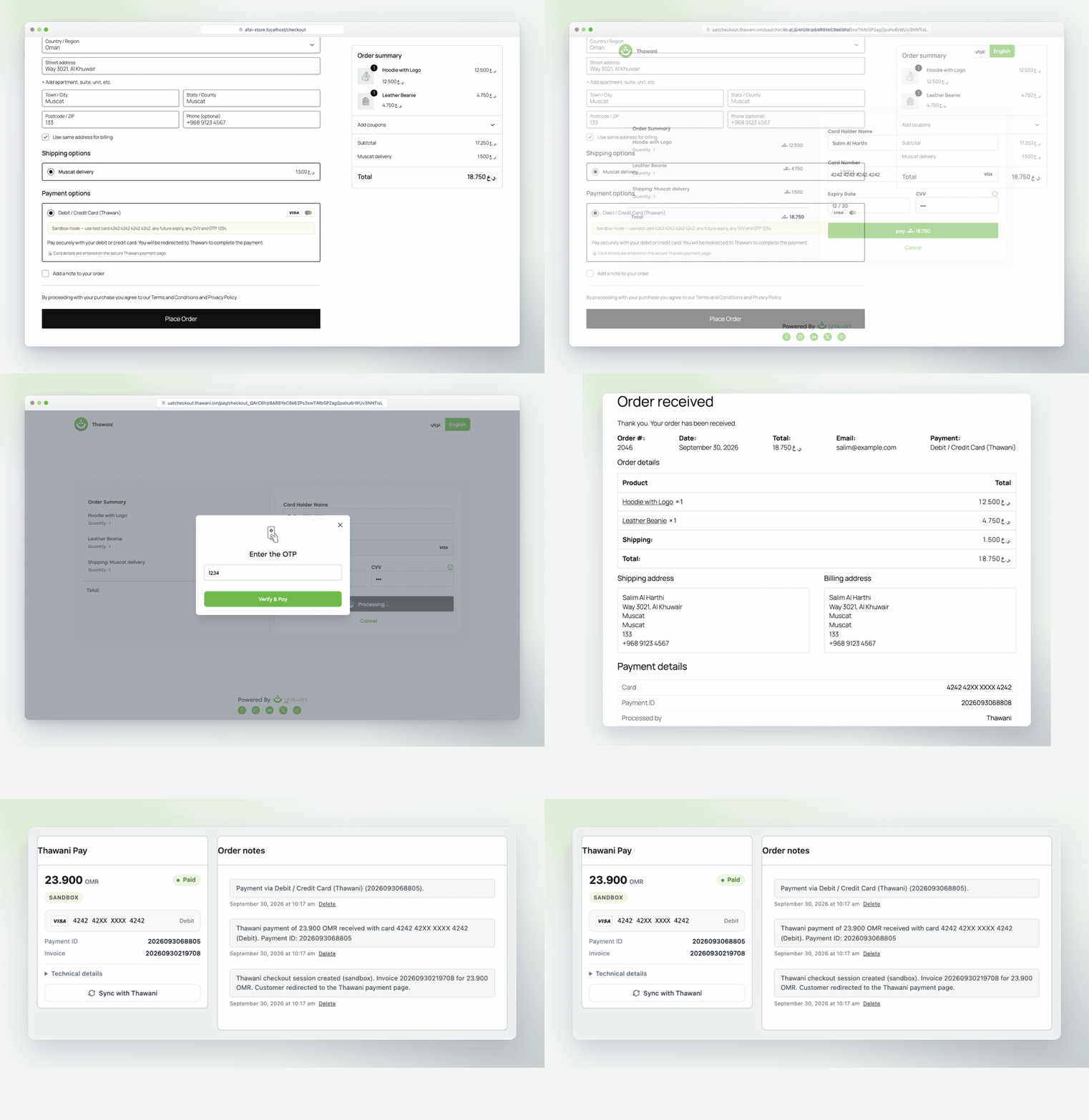
Thawani panel on every order |
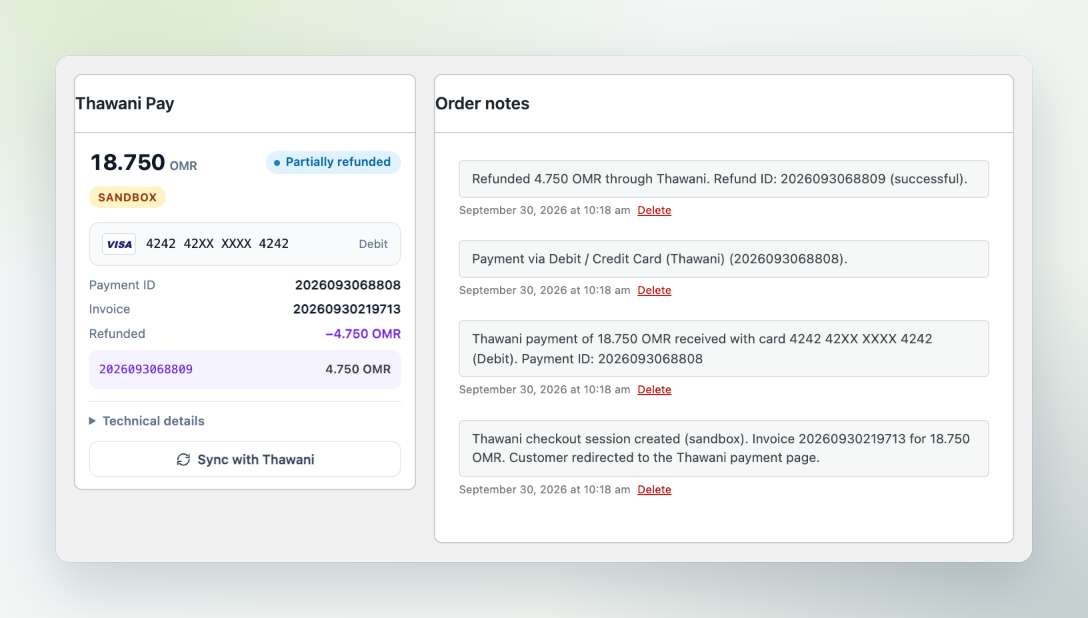
One-click refunds |
For the customer
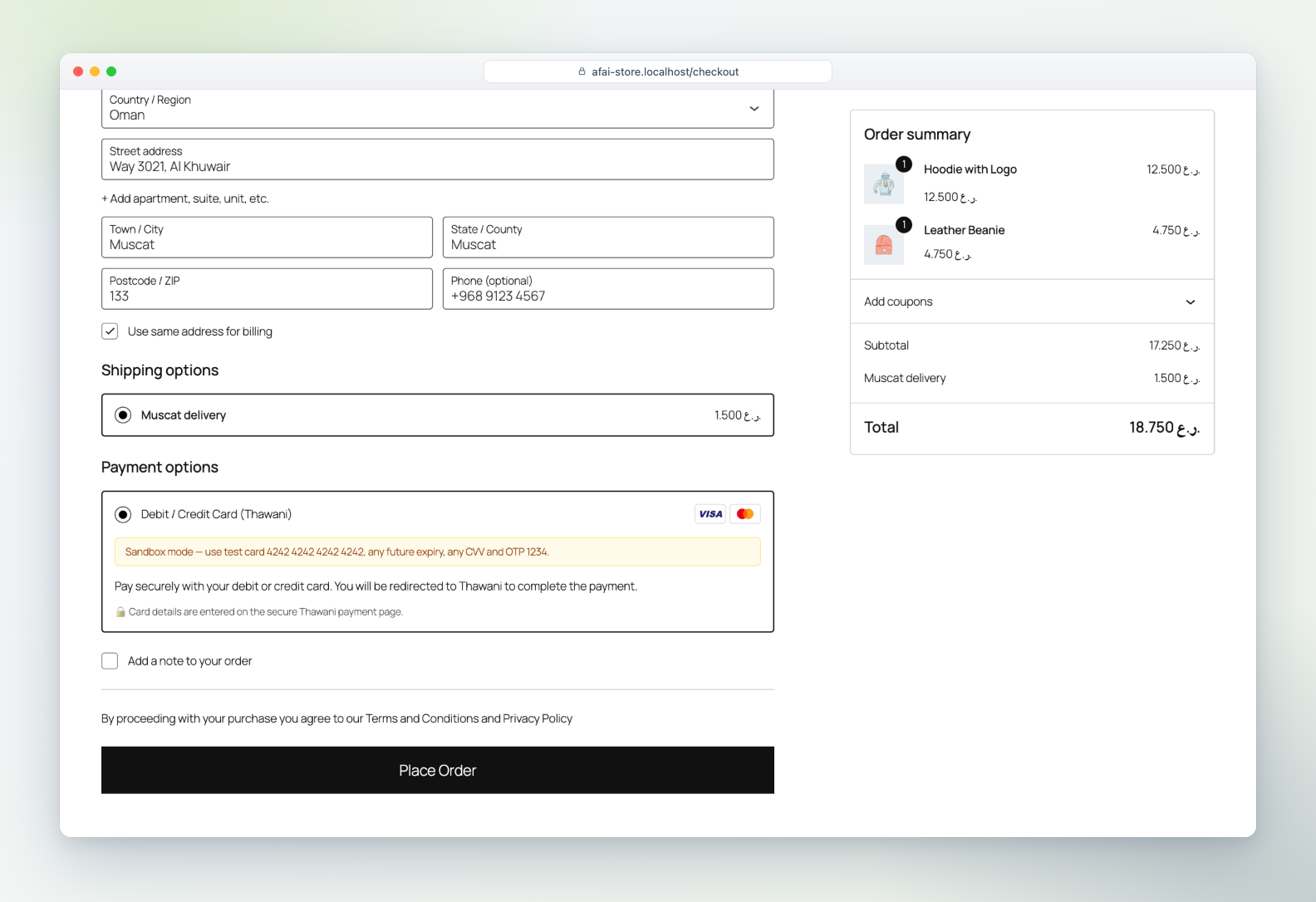
1 · Checkout |
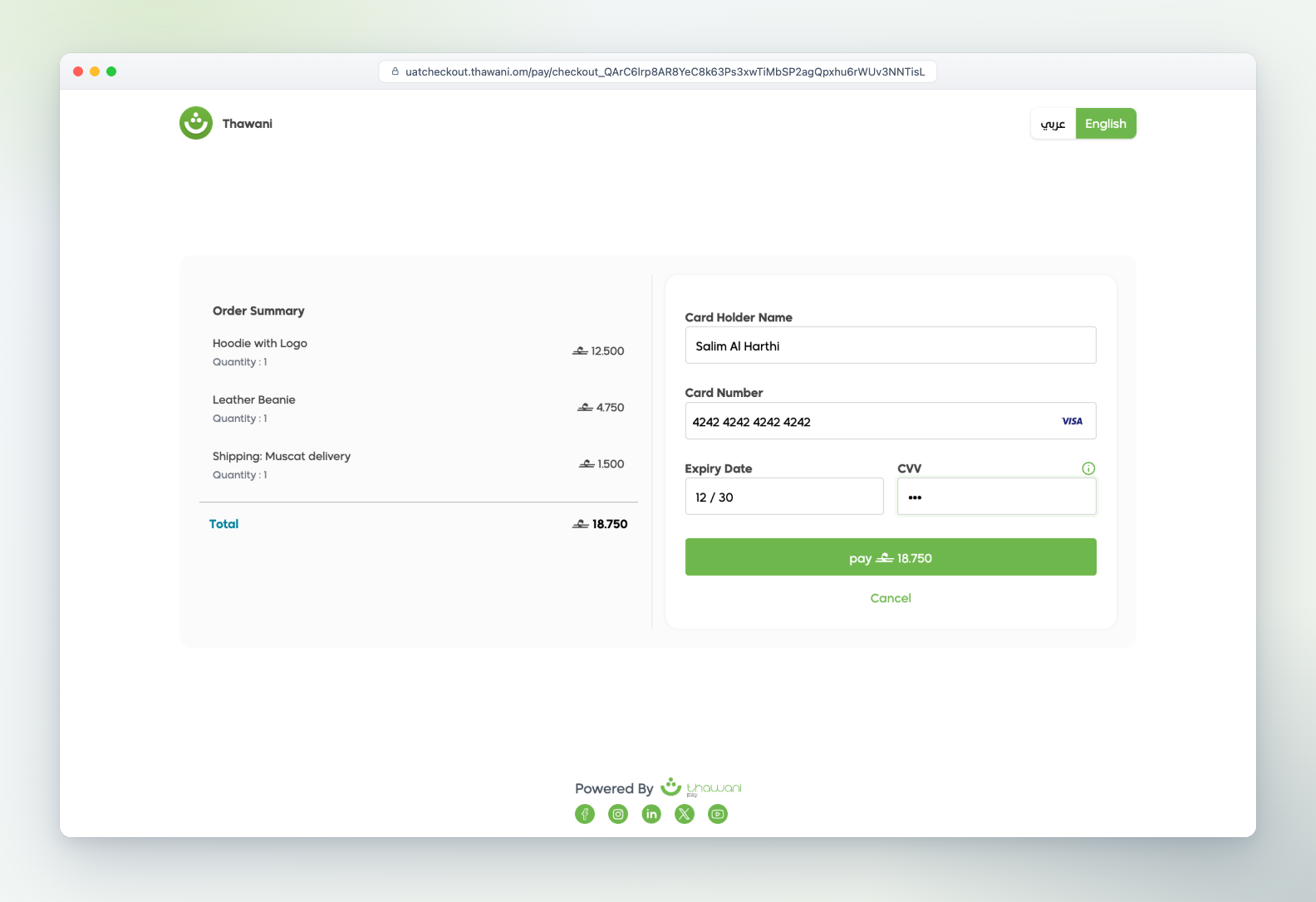
2 · Thawani secure page |
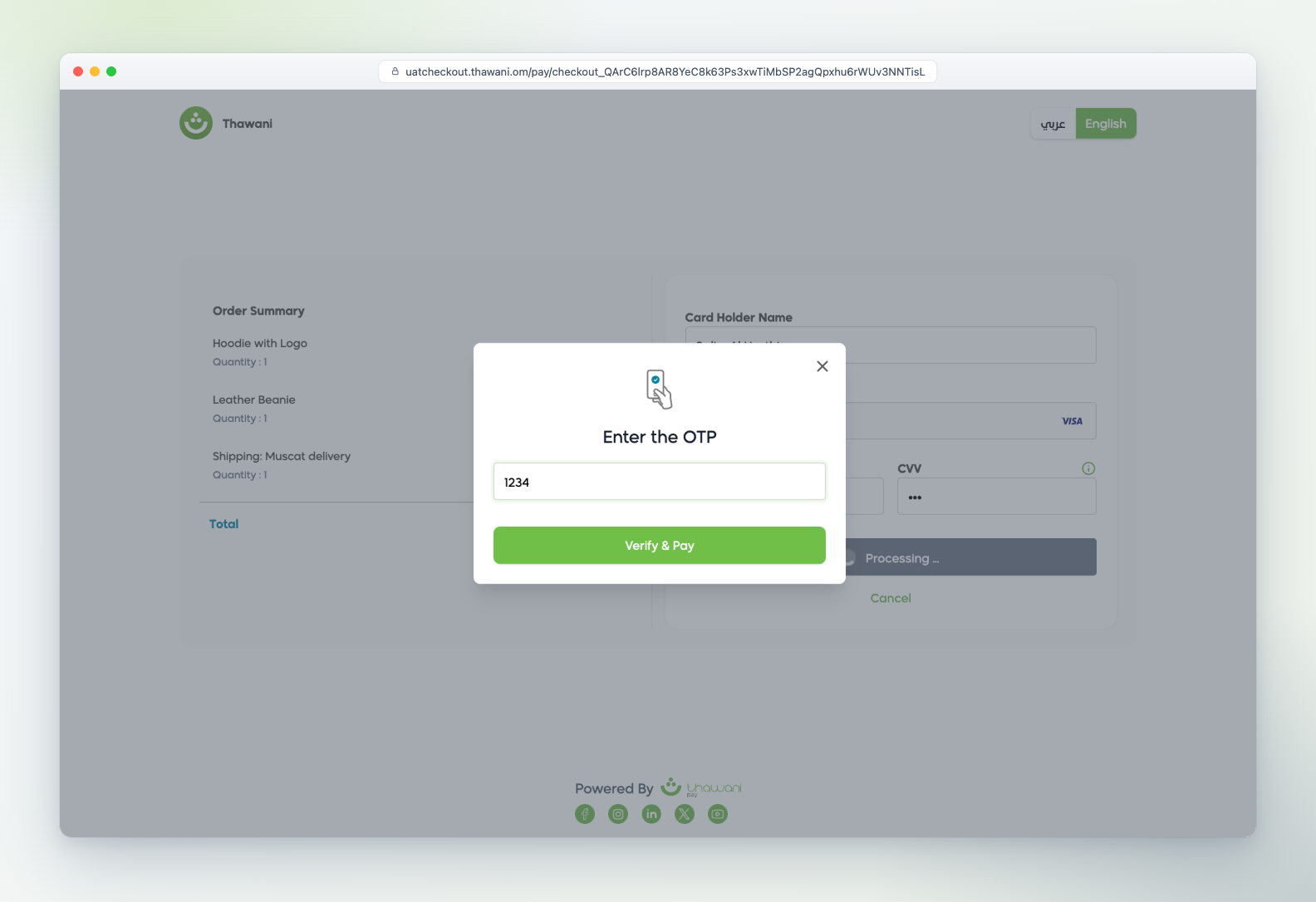
3 · Bank OTP |
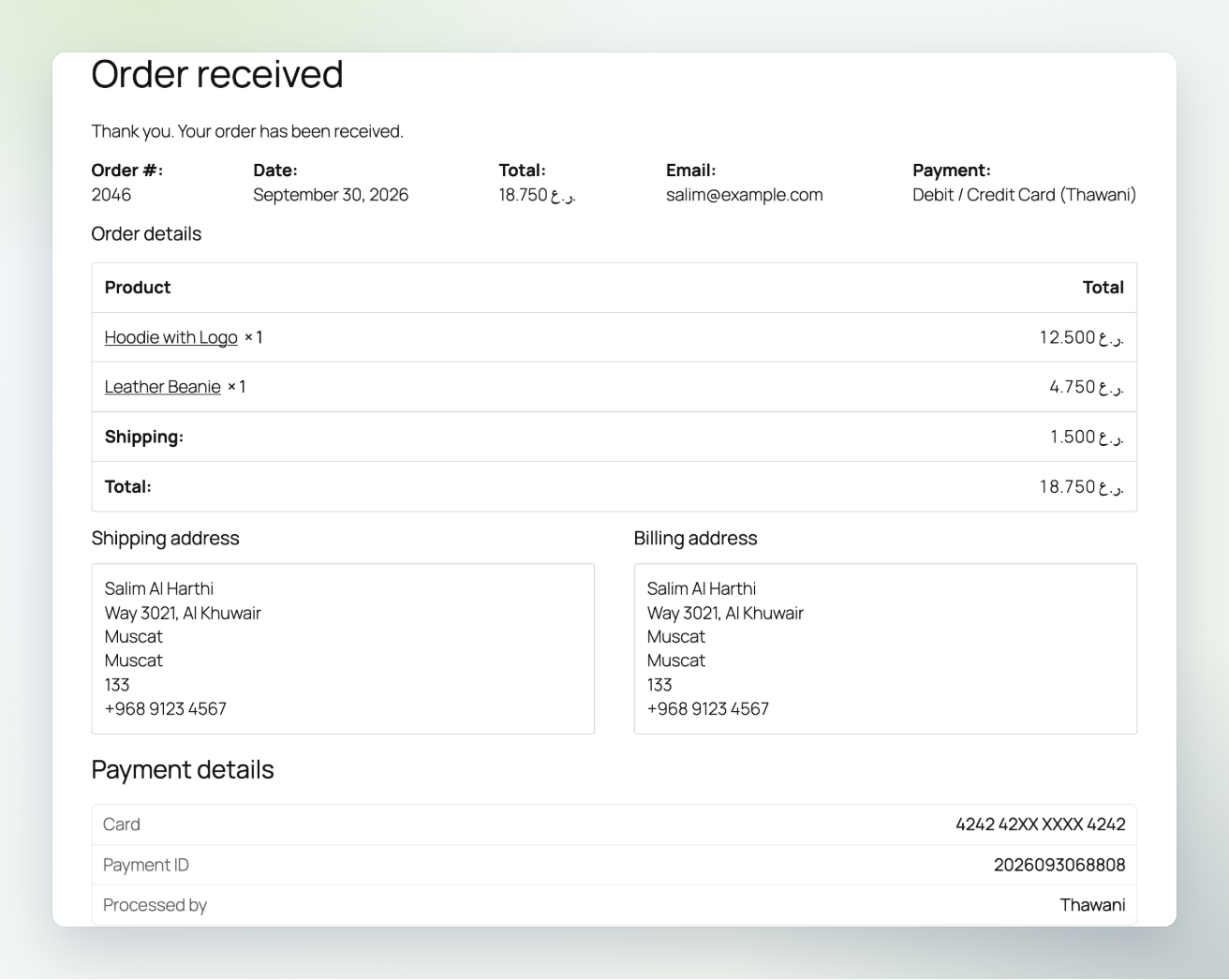
4 · Confirmed order |
Saved cards wallet
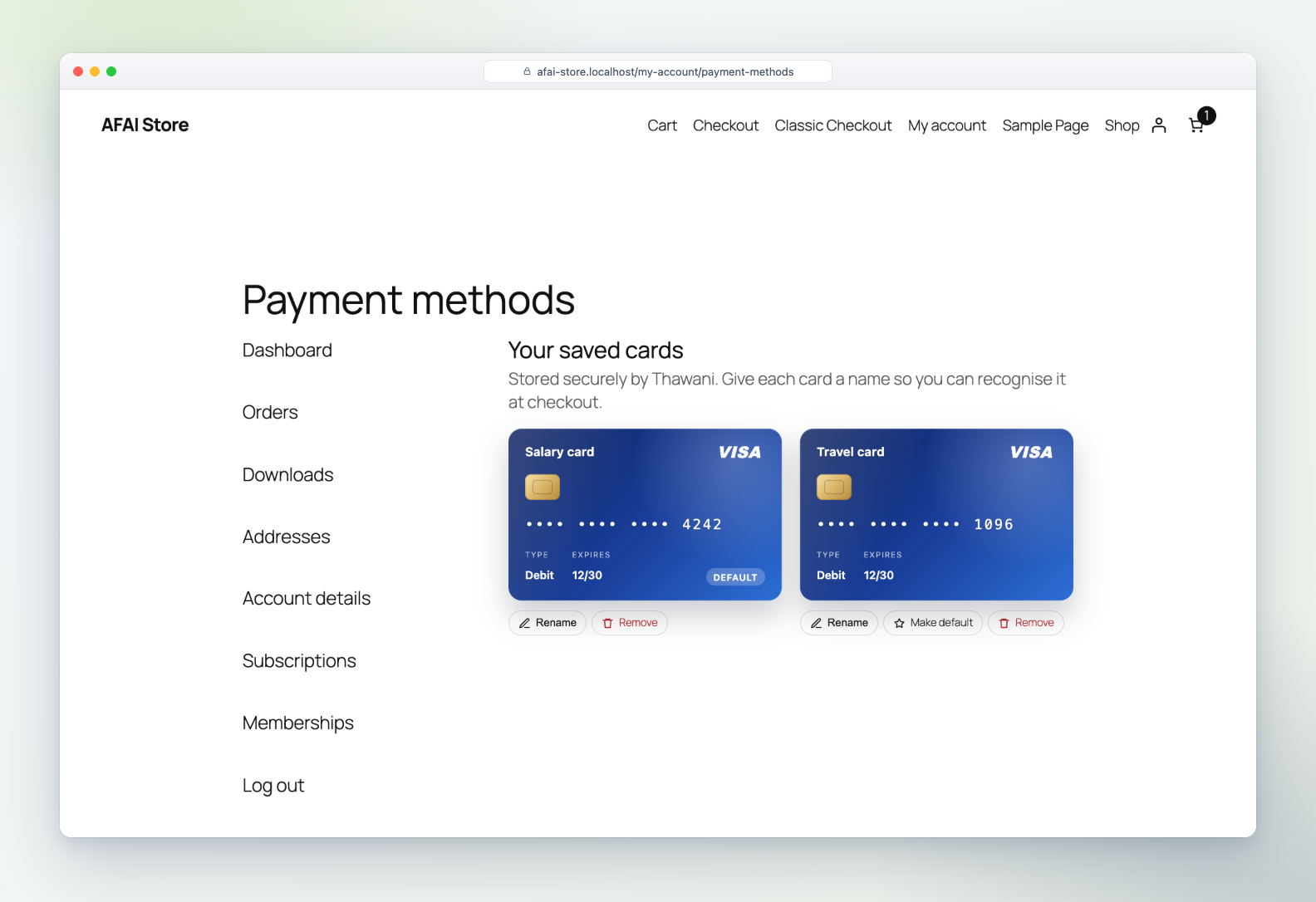
Saved cards shown as bank cards
Brand colours, card name, last digits, type and expiry, with Default and Expired badges.
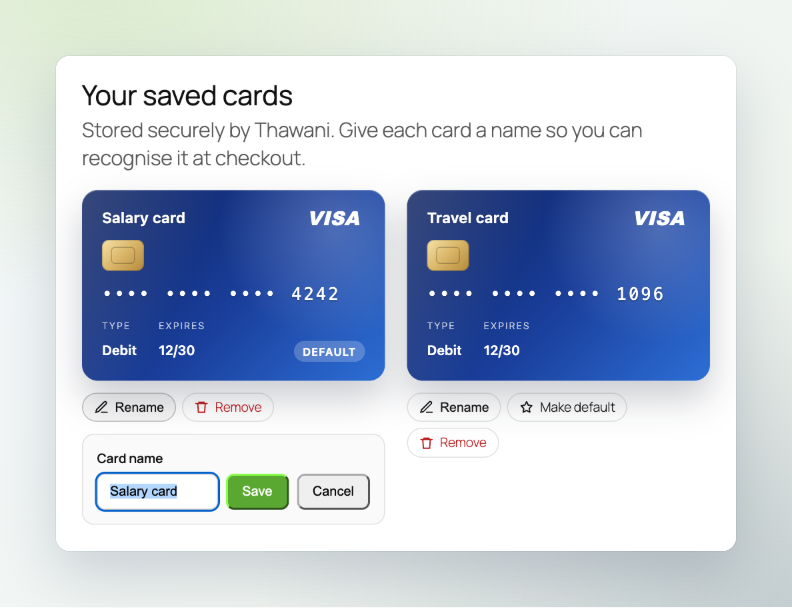
Rename any card |
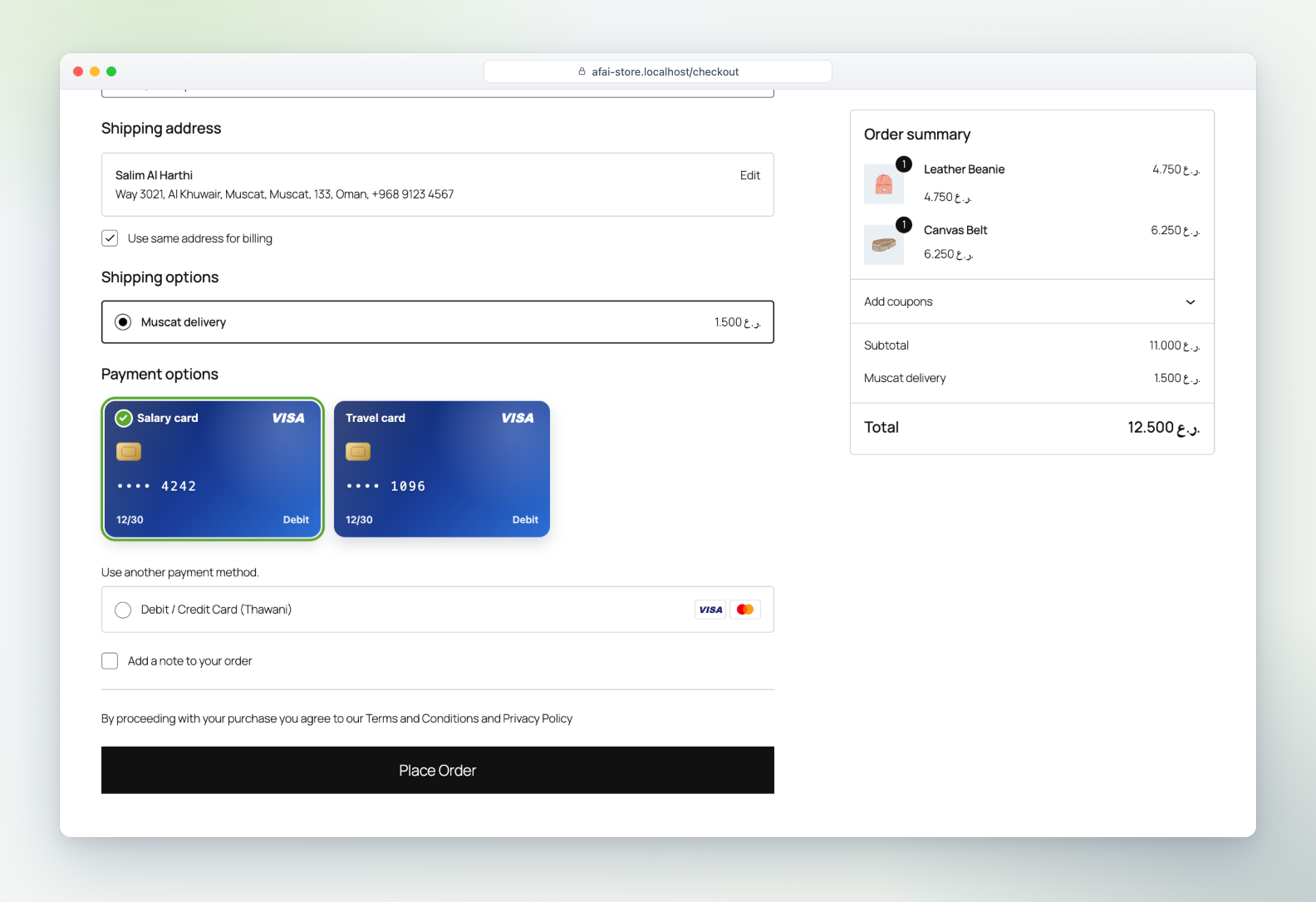
Pick a card at checkout |
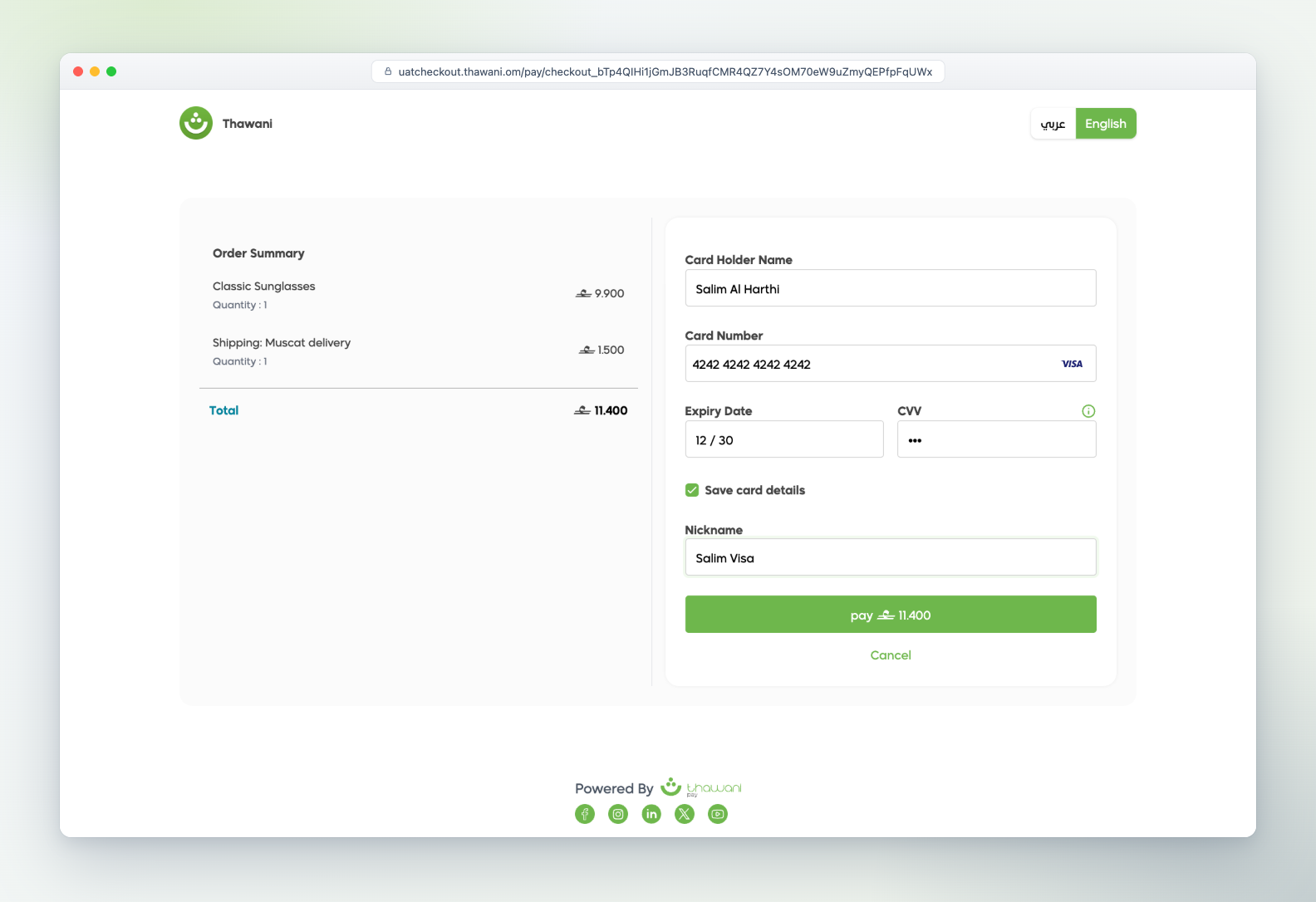
Saved securely at Thawani |
Subscriptions
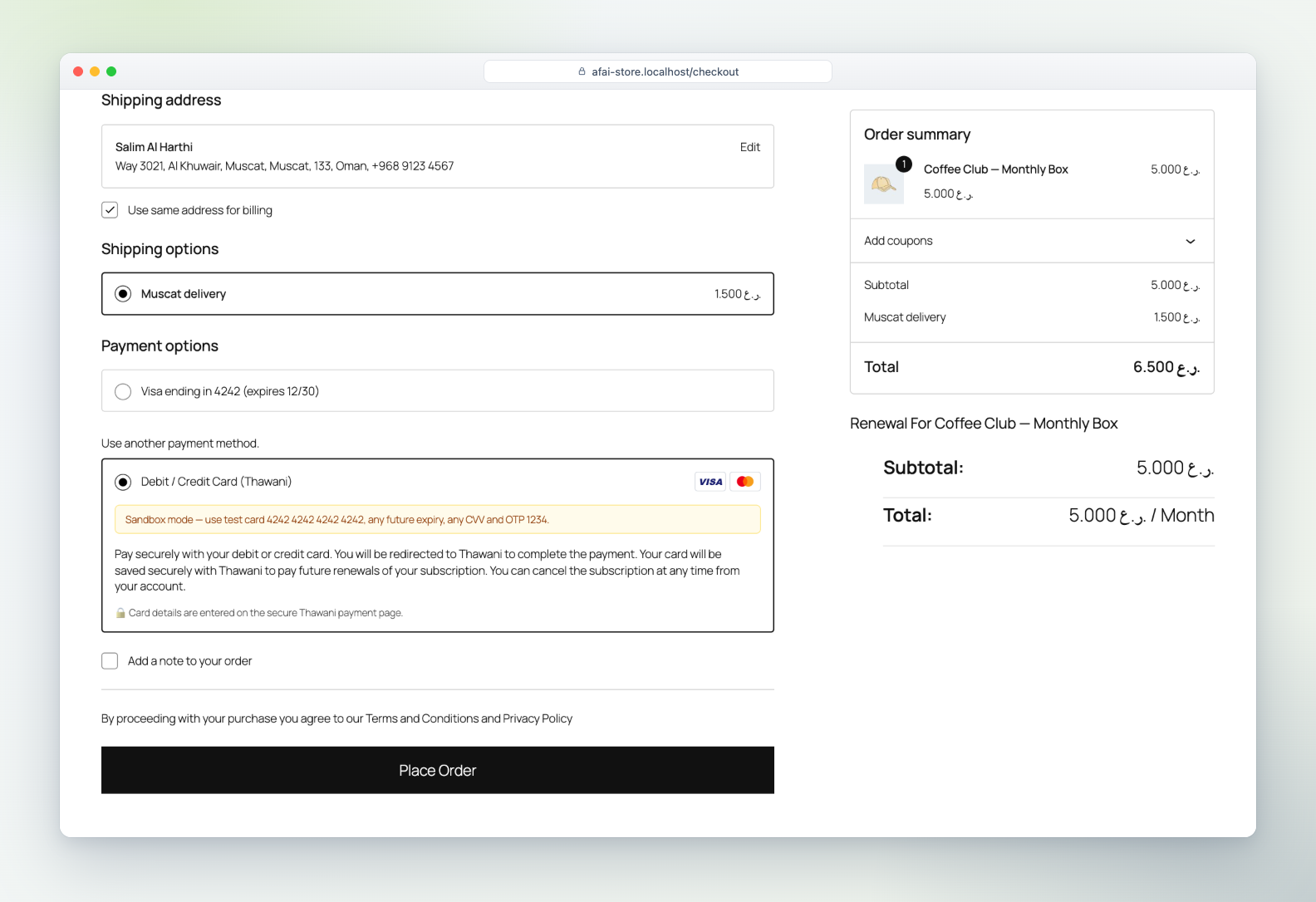
Subscribe |
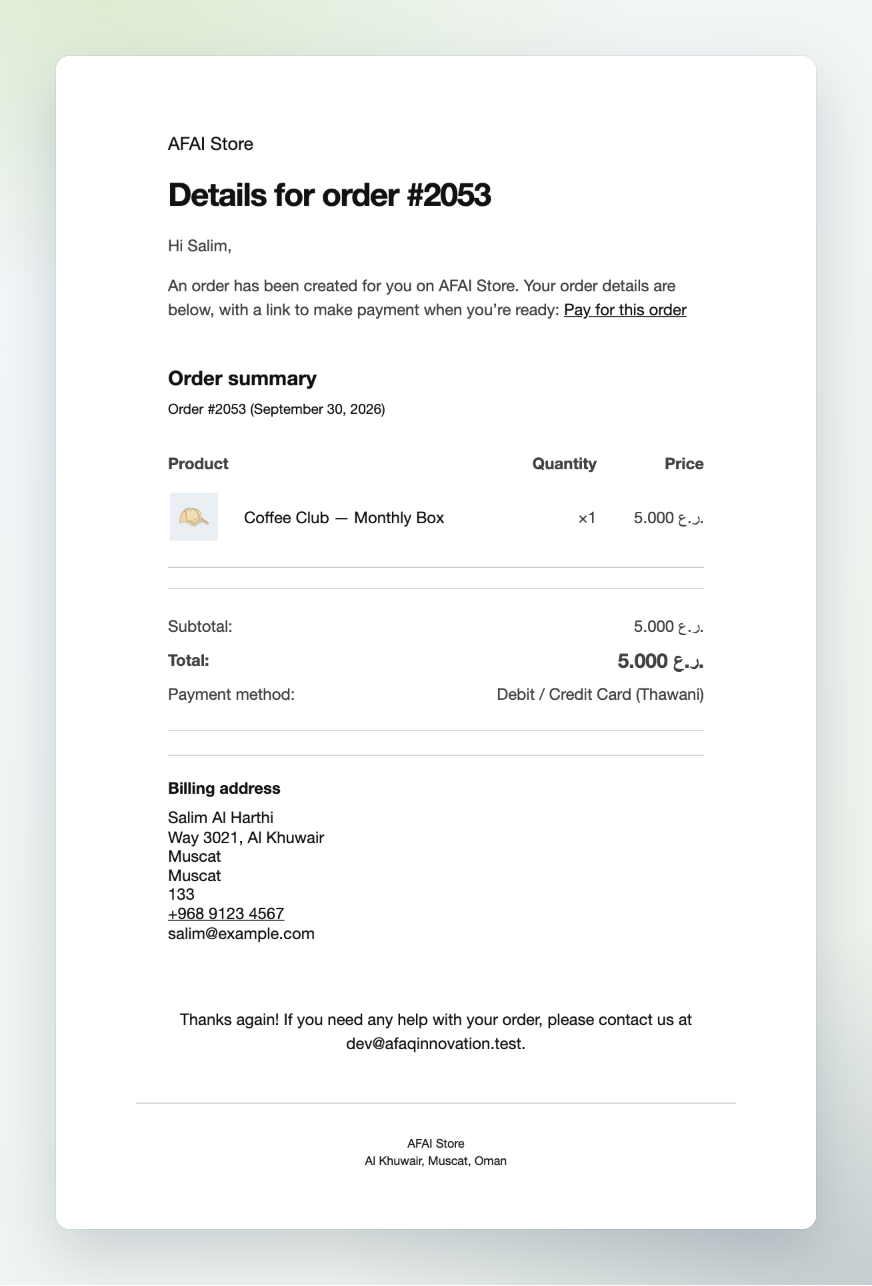
Renewal link |
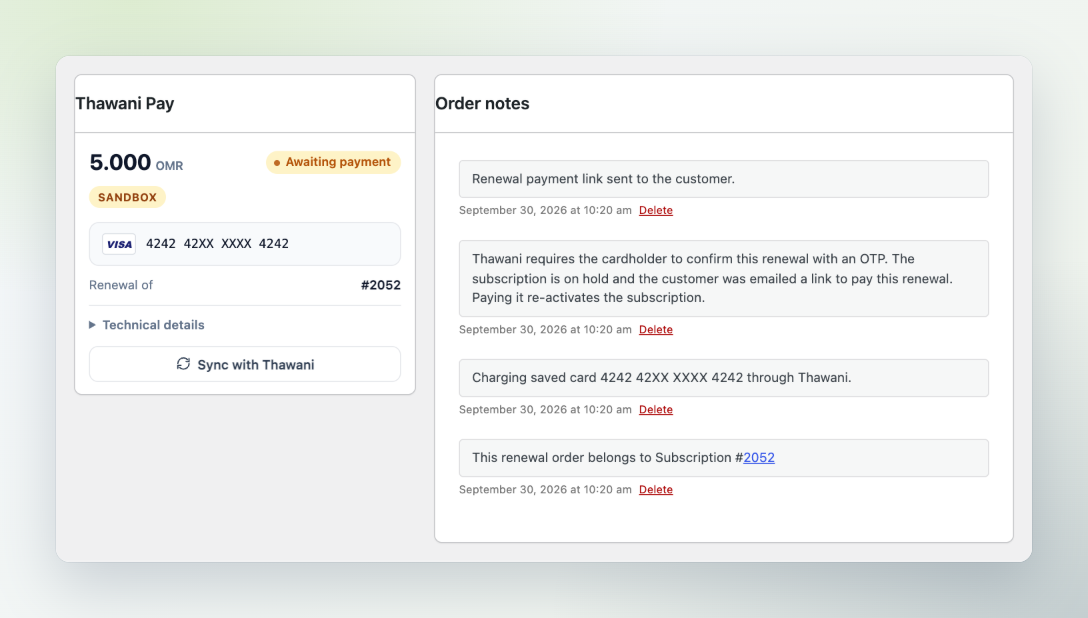
Full renewal timeline |
العربية — Arabic
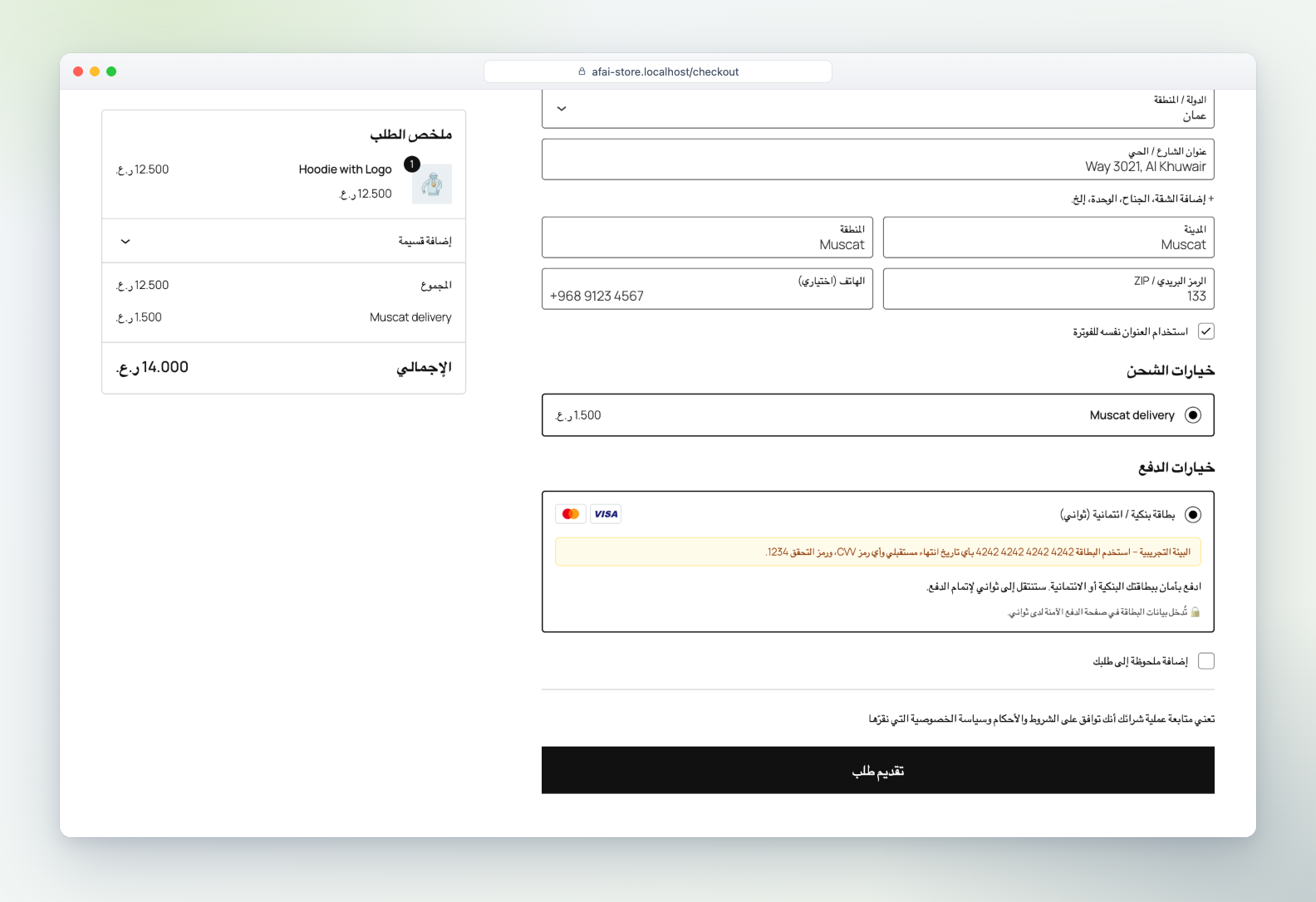
Checkout in Arabic |
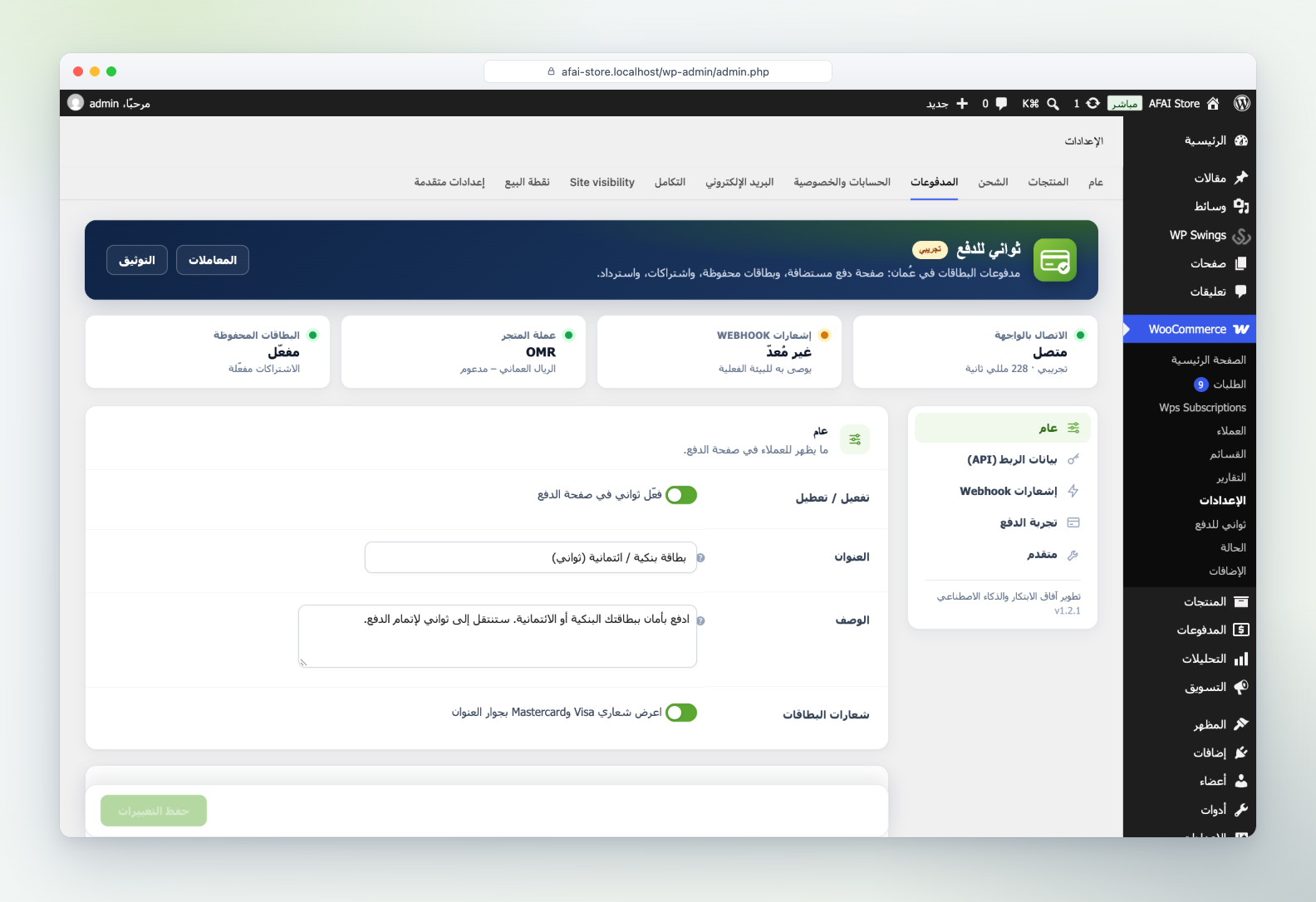
Settings in Arabic (RTL) |
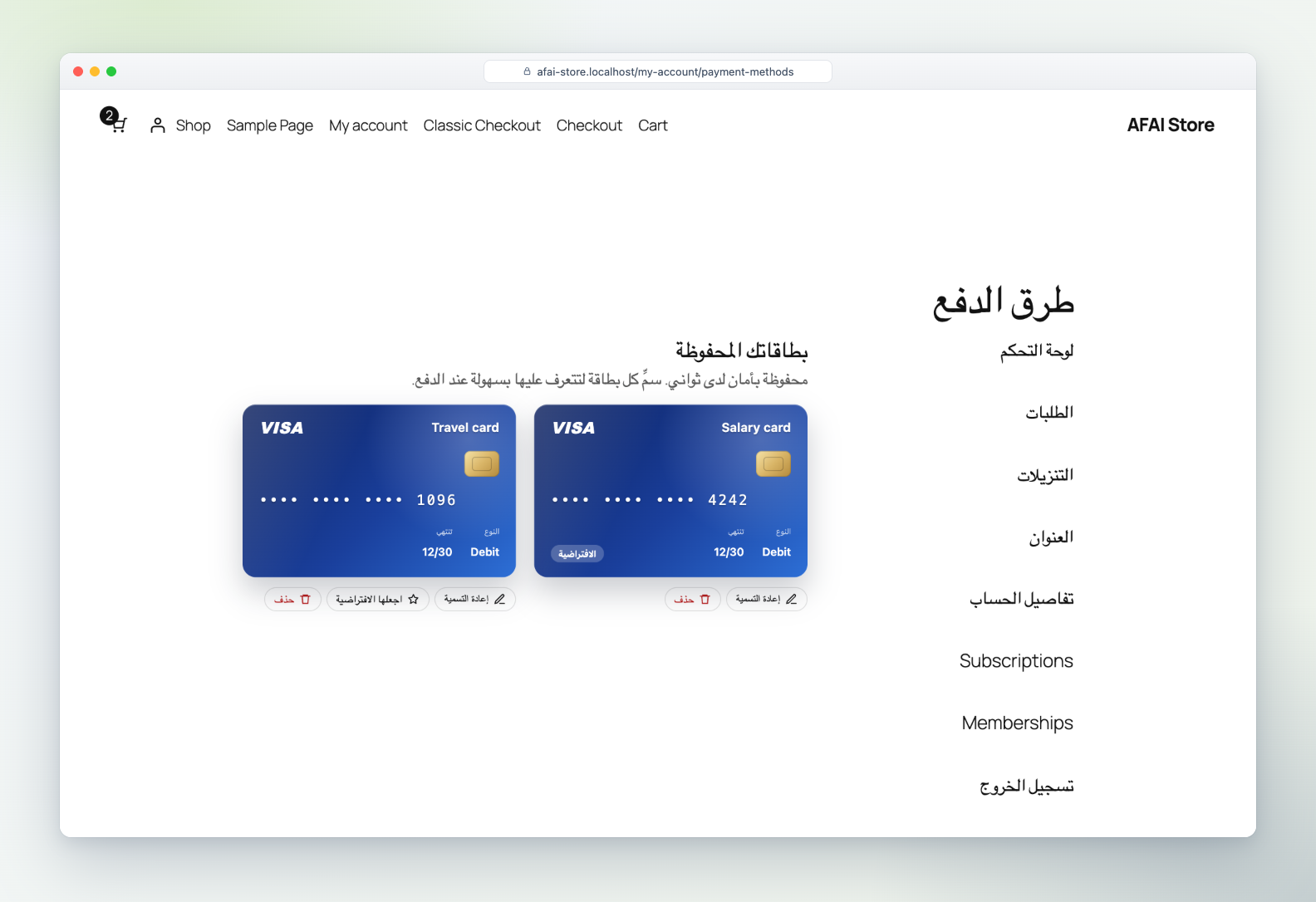
Saved cards wallet in Arabic |
🚀 Get started in 5 minutes
Before you start: WordPress 6.2+, WooCommerce 8.0+, PHP 7.4+, and your store currency set to Omani Rial (OMR).
- Install. Download the zip from Releases. In WordPress, go to Plugins → Add New → Upload Plugin and click Activate.
- Open the settings. Go to WooCommerce → Settings → Payments → Thawani Pay and switch on Enable Thawani Pay at checkout.
- Try it in the sandbox. The sandbox keys are already filled in. Place a test order and pay with card
4242 4242 4242 4242, any future expiry, any CVV and OTP1234. - Connect webhooks (recommended). Copy the Webhook URL from the settings into the Thawani merchant portal, then paste the webhook secret back into the plugin.
- Go live. When Thawani sends your production keys, paste them into the Live fields, click Test live keys, and turn off Sandbox mode.
| Card number | Result | OTP |
|---|---|---|
4242 4242 4242 4242 |
Always accepted | 1234 |
4000 0000 0000 0002 |
Always declined | 1234 |
4456 5300 0000 1096 |
3-D Secure (credit), accepted | 1234 |
4456 5300 0000 1104 |
3-D Secure (credit), declined | 1234 |
Use any future expiry date and any CVV.
Thawani go-live checklist, and how the plugin meets it| Thawani requirement | Covered by |
|---|---|
| SSL certificate | An admin warning appears if live mode is on without HTTPS. |
| Customer name, contact number and email in metadata | Sent automatically with every payment. |
| Checkout states that cards are accepted | Default title Debit / Credit Card (Thawani), description and card logos. |
| Webhook URL configured | Copyable URL in the settings; every delivery is verified with the webhook secret. |
- Install and activate the free Subscriptions for WooCommerce plugin by WP Swings.
- Create a subscription product, for example 5 OMR a month.
- That's it. Thawani Pay is offered at checkout for subscriptions, saves the card, and charges it on each renewal.
Thawani currently asks the cardholder for an OTP on every saved-card charge. When a renewal needs one, the subscription goes on hold and the customer receives an email with a Pay for this order link. One click and the OTP re-activate it. If Thawani enables charges without OTP on your account, renewals become fully automatic with no change on your side.
The official paid WooCommerce Subscriptions extension is not supported yet.
🔒 Reliability and security
- Never trusts the browser. The plugin updates an order only after confirming the payment with the Thawani API.
- Amount check. If the paid amount differs from the order total, the order goes on hold instead of shipping.
- Paid exactly once. A lock prevents double-processing when the redirect, the webhook and the background check arrive together.
- Signed webhooks. HMAC-SHA256 signatures, checked in constant time, with replay protection.
- No stale payment links. When an order changes, the old Thawani session is cancelled so it can't be paid by mistake.
- Private logs. Keys, emails and phone numbers are masked in the debug log.
- PCI scope stays with Thawani. WooCommerce keeps only the card brand, last four digits and expiry.
sequenceDiagram
    autonumber
    actor C as Customer
    participant W as WooCommerce + plugin
    participant T as Thawani API
    participant P as Thawani payment page

    C->>W: Place order
    W->>T: Create checkout session (products, metadata, return URLs)
    T-->>W: session_id, invoice
    W-->>C: Redirect to Thawani
    C->>P: Card details + OTP
    P-->>C: Back to the store
    W->>T: Fetch session (never trusts the redirect)
    T-->>W: paid
    W-->>C: Order received (payment ID, masked card)
    T--)W: Signed webhook (confirms even if the customer never returns)
Note over W: Background check re-verifies pending orders every 15 minutes🧑💻 For developers
Hooks, endpoints, order meta and architectureFilters
| Filter | Arguments | Purpose |
|---|---|---|
thawani_pay_checkout_session_payload |
array $payload, WC_Order $order |
Change the checkout session request, e.g. a custom expire_in_minutes. |
thawani_pay_payment_intent_payload |
array $payload, WC_Order $order |
Change the saved-card payment intent request. |
thawani_pay_metadata |
array $meta, WC_Order $order |
Add or remove metadata sent to Thawani (string values, 250 characters max). |
thawani_pay_supported_currencies |
string[] $currencies |
Currencies for which the method is offered (default ['OMR']). |
thawani_pay_api_host |
string $host, string $mode |
Point the client at a proxy or mock server. |
thawani_pay_force_save_card |
bool $save, WC_Order $order |
Always save the card for an order (used by the subscriptions integration). |
thawani_pay_show_save_option |
bool $show |
Show or hide the save my card checkbox at checkout. |
thawani_pay_checkout_description |
string $description |
Change the text under the payment method (classic and block checkout). |
thawani_pay_order_box_rows |
array $rows, WC_Order $order |
Add rows to the Thawani Pay box on the order screen. |
Actions
| Action | Arguments | Fired when |
|---|---|---|
thawani_pay_payment_completed |
WC_Order $order, ?array $payment |
An order has been confirmed as paid. |
thawani_pay_refund_created |
WC_Order $order, array $refund, int $baisa |
A refund was accepted by Thawani. |
thawani_pay_webhook_received |
string $event, array $data |
A webhook passed signature verification. |
thawani_pay_renewal_requires_customer |
WC_Order $order, int $subscription_id, string $reason |
A renewal could not be charged automatically and the customer was sent a payment link. |
// Example: add the customer's loyalty tier to the Thawani metadata.
add_filter( 'thawani_pay_metadata', function ( array $meta, WC_Order $order ) {
    $meta['Loyalty tier'] = get_user_meta( $order->get_customer_id(), 'loyalty_tier', true );
    return $meta;
}, 10, 2 );
Endpoints
| Endpoint | Purpose |
|---|---|
POST /wp-json/thawani-pay/v1/webhook |
Thawani webhooks (checkout.completed, payment.succeeded, payment.failed, …). |
GET /wp-json/thawani-pay/v1/order-status?order_id=&key= |
Status polling for the thank-you page (requires the order key). |
/?wc-api=thawani_return&thawani_action=success\|cancel\|intent |
Where Thawani sends the customer back. |
Order meta
| Key | Content |
|---|---|
_thawani_mode |
test or live — the environment the order was paid in. |
_thawani_session_id / _thawani_invoice / _thawani_reference |
Checkout session, Thawani invoice and our client_reference_id. |
_thawani_intent_id |
Payment intent (saved-card orders). |
_thawani_payment_id |
Thawani payment ID (also stored as the WooCommerce transaction ID). |
_thawani_masked_card / _thawani_card_type |
e.g. 4242 42XX XXXX 4242 / Debit. |
_thawani_card_id |
Thawani id of the saved card that paid the order (also stored on subscriptions). |
_thawani_amount |
Expected amount in baisa. |
_thawani_refunds |
Refunds created through the plugin. |
Architecture
src/
├── Api/            Client.php (the whole Thawani E-Commerce API), ApiException.php
├── Gateway/        Gateway.php, CheckoutService.php, PaymentSync.php, ReturnHandler.php, ThankYou.php, OrderMeta.php
├── Webhooks/       WebhookController.php, Signature.php
├── Tokens/         TokenManager.php (Thawani customers + saved cards ⇄ WooCommerce tokens)
├── Cron/           Reconciler.php (Action Scheduler)
├── Blocks/         BlocksSupport.php (Cart & Checkout blocks)
├── Subscriptions/  WpsSubscriptions.php (Subscriptions for WooCommerce by WP Swings)
├── Admin/          Admin.php, Status.php (health panel), OrderMetaBox.php, TransactionsPage.php
└── Support/ Settings.php, Money.php (OMR ⇄ baisa), LineItems.php, Logger.phpThe repository includes a Docker stack (WordPress, MariaDB, WP-CLI and Mailpit) that works with OrbStack or Docker Desktop.
cd dev && docker compose up -d
docker compose exec cli wp core install --url=http://localhost:8090 --title="Dev Store" \
  --admin_user=admin --admin_password=admin --admin_email=dev@example.test --skip-email
docker compose exec cli wp plugin install woocommerce --activate
docker compose exec cli wp option update woocommerce_currency OMR
docker compose exec cli wp plugin activate thawani-pay-for-woocommerce| Service | URL |
|---|---|
| Store and admin | http://localhost:8090 (admin / admin) |
| Mailpit (outgoing email) | http://localhost:8026 |
composer install && composer test && composer lint     # unit tests + WordPress Coding Standards
cd tests/e2e && npm install
node seed.mjs            # realistic demo orders through the Thawani sandbox
node screenshots.mjs     # full end-to-end run; regenerates docs/screenshots
node subscriptions.mjs   # subscribe → renewal → OTP link → re-activation
bin/build-zip.sh         # → dist/thawani-pay-for-woocommerce-<version>.zip
Pushing a tag such as v1.2.0 makes GitHub Actions build the zip and publish a release.
| Symptom | Fix |
|---|---|
| Thawani Pay is not shown at checkout | The store currency must be OMR, and keys must be set for the active environment. The health panel shows both. |
| "Key rejected by Thawani" | Live keys are being used in sandbox mode, or the other way round. Check the Sandbox mode switch. |
| Order stays Pending payment after paying | Click Sync with Thawani on the order, and set up webhooks. Also check Tools → Scheduled Actions (group thawani-pay). |
Webhooks return 401 invalid_signature |
The webhook secret in the plugin does not match the Thawani portal for that environment. |
| I need to see the raw API traffic | Enable Debug log and open WooCommerce → Status → Logs (source thawani-pay). |
🤝 Credits and license
Developed and maintained by Afaq Innovation and AI · آفاق الابتكار والذكاء الاصطناعي.
Released under the GNU General Public License v2.0 or later. See CHANGELOG.md for release notes, CONTRIBUTING.md to contribute, and SECURITY.md to report a vulnerability.
Thawani and the Thawani logo are trademarks of Thawani Technologies. This is an independent integration built on the public Thawani E-Commerce API; Thawani Technologies does not endorse or support it.