Post Calendar
Post Calendar is a WordPress plugin that displays posts as events in a calendar via Bricks, shortcode.
Install
The author publishes release zips, so WP-CLI can install straight from GitHub:
wp plugin install https://github.com/achtender/post-calendar/releases/download/v0.5.2/post-calendar-0.5.2.zipReadme
Post Calendar
Post Calendar lets you add structured event data to posts and query those events as individual occurrences.
Event data model
Event data is stored on source posts. A post becomes an event source when it contains one or more event definitions in the _post_events meta key. A single post can define multiple events and remain queryable.
You can create event data in three ways:
- Use the built-in editor UI enabled in Settings > Post Calendar
- Use Advanced Custom Fields (ACF), as long as it saves the same
_post_eventsmeta structure - Use your own PHP code
Derived meta keys
The plugin maintains these meta keys on source posts:
_post_events— the array of event definitions_post_has_events— a derived flag (1or missing) used for coarse event-source queries_post_events_range_start— the canonical start date for the entire set of events on this post_post_events_range_end— the canonical end date for the entire set of events on this post (may be missing for open-ended recurring events)
Occurrence-specific meta keys
When you query event occurrences, the plugin exposes these meta keys for each expanded occurrence. These describe the current occurrence, not the source post:
_post_event_start— the occurrence start date_post_event_end— the occurrence end date_post_event_label— the occurrence label (falls back to the source post title if the event row has no label)
The loop post object also exposes: post_event_id, post_event_start, post_event_end, post_event_label, post_event_source_id, post_event_source_index, and post_event_occurrence_index.
If a source post contains multiple event definitions, the summary range describes the complete set of events. Each occurrence carries its own start date, end date, and label.
Example _post_events value:
update_post_meta( $post_id, '_post_events', array(
  array(
    'label'           => '',
    'all_day'         => 1,
    'start'      => '2026-03-13 00:00:00',
    'end'        => '2026-03-20 23:59:59',
    'repeat'          => 'none',
    'repeat_interval' => 1,
    'repeat_byday'    => array(),
    'repeat_until'    => '',
  ),
  array(
    'label'           => 'Team Meeting',
    'all_day'         => 0,
    'start'      => '2026-03-15 09:00:00',
    'end'        => '2026-03-15 11:00:00',
    'repeat'          => 'weekly',
    'repeat_interval' => 1,
    'repeat_byday'    => array( 'MO', 'WE' ),
    'repeat_until'    => '2026-06-30 23:59:59',
  ),
) );
Each event definition in _post_events contains these fields:
label— optional string label for the event (falls back to post title if empty)all_day—1or0start— start datetime inY-m-d H:i:sformatend— end datetime inY-m-d H:i:sformatrepeat—none,weekly,monthly, oryearlyrepeat_interval— positive integer interval between repeatsrepeat_byday— array of weekday codes for weekly recurrence (such asMOorWE)repeat_until— end datetime inY-m-d H:i:sformat, or an empty string for no recurrence limit
Querying events
Post Calendar registers post_calendar_event as a virtual post type for querying event occurrences. You cannot create or edit post_calendar_event posts in WordPress admin. When you query it with WordPress Query (WP_Query) or a builder loop, the plugin finds matching source posts with _post_has_events = 1 and expands their event definitions into individual occurrences.
Dates and recurrence
Use the Y-m-d H:i:s format for event start and end datetimes. Events can be non-recurring or repeat weekly, monthly, or yearly. The plugin expands recurring definitions into individual occurrence rows when you query them.
For recurring queries, provide explicit date constraints whenever possible. A meta_query on _post_event_start filters the expanded occurrences, and the plugin paginates after expanding recurrence. If you don't provide a date window, the query uses a default one-year occurrence window (upcoming dates).
Basic query
Set the query post type to post_calendar_event. Pagination, filters, and sorting work as expected. The plugin resolves the query to the source post types and applies the event-source filter. The loop renders the source posts, so their fields, permalinks, excerpts, featured images, and other post data remain available.
When the current loop item is an occurrence, you can access virtual metadata for that row:
get_post_meta( get_the_ID(), '_post_event_start', true )— retrieves the occurrence start dateget_post_meta( get_the_ID(), '_post_event_end', true )— retrieves the occurrence end dateget_post_meta( get_the_ID(), '_post_event_label', true )— retrieves the event label (falls back to the source post title if the event row has no label)
The loop post object also exposes: post_event_id, post_event_start, post_event_end, post_event_label, post_event_source_id, post_event_source_index, and post_event_occurrence_index.
$events = new WP_Query( [
    'post_type'      => 'post_calendar_event',
    'posts_per_page' => 10,
] );
Sorting and pagination
Events are ordered by start date in ascending order by default. Override this by specifying meta_key, orderby, and order:
$events = new WP_Query( [
    'post_type'      => 'post_calendar_event',
    'posts_per_page' => -1,
    'meta_key'       => '_post_event_start',
    'orderby'        => 'meta_value',
    'meta_type'      => 'DATETIME',
    'order'          => 'DESC',
] );
You can also use a custom meta_query. The plugin merges it with the event-enabled constraint automatically:
$events = new WP_Query( [
    'post_type'      => 'post_calendar_event',
    'posts_per_page' => 10,
    'meta_query'     => [
        [
            'key'     => '_post_event_start',
            'value'   => date( 'Y-m-d H:i:s' ),
            'compare' => '>=',
            'type'    => 'DATETIME',
        ],
    ],
] );
Using events in Bricks
Query loops
Set the query post type to post_calendar_event. The loop receives the source post together with the occurrence-specific event data described above.
Dynamic data tags
Post Calendar provides these dynamic data tags for displaying an event's start date, end date, or label. The date tags support custom formatting.
Available Tags
{post_event_start}– Event start date (raw format:Y-m-d H:i:s){post_event_end}– Event end date (raw format:Y-m-d H:i:s){post_event_label}– Event title/label{post_has_events}– Boolean flag indicating post has events{post_events_range_start}– Events range start (raw format:Y-m-d H:i:s){post_events_range_end}– Events range end (raw format:Y-m-d H:i:s)
Date Formatting
The date tags ({post_event_start}, {post_event_end}, {post_events_range_start}, and {post_events_range_end}) support PHP DateTime::format() syntax. Add the format string after the tag name with a colon:
{post_event_start:Y-m-d}             -> 2026-08-17
{post_event_start:F j, Y}            -> August 17, 2026
{post_event_start:g:i A}             -> 2:30 PM
{post_event_start:l, F j \a\t g:i A} -> Sunday, August 17 at 2:30 PM
{post_event_end:Y-m-d H:i}           -> 2026-08-17 16:00
{post_events_range_start:Y-m-d}      -> 2026-03-13
{post_events_range_end:Y-m-d}        -> 2026-06-30
Using tags in Bricks
Use the dynamic data tags in any Bricks element that supports dynamic content, including: Element Conditions, Text or Heading elements, and any field that accepts dynamic content.
Built-in event editor (optional)
The built-in event editor provides a UI for creating event definitions on supported post types.
To enable the editor:
- Go to Settings > Post Calendar
- Check the post types where you want to enable the editor
- Edit a supported post and add event rows in the Post Calendar meta box
The editor writes the _post_events array and keeps the derived metadata in sync automatically.
The editor is optional. You can create event data with Advanced Custom Fields (ACF) or your own PHP code instead. Use the same _post_events structure, and keep the derived metadata in sync when you update data outside the normal post save flow.
Built-in calendar display (experimental)
Post Calendar provides a built-in calendar visualization with the following views:
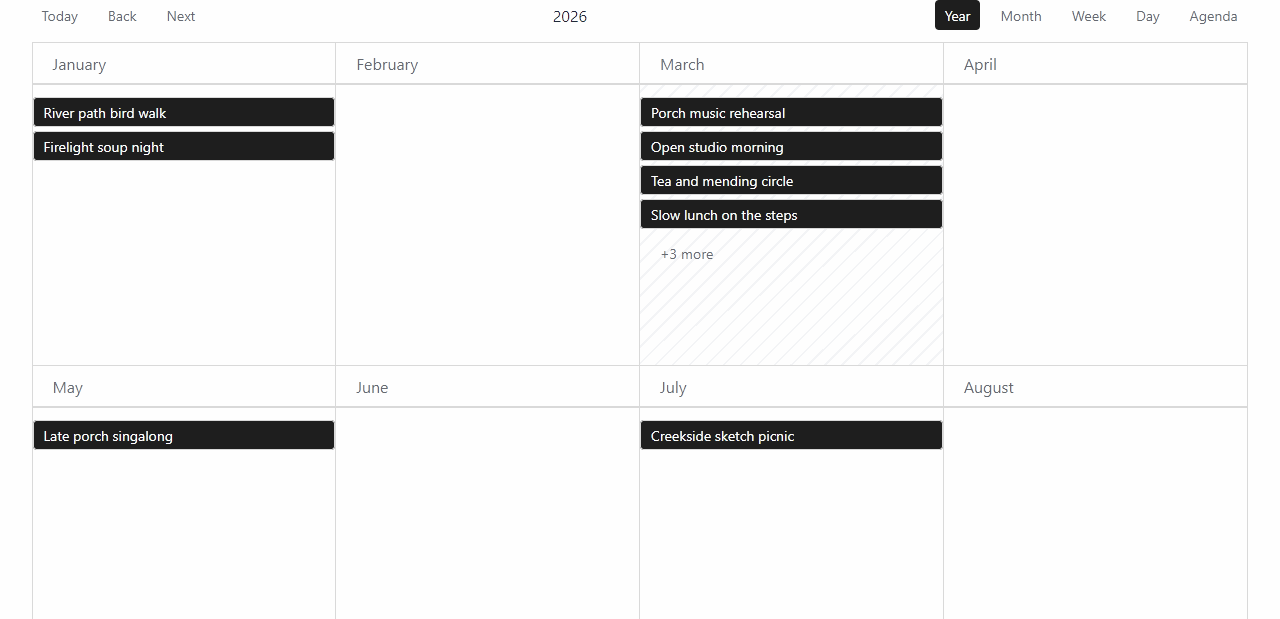 Year |
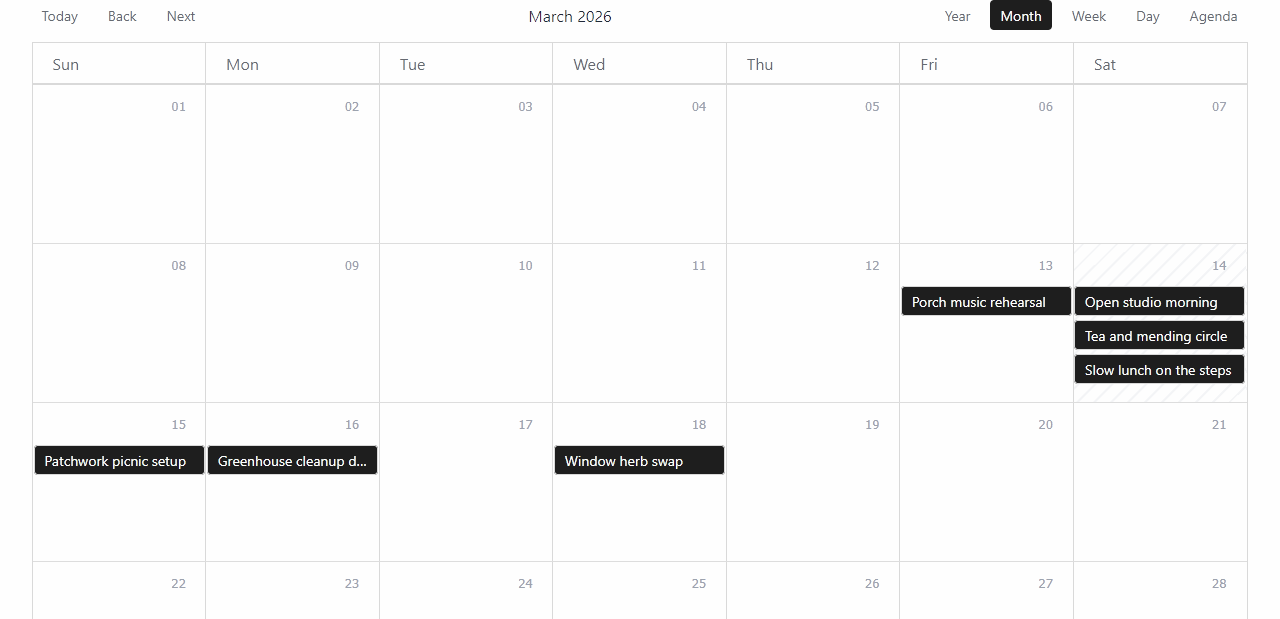 Month |
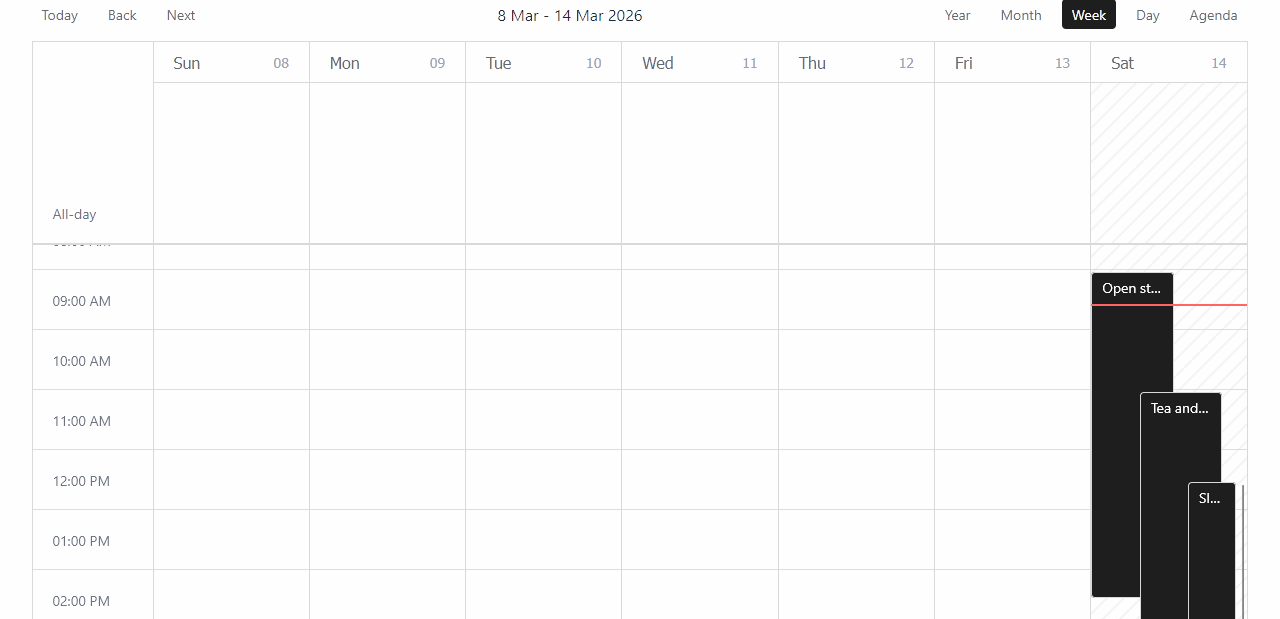 Week |
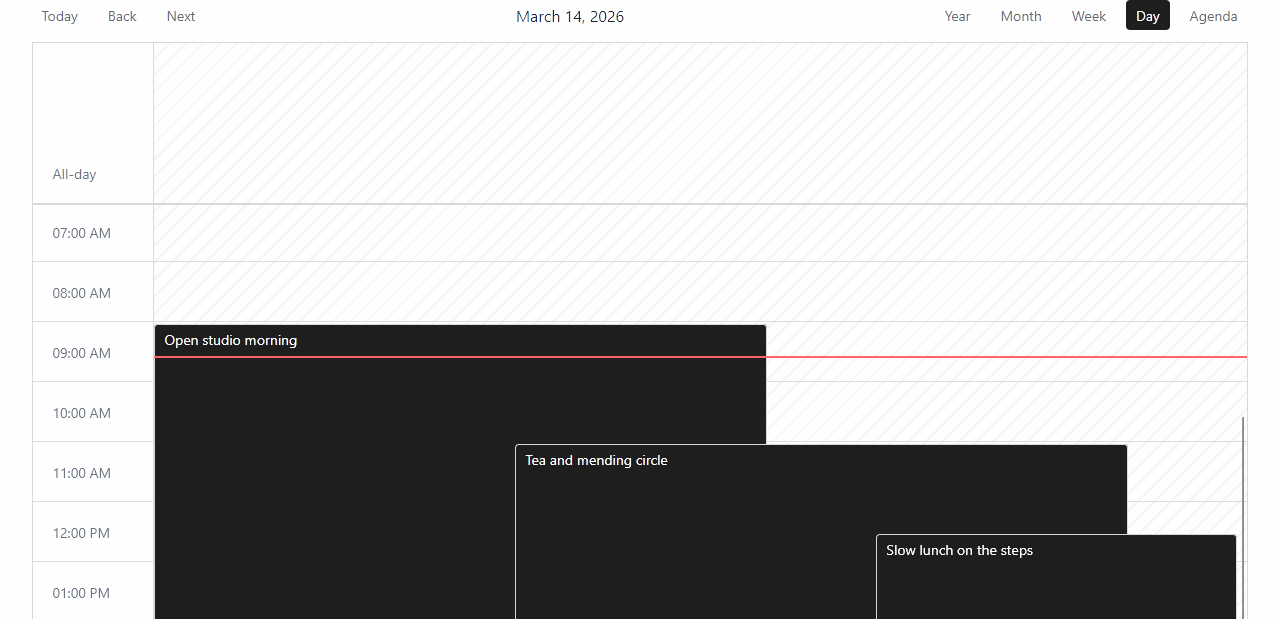 Day |
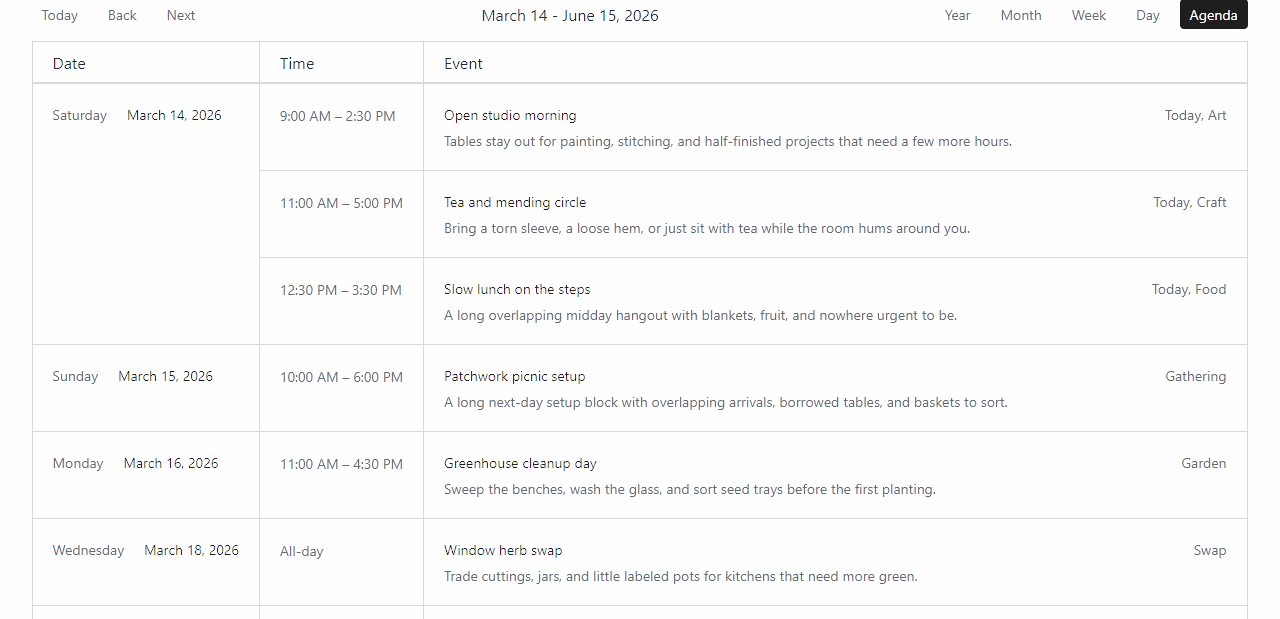 Agenda |
|
Post Calendar element
You can add the Post Calendar element to a Bricks page or template to render the built-in calendar. This feature is considered experimental.
Shortcode (experimental)
You can use the Post Calendar shortcode to render a calendar on any page or post.
Basic usage:
[post_calendar]Full example with all attributes:
[post_calendar post_types="post,page" default_view="month" enabled_views="year,month,agenda" show_toolbar="1" agenda_range_mode="upcoming-window" agenda_range_months="12"]Shortcode attributes:
post_types— comma-separated list of source post types to include. Leave empty to use the post types enabled in Settings > Post Calendardefault_view— the initial view to display:month,week,day,agenda, oryearenabled_views— comma-separated list of views users can switch between. Invalid or empty values fall back to all viewsshow_toolbar—1/0(also acceptstrue/false,yes/no,on/off)agenda_range_mode—visible-rangeorupcoming-windowagenda_range_months— positive integer forupcoming-windowmode (defaults to3if invalid)
Development
To develop Post Calendar locally:
- Run
npm run devto start a watch build, ornpm run dev:previewto start a standalone React preview - Run
npm run dev:adminwhen working on the post editor bundle - Run
npm run buildto build production assets - Run
npm run build:zipto create a release ZIP file in the.release/directory
Read the full README on GitHub →
Releases
| Tag | Published | Asset | Downloads |
|---|---|---|---|
| v0.5.2 | Aug 18, 2026 | post-calendar-0.5.2.zip | 1 |