Svigent SVG Engine
Svigent SVG Engine adds secure SVG support to WordPress. Upload SVG and SVGZ files to the Media Library, and every file is sanitized before it is saved. Then turn any SVG image into inline SVG so you can recolor and animate it with CSS.
Install
This is the repository archive. It installs, but the folder name will carry the branch suffix and updates will not flow.
Install straight from GitHub with WP-CLI:
wp plugin install https://github.com/abineshselvarasu/svigent-svg-engine/archive/refs/heads/main.zipUpload SVG files to WordPress safely. Svigent SVG Engine sanitizes every SVG and SVGZ upload, fixes Media Library previews, and turns SVG images into inline SVG you can style with CSS.
Download Svigent SVG Engine from WordPress.org →
Development Repository
This GitHub repository is the development workspace for Svigent SVG Engine. For production sites, install the official release from the WordPress.org plugin directory.
Releases are published to WordPress.org via SVN; this repository is used for version control, issue tracking, and future enhancements.
Description
Svigent SVG Engine enables safe SVG (Scalable Vector Graphics) and compressed SVGZ uploads in WordPress with automated DOM-level XML sanitization, native Media Library thumbnail fixes, dimension calculation, and fast frontend inlining.
Screenshot
Key Features
- Enterprise-Grade DOM Sanitization: Automated XML inspection powered by
enshrined/svg-sanitizeto strip malicious scripts, event listeners, and dangerous entities before files reach your disk. - Native Media Library Previews: Automatically fixes broken 1x1 or invisible SVG thumbnails in both Grid and List views in
wp-admin/upload.php. - Automatic Dimension Detection: Parses
viewBoxandwidth/heightcoordinates on upload and writes them to WordPress attachment metadata to preserve natural aspect ratios. - Zero-Overhead Frontend Inlining: Replaces target
<img>elements with raw<svg>using lightweight, dependency-free Vanilla JS (about 3.5KB gzipped), enabling dynamic CSS styling (fill: currentColor) and hover animations. - Smart In-Memory Caching: Deduplicates identical SVG network requests so repeated icons on a page are downloaded only once.
- Dynamic DOM Observer: Fully compatible with Gutenberg block insertion, Elementor, and AJAX infinite scroll using
MutationObserver. - Role-Based Upload Permissions: Restrict SVG upload privileges to Administrators only or extend permissions to all users with upload capabilities (Authors/Editors).
- Lossless Vector Scaling: Skips unnecessary raster thumbnail generation (GD/Imagick) and disables redundant
srcsetgeneration to conserve server disk space.
Installation
- Clone or download the repository into your WordPress plugins directory:
git clone https://github.com/abineshselvarasu/svg-plugin.git wp-content/plugins/svigent-tools - Activate Svigent SVG Engine in WordPress Admin → Plugins.
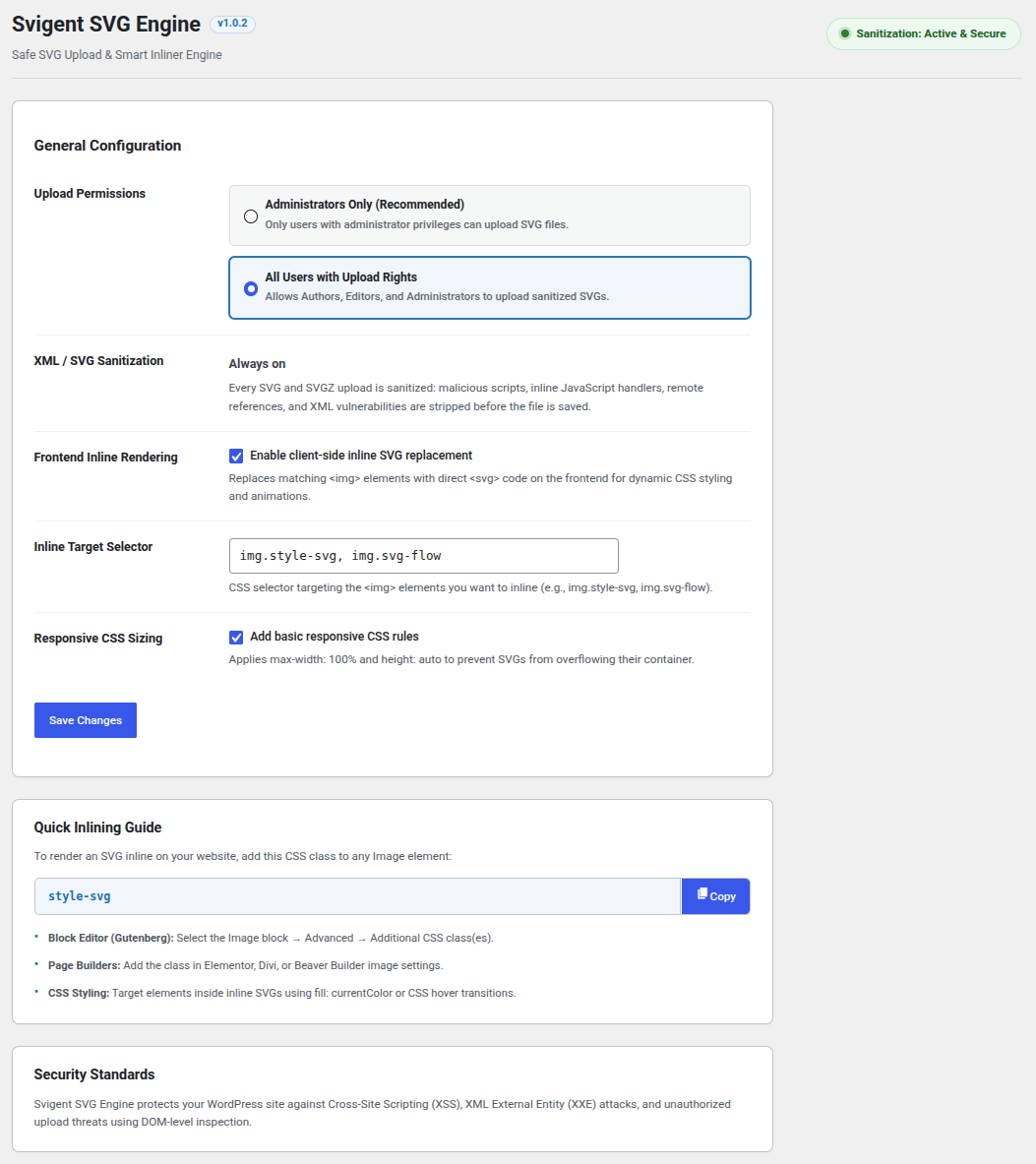
- Go to Settings → Svigent SVG Engine to configure permissions and enable inlining.
Usage
Inlining SVGs on the Frontend:
- Ensure "Enable client-side inline SVG replacement" is checked in Settings → Svigent SVG Engine.
- Add the class
style-svg(or your custom selector) to any Image block or element in WordPress. - Svigent SVG Engine will automatically convert the
<img>tag into an inline<svg>element on the frontend, allowing full CSS styling and color control.
License
Svigent SVG Engine is open-source software licensed under the GPL-2.0-or-later.
Author
Built by Abinesh Selvarasu. Found a bug or have an idea? Open an issue or ask on the WordPress.org support forum.