Install
Upload it under Plugins → Add New Plugin → Upload Plugin, then activate.
Install straight from GitHub with WP-CLI:
wp plugin install https://github.com/abchiaravalle/ac-yoast-meta-auditor/releases/download/v0.6.0-alpha/ac-yoast-meta-auditor-v0.6.zipNo built-in updater. New versions won't appear under Dashboard → Updates. Install new releases yourself, or let Git Updater track the repository.
Yoast Meta Auditor Plugin
Audit every Yoast SEO field in one place—filter, sort, paginate, export to CSV, and (optionally) install WP All Import with a single click.
✨ Features
| Feature | Details |
|---|---|
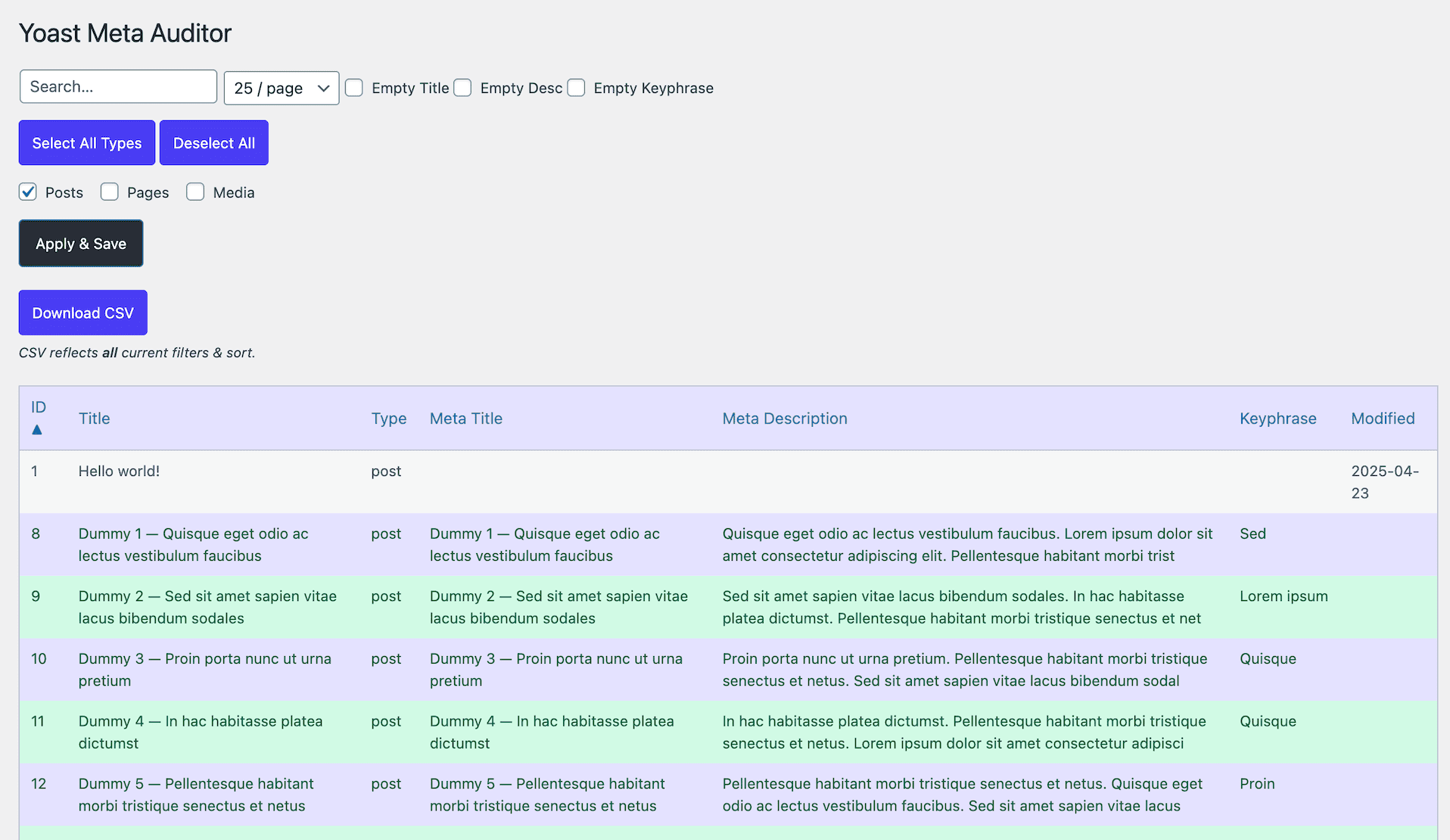
| Unified filters | Search, post-type checkboxes, per-page dropdown, plus “Empty Title / Description / Keyphrase” toggles—apply & save in one click. |
| Column sorting | Click any header (ID → Modified) to toggle ▲/▼. |
| Color coding | Rows turn 🟢 when all Yoast fields are filled (else zebra default). |
| CSV export | One-click download of all filtered rows—CRLF-safe for Excel/Sheets, text sanitized to avoid column bleed. |
| WP All Import helper | If the plugin is missing you get an “Install” button; if present you get “Start New Import”. |
🚀 Installation
-
Download the latest release ZIP
https://github.com/abchiaravalle/ac-yoast-meta-auditor/releases/latest -
In WordPress admin go to Plugins → Add New → Upload Plugin and select the ZIP.
-
Click Activate.
PLEASE BACK UP YOUR SITE FIRST. Install/ import at your own risk.
🔍 Usage
- Pick your post-types, set filters, hit Apply & Save.
- Sort columns by clicking headers.
- Download CSV—contains every row that matches filters + sort.
- Need mass content? Install WP All Import straight from the tool, then click Start New Import.
License
MIT—go wild, but no warranty expressed or implied.
Always back-up before doing anything risky. 😎
Releases
1 release. Each count is every asset in that release; expand a row for the breakdown.
Tag
Published
Assets
Downloads