Install
This is the repository archive. It installs, but the folder name will carry the branch suffix and updates will not flow.
Install straight from GitHub with WP-CLI:
wp plugin install https://github.com/aasthasingh2/student-resource-management-system/archive/refs/heads/main.zipStudent Resource Management System (SRMS)
A WordPress-based Student Resource Management System that helps students easily access and manage academic study materials such as notes, PDFs, and subject-wise resources through a clean and user-friendly interface.
🚀 Project Overview
The Student Resource Management System (SRMS) is designed to provide students with a centralized platform where they can:
View subject-wise study resources
Access notes and PDF links
Navigate resources easily using a modern UI
Manage content through WordPress admin
This project is suitable for educational institutions, students, and beginners learning WordPress plugin development.
🛠️ Technologies Used
WordPress
PHP
HTML5
CSS3
Elementor (Page Builder)
LocalWP (Local Development Environment)
✨ Features
📄 Study Resources Page
📂 Subject-wise resource cards
🧩 Custom WordPress plugin structure
🖥️ Easy content management via WordPress dashboard
📸 Screenshots Home Page
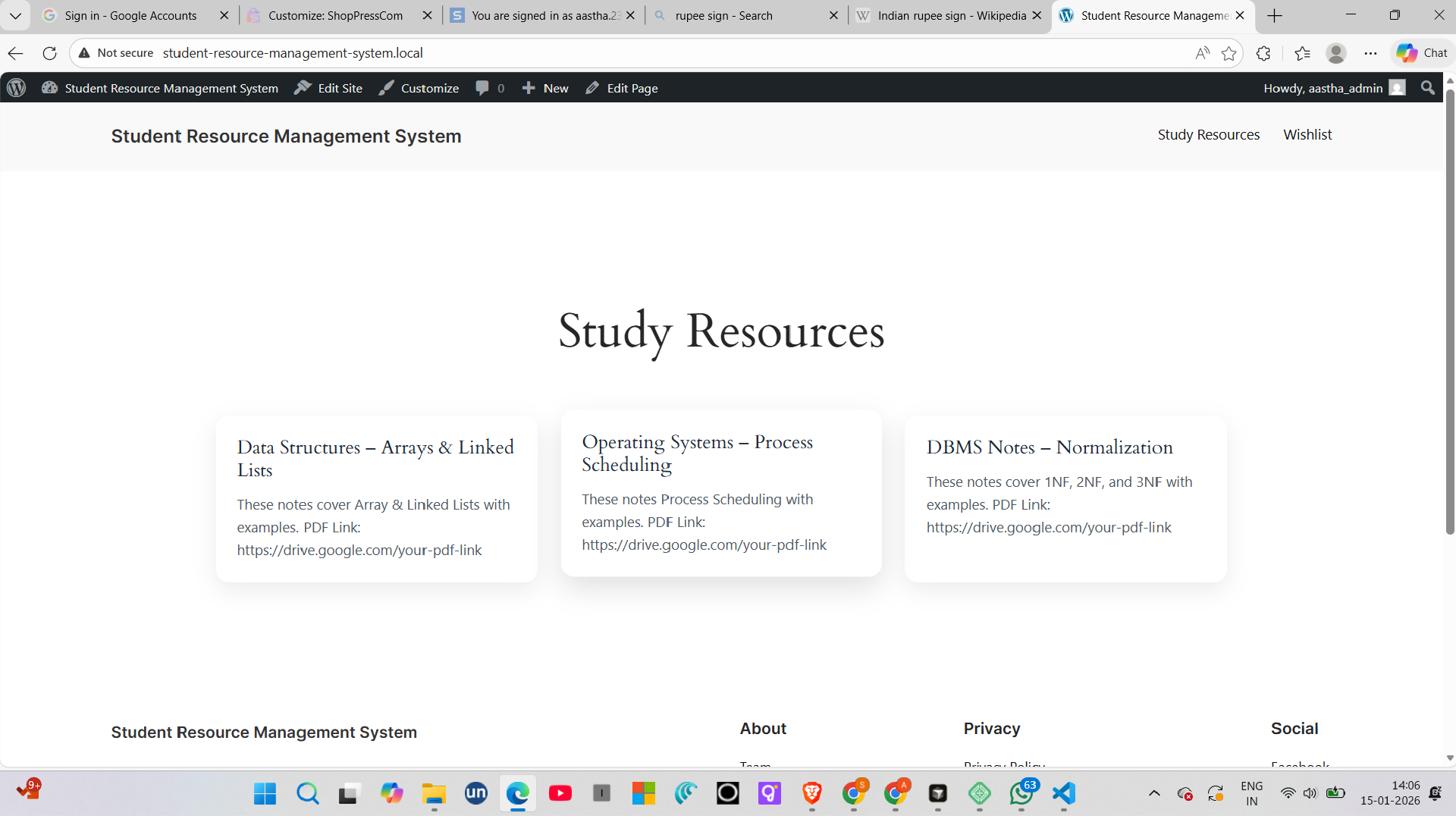
(Screenshots are stored in the screenshots/ folder).
📁 Project Structure student-resource-management-system/ │ ├── student-resource-management/ │ ├── student-resource-management.php │ ├── screenshots/ │ ├── frontend.png │ ├── study-resources.png │ ├── README.md
⚙️ Installation Steps
Follow these steps to run the project locally:
1️⃣ Set up WordPress locally
Install LocalWP
Create a new WordPress site
Start the site
2️⃣ Add the Plugin
Go to:
wp-content/plugins/
Create a folder named:
student-resource-management
Add the file:
student-resource-management.php
3️⃣ Activate Plugin
Open WordPress Admin Panel
Go to Plugins → Installed Plugins
Activate Student Resource Management System
🧪 How to Use
Go to Pages → Add New
Create a page named Study Resources
Edit using Elementor
Add cards/sections for:
Data Structures
Operating Systems
DBMS
Insert Google Drive or PDF links
Publish the page
🎯 Use Case
College students
Teachers sharing notes
Educational demo projects
WordPress beginners
Academic mini-projects
📌 Future Enhancements
🔐 User login & role-based access
📤 File upload system
🔍 Search & filter resources
📊 Admin dashboard analytics
📱 Mobile-first UI improvements
👩💻 Author
Aastha Singh B.Tech CSE (AI & ML) KIET Group of Institutions GitHub: AasthaSingh2
📄 License
This project is for educational purposes. You are free to use, modify, and learn from it.