Install
This is the repository archive. It installs, but the folder name will carry the branch suffix and updates will not flow.
Install straight from GitHub with WP-CLI:
wp plugin install https://github.com/970design/nsz-vercel-dashboard/archive/refs/heads/main.zipA WordPress dashboard to keep track of Vercel deployments.
Description
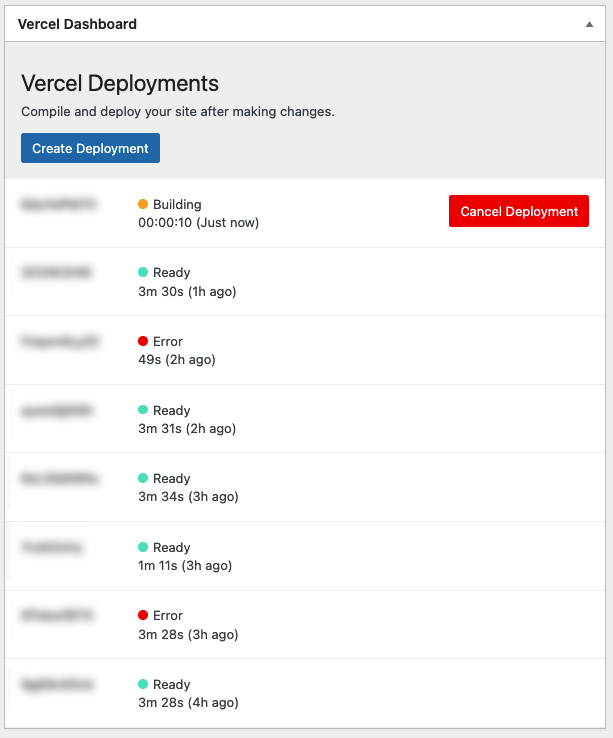
The Vercel Dashboard plugin provides a convenient way to monitor and manage your Vercel deployments directly from your WordPress admin dashboard.
Features
- Track Vercel deployments
- View deployment status
- Manage deployment settings
- Easy integration with your WordPress site
Requirements
- WordPress 5.0 or higher
- PHP 7.4 or higher
Installation
- Upload the plugin files to the
/wp-content/plugins/nsz-vercel-dashboarddirectory - Activate the plugin through the 'Plugins' screen in WordPress
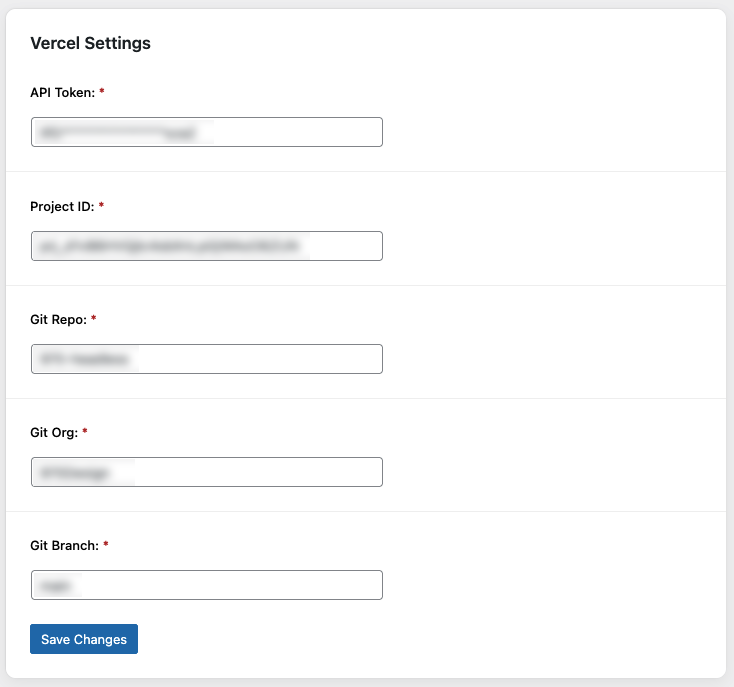
- Use the Settings->Vercel Dashboard screen to configure the plugin
Stable Encryption Key (optional)
Saved credentials are encrypted with AES-256. By default the encryption key is derived
from the WordPress salts (AUTH_SALT / SECURE_AUTH_SALT), which differ per environment —
so encrypted values cannot be decrypted after a database transfer between environments.
To make encrypted values portable, define NSZ_ENCRYPTION_SALT with the same value in
every environment (e.g. in Bedrock's config/application.php):
Config::define('NSZ_ENCRYPTION_SALT', env('NSZ_ENCRYPTION_SALT') ?: '');Opting in is non-destructive: values encrypted before the constant was set still decrypt via the WordPress-salt fallback. A value only becomes transfer-proof once it has been re-saved (re-encrypted under the shared salt) after the constant is in place.
FAQ
Where can I find the settings?
The settings can be found under Settings -> Vercel Dashboard in your WordPress admin panel.
Screenshots
License
This project is licensed under the GPLv2 or later - see the GPL-2.0 License for details.
Credits
The development of this package is sponsored by 970 Design, a creative agency based in Vail, Colorado. If you need help with your headless WordPress project, please don't hesitate to reach out.