Install
This is the repository archive. It installs, but the folder name will carry the branch suffix and updates will not flow.
Install straight from GitHub with WP-CLI:
wp plugin install https://github.com/1ayazahmed/ai-chat-assistant-for-wordpress-with-multi-provider-support-website-content-sync-knowledge-graph/archive/refs/heads/main.zip
AI Assistant with Knowledge Graph
The open-source, self-hostable WordPress AI chatbot with knowledge graph visualization, multi-provider AI support, and full branding customization.
Features • Screenshots • Quick Start • Docs • Contributing




100% open source — no vendor lock-in, no SaaS fees, no data leaving your server. Self-host on your own WordPress infrastructure with full control and transparency.
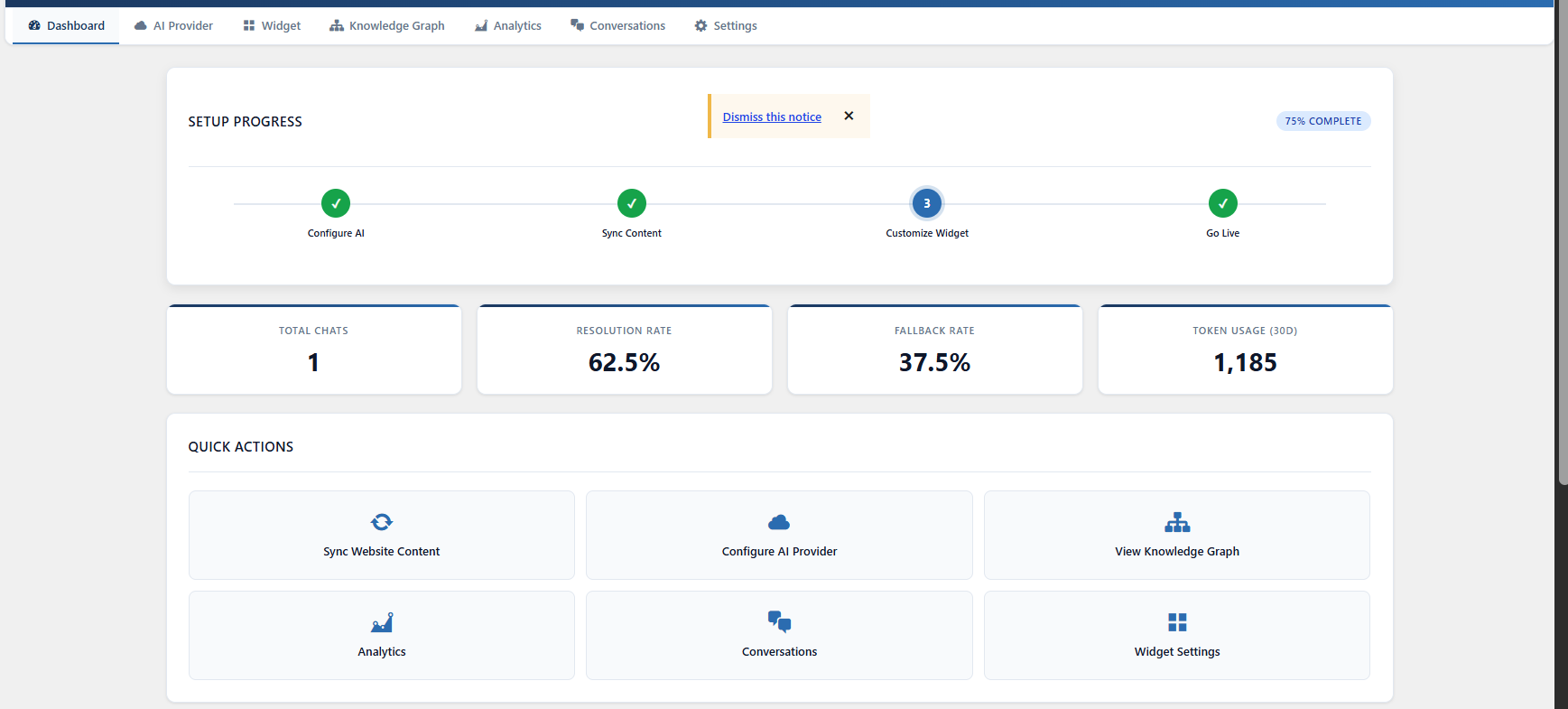
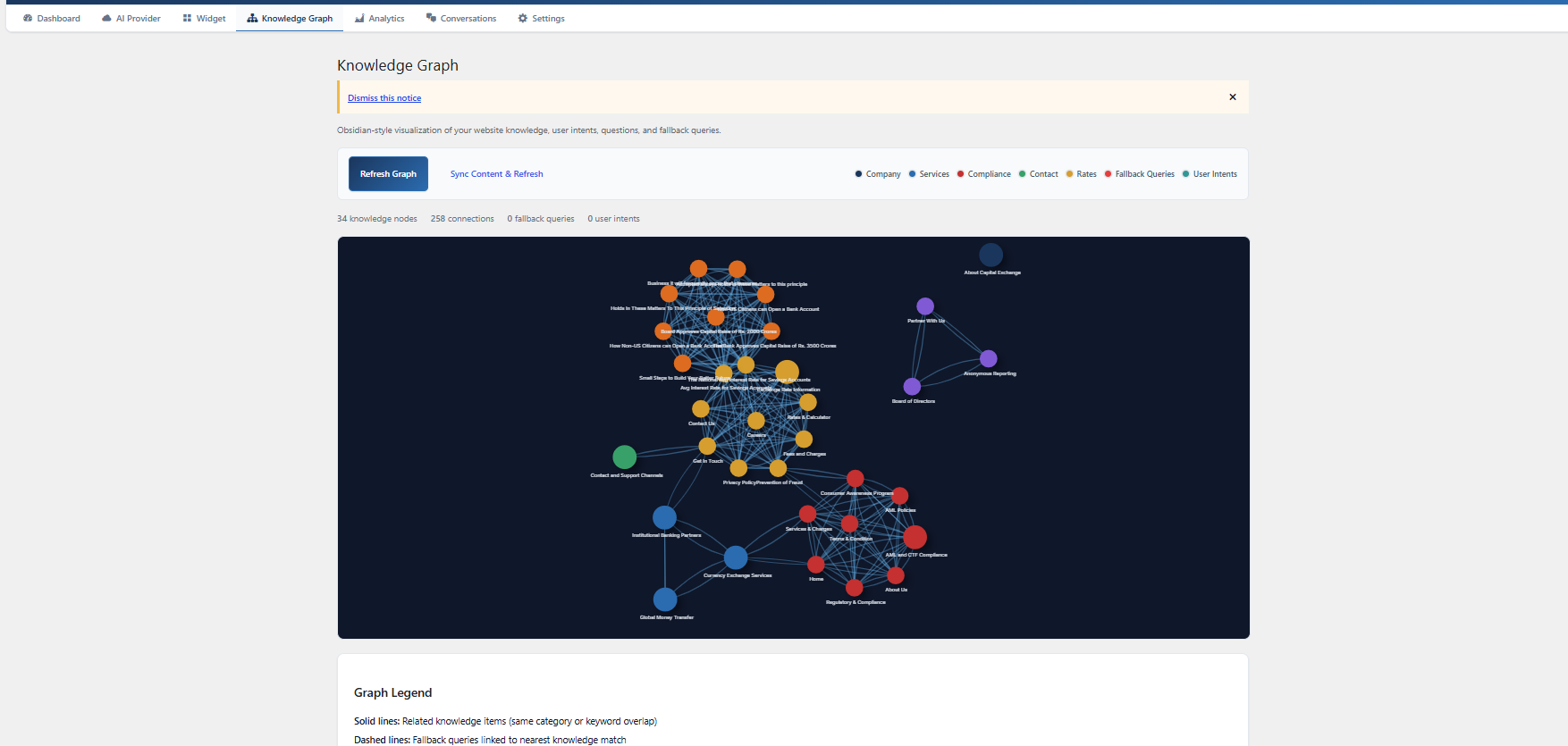
👀 See It In Action
| Dashboard & Setup | Knowledge Graph |
|---|---|
|
 |
🚀 Quick Start
# 1. Upload the plugin folder to /wp-content/plugins/ and activate via WordPress admin

# 2. Go to AI Assistant > AI Provider, enter your API key (OpenAI, Anthropic, Groq, etc.)
# 3. Click "Fetch Models" to load available models
# 4. Go to Dashboard and click "Sync Website Content"
# 5. Customize under AI Assistant > Widget Settings
# 6. Done — your chatbot is live!
No API keys needed to test the UI — the widget, knowledge graph, and dashboard all work without configuration. Just add your API key when you're ready to go live.
✨ Features
🧠 Knowledge Graph
Interactive graph visualization showing relationships between your website content, user intents, and unanswered queries. Identify content gaps at a glance.
🤖 Multi-Provider AI
Works with OpenAI, Anthropic, Groq, Together AI, Ollama (local), LM Studio, or any OpenAI-compatible API. Dynamic model fetching — switch providers anytime.
📄 Website Content Sync
Automatically indexes WordPress pages and posts into a searchable knowledge base. The AI answers visitors using your actual content — not generic training data.
🎨 Theme Sync
Auto-detects your WordPress theme colors, fonts, and styling. The chatbot looks native on your site with zero extra configuration.
🌐 Multi-Language
Full English and Arabic support with auto-language detection, RTL layout, and contextual greetings per page.
📊 Analytics
Track chat volume, resolution rate, token usage, top queries, user intents, peak hours, and estimated cost. Export data to CSV.
🛡️ Compliance
AML guardrails, PII detection, configurable log retention, cookie consent (GDPR / CCPA / UAE PDPL), and complete audit trail.
🏷️ White-Label Branding
Customize assistant name, brand name, logo, welcome messages, header title, footer text, and accent colors — all from the admin panel. No hardcoded branding.
📋 Embedding Options
| Method | How |
|---|---|
| Floating Widget | Auto-appears on all pages (configurable position, triggers, business hours) |
| Shortcode | [ai_assistant] — embed inline anywhere |
| Gutenberg Block | Search "AI Assistant Chatbot" in the block editor |
| Elementor Widget | Search "AI Assistant Chatbot" in Elementor widgets |
🔧 Requirements
- WordPress 6.0+
- PHP 7.4+
- A valid API key from any OpenAI-compatible provider
📚 Documentation
Full documentation covering setup, configuration, API integration, and customization is available in the GitHub Wiki.
🤝 Contributing
We love contributions! This plugin is 100% open source and we intend to keep it that way.
- Fork the repository
- Create your feature branch (
git checkout -b feature/AmazingFeature) - Commit your changes (
git commit -m 'Add some AmazingFeature') - Push to the branch (
git push origin feature/AmazingFeature) - Open a Pull Request
⭐ Support
If you find this plugin useful, please consider:
- ⭐ Starring the repository on GitHub
- 🐛 Opening an issue for bugs or feature requests
- 📢 Sharing it with other WordPress developers
📄 License
Licensed under the GPL v2 or later license.
Built with ❤️ by Ayaz Ahmed