Gutenberg ❤️ Bento archived
An exploratory plugin for using Bento components in Gutenberg
by Pascal Birchler · github.com/swissspidy/gutenberg-bento · website
Install
No release zip yet. The repository archive installs, but the folder name will carry the branch suffix and updates will not flow:
wp plugin install https://github.com/swissspidy/gutenberg-bento/archive/refs/heads/main.zipReadme
Gutenberg ❤️ Bento
An exploratory plugin for using Bento components in Gutenberg.
Background
Bento offers well-tested, cross-browser compatible and accessible web components (aka custom elements) that can be used on any website. Bento components are highly performant and contribute to an excellent page experience. They power AMP under the hood as well, but they can be used independent of AMP.
These components are not only available as custom elements, but also as React and Preact components with the same features and API. That makes them an ideal candidate for use in the React-based Gutenberg editor.
Typically, with Gutenberg one has to write a block's Edit component in React and then replicate the same look and feel for the frontend without React. This causes a lot of duplicate work and additional maintenance burden. With Bento this is no longer a problem.
About this Plugin
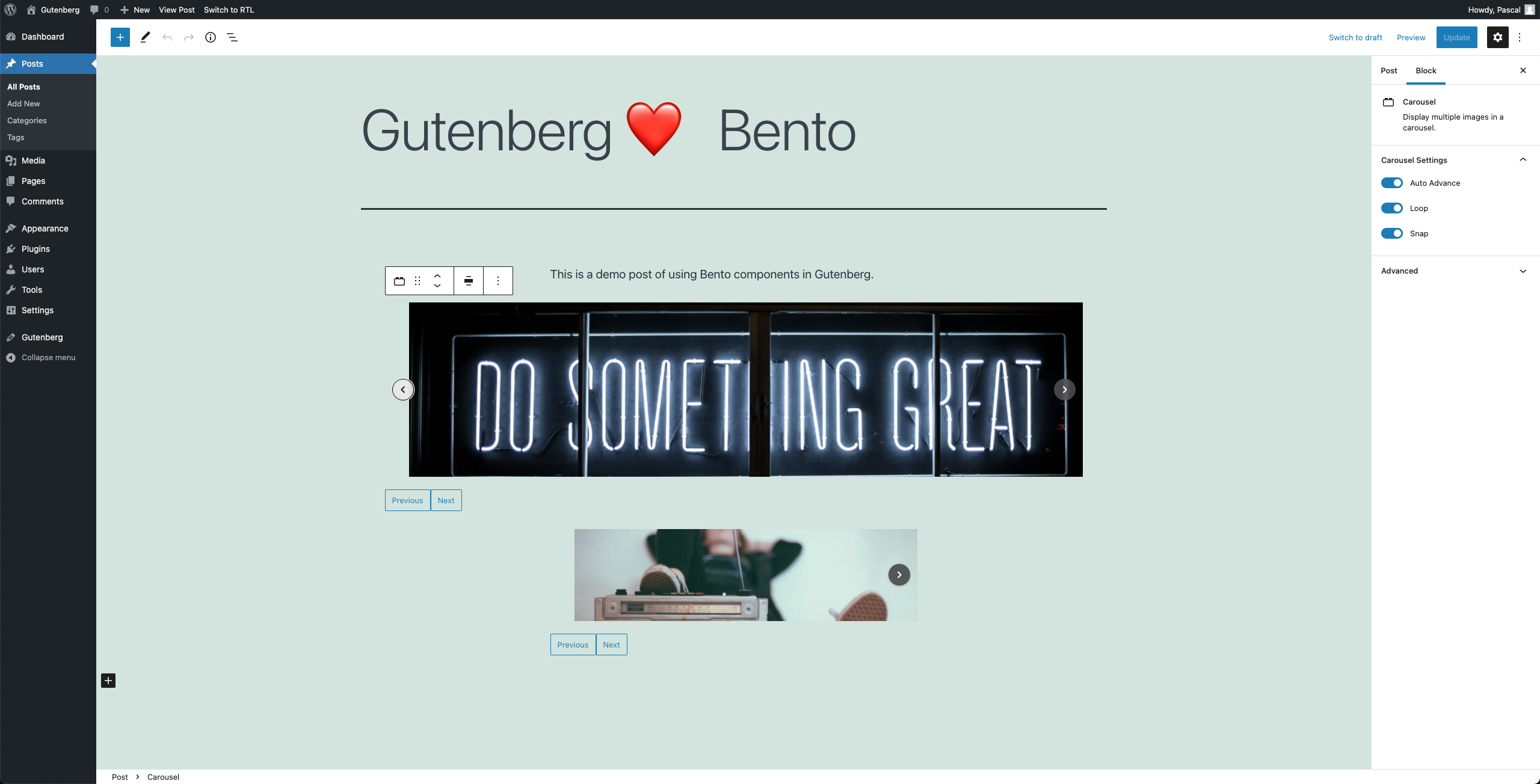
This demo plugin shows how <bento-base-carousel> can be used to display an image carousel on the frontend, with the BentoBaseCarousel React component doing the same in the editor,
removing the need for any duplication.
Thanks to the encapsulation advantages of custom elements like <bento-base-carousel>, other WordPress plugins and themes can't interfere with its look & feel.
While this plugin is only a proof-of-concept, it gives a glimpse at the possibilities of using Bento for Gutenberg block development, and the advantages that brings:
- Great user experience and page experience
- Reduced development and maintenance costs
- Ensured feature parity between editor and frontend
- No interference by other plugins and themes, thanks to web components.
AMP
Bento components build the foundation of AMP, but can be used standalone as well.
Because of that interoperability, an added bonus of components like <bento-base-carousel> is that they can be used on an AMP-first site with very little work.
When using the official AMP WordPress plugin, all that's needed is to stop enqueuing the custom JavaScript & CSS for the component
and use amp-bind (on="") where custom functionality like going to the next/previous slide is needed.
This plugin makes use of exactly that to give you a better understanding of how this works.
File Structure
edit.js- only used in the editor.edit.css- only used in the editorcarousel.view.js- only used on the frontend.view.css- used both on the frontend and in the editor.bento-base-carousel.js- used when wanting to self-host the Bento scripts and styles.
Screenshots
The <BentoBaseCarousel> carousel component in the editor:
The same carousel powered by <bento-base-carousel> on the frontend:

Getting Started
- Clone repository into
wp-content/plugins/gutenberg-bentoof your WordPress site. - Run
npm install - Run
composer install - Run
npm run build - Go to your WordPress site and activate this plugin.
To set up WordPress locally, you can use something like Local.
Known Issues
- React warnings about incorrect DOM attributes / unrecognized props (ampproject/amphtml#35553)
- npm packages not shipping with CSS (ampproject/amphtml#35413)
- Lack of type definitions (ampproject/amphtml#34206)
- Lack of changelog / documentation
Notes
Bento CDN vs. Self-Hosting
One of the features of Bento is the use of the CDN for loading all JavaScript files and stylesheets.
However, in some cases one might not want to use a CDN.
If you prefer self-hosting the assets, you can use the gutenberg_bento_self_host filter to enqueue the scripts and styles bundled with the plugin.
Package Exports
A Bento React component can be imported as follows:
import { BaseCarousel } from '@bentoproject/base-carousel/react';The component's package.json file has exports entries for both import (ESM) and require (CommonJS).
This is supported by modern build tooling such as webpack v5.
At the same time, the package contains a react.js file pointing to the CommonJS version.
This is done to make the above import work in older build tooling software such as webpack v4.
So with webpack v4, the above import actually references the react.js file and ends up importing the CommonJS version.