Advanced Custom Fields: Image Aspect Ratio Crop archived
ACF field that allows user to crop image to a specific aspect ratio
by Johannes Siipola · github.com/joppuyo/acf-image-aspect-ratio-crop-test · website
Install
The author publishes release zips, so WP-CLI can install straight from GitHub:
wp plugin install https://github.com/joppuyo/acf-image-aspect-ratio-crop-test/releases/download/v4.0.25/acf-image-aspect-ratio-crop.zipReadme
ACF Image Aspect Ratio Crop Field
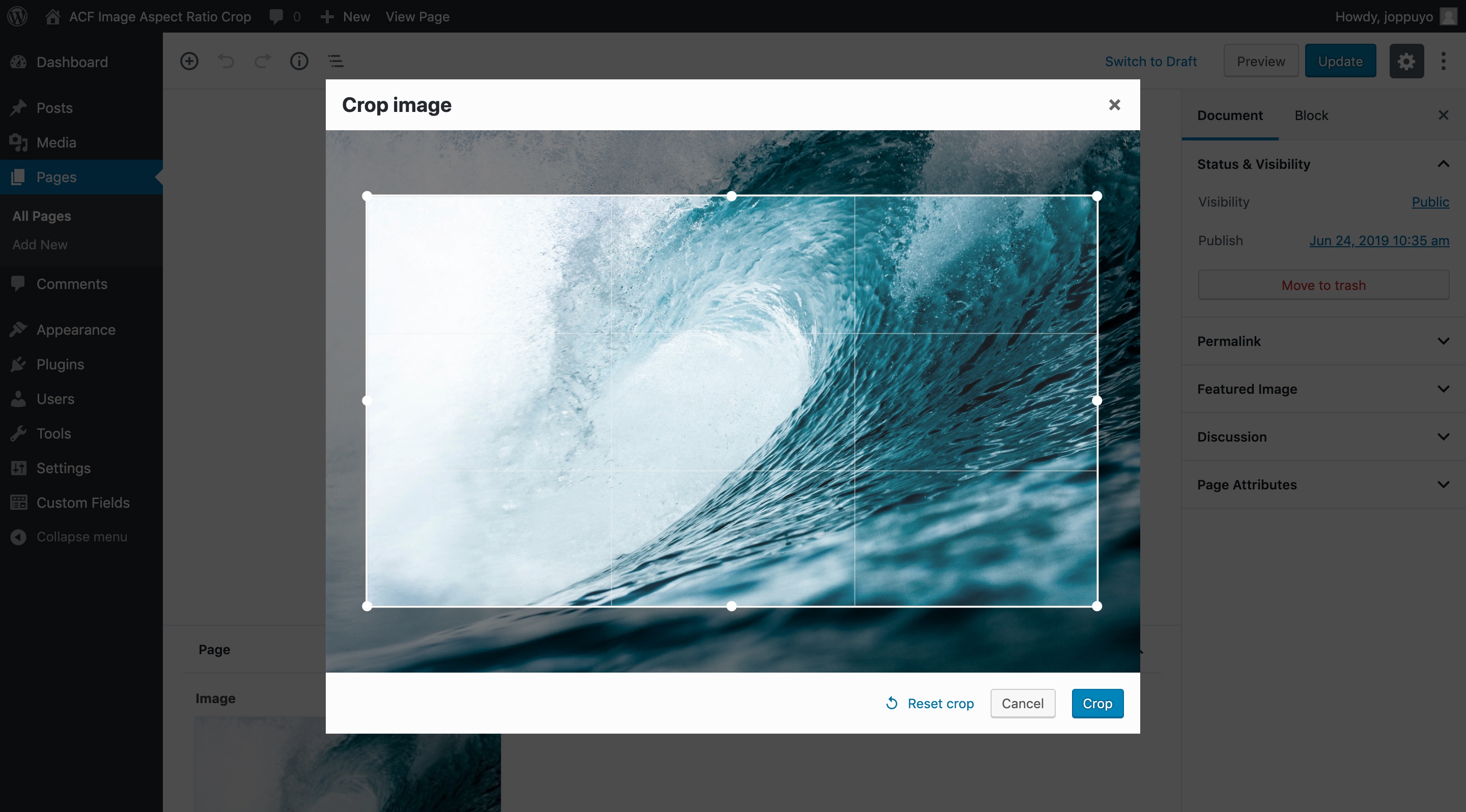
A field for Advanced Custom Fields that forces the user to crop their image to specific aspect ratio after uploading. This is especially useful in responsive image use cases.
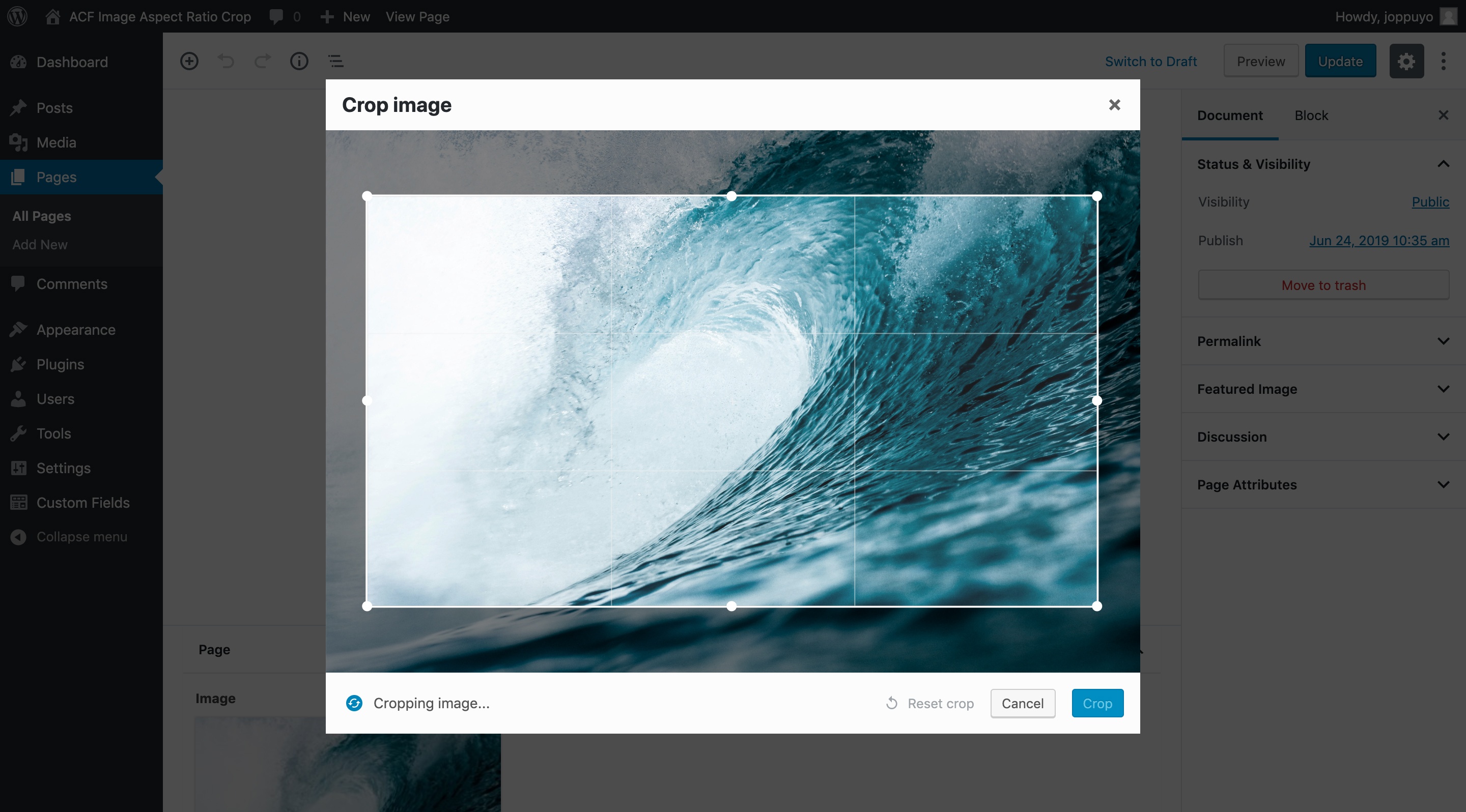
After cropping, a new cropped image variant is created in the gallery and saved into the post. Thumbnails are also generated for the new image. User can re-crop the original image at any time from the post page.
The cropped image variants are hidden by default in the media browser and on the media page but you can view them by selecting the "list view" on the media page.
Cropping an image to 16:9 aspect ratio
Cropping in progress
Option to re-crop the image after upload

Download
You can download the plugin from the WordPress plugin directory, or download the latest release as a zip file from GitHub releases.
Frequently Asked Questions
Can I access metadata in the original image from a cropped image?
Yes, the original image data is saved under original_image key in the returned ACF array. You can access data such as alt text, description and title this way.
How is this different from the other plugin?
Advanced Custom Fields: Image Crop Add-on is based on exact image dimensions (like 640x480). This plugin uses an aspect ratio such as 4:3 instead. Using an aspect ratio is is more convenient when working with responsive images since you care about the aspect ratio more than pixel dimensions.
Of course, nothing will stop you from using an aspect ratio like 1200:630 which is similar to a pixel amount with this plugin, if you want.
Also, as of 2019, the other plugin is not actively maintained anymore and does not work well with latest ACF versions. I try to maintain this plugin as best as I can when new versions of ACF and WordPress come out.
Thanks
Special thanks to Anders Thorborg for ACF Image Crop which served as a inspiration for this plugin. Also, thanks to Fengyuan Chen for the cropper.js library!
License
GPL v2 or later
Read the full README on GitHub →
Releases
| Tag | Published | Asset | Downloads |
|---|---|---|---|
| v4.0.25 | Nov 24, 2019 | acf-image-aspect-ratio-crop.zip | 3 |
| v4.0.24 | Nov 24, 2019 | acf-image-aspect-ratio-crop.zip | 2 |
| v4.0.23 | Nov 24, 2019 | acf-image-aspect-ratio-crop.zip | 2 |
| v4.0.22 | Nov 24, 2019 | acf-image-aspect-ratio-crop.zip | 2 |
| v4.0.21 | Nov 24, 2019 | acf-image-aspect-ratio-crop.zip | 2 |
| v4.0.20 | Nov 24, 2019 | acf-image-aspect-ratio-crop.zip | 2 |
| v4.0.19 | Nov 18, 2019 | acf-image-aspect-ratio-crop.zip | 2 |
| v4.0.18 | Nov 18, 2019 | acf-image-aspect-ratio-crop.zip | 2 |
| v4.0.17 | Nov 18, 2019 | acf-image-aspect-ratio-crop.zip | 2 |
| v4.0.16 | Nov 18, 2019 | acf-image-aspect-ratio-crop.zip | 2 |
| 4.0.15 | Nov 18, 2019 | acf-image-aspect-ratio-crop.zip | 3 |
| v4.0.14 | Nov 18, 2019 | acf-image-aspect-ratio-crop.zip | 2 |
| v4.0.13 | Nov 18, 2019 | acf-image-aspect-ratio-crop.zip | 2 |
| v4.0.12 | Nov 18, 2019 | acf-image-aspect-ratio-crop.zip | 2 |
| 4.0.11 | Nov 18, 2019 | acf-image-aspect-ratio-crop.zip | 2 |
| v4.0.10 | Nov 18, 2019 | acf-image-aspect-ratio-crop.zip | 2 |
| 4.0.9 | Nov 18, 2019 | acf-image-aspect-ratio-crop.zip | 2 |
| v4.0.8 | Nov 18, 2019 | acf-image-aspect-ratio-crop.zip | 2 |
| v4.0.7 | Nov 18, 2019 | acf-image-aspect-ratio-crop.zip | 2 |
| v4.0.6 | Nov 18, 2019 | acf-image-aspect-ratio-crop.zip | 2 |
| v4.0.5 | Nov 18, 2019 | acf-image-aspect-ratio-crop.zip | 2 |
| v4.0.4 | Nov 18, 2019 | acf-image-aspect-ratio-crop.zip | 2 |
| v4.0.3 | Nov 18, 2019 | acf-image-aspect-ratio-crop.zip | 2 |
| v4.0.2 | Nov 18, 2019 | acf-image-aspect-ratio-crop.zip | 2 |
| v4.0.1 | Nov 18, 2019 | — | — |