MBR Intelligent Site Assistant WP Registry grade A. No security issues foundWP RegistryNo security issues foundOpen the reportA
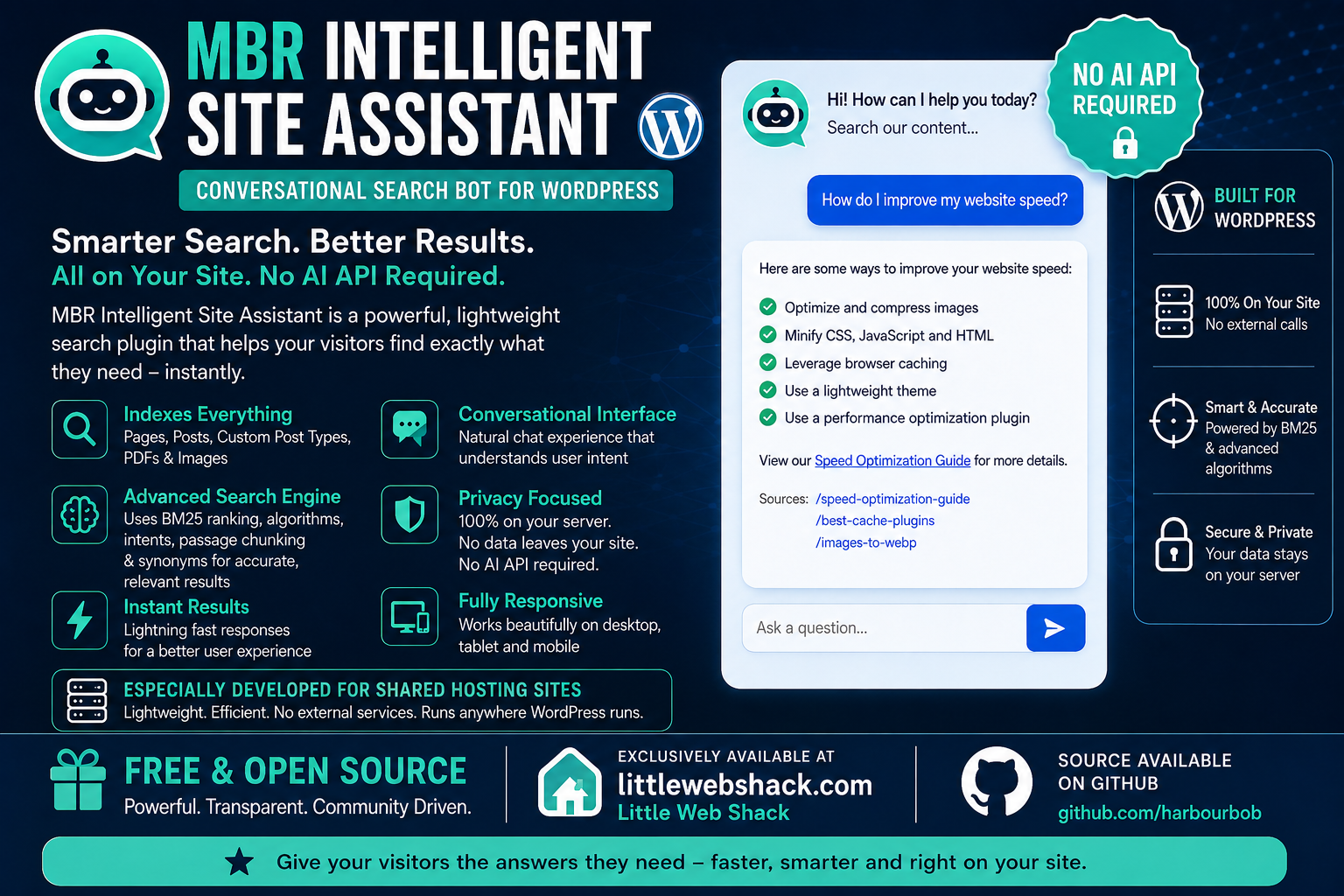
A smart and fast conversational search bot for your site. It indexes Pages, Posts, CPTs, PDFs and Images. Passage Chunking for precision. BM25 Ranking Algorithms. No LLM or AI connections. Specially designed for Shared Hosting. No API or data leaving your server.
Install
Upload it under Plugins → Add New Plugin → Upload Plugin, then activate.
Install straight from GitHub with WP-CLI:
wp plugin install https://github.com/harbourbob/mbr-intelligent-site-assistant/releases/download/v0.9.21/mbr-intelligent-site-assistant-v0.9.21.zipMBR Intelligent Site Assistant
A self-hosted conversational site search for WordPress.
No external APIs. No monthly fees. Nothing leaves your server on the visitor path.
Download · User guide (PDF) · How it works · Configuration
What it is
Visitors type a question in plain English. The assistant answers with short messages and links to the most relevant pages on your site — including the text inside your PDFs, and the images you have described.
All of it runs on your own server. Ranking is pure PHP and MySQL using BM25, layered with intent matching for common questions and synonym expansion for natural phrasing. There is no API key to obtain, no per-query cost, and no third party sitting between your visitors and their answers.
What it is not
Despite the word intelligent, this is not a large language model, and it does not generate text. It retrieves content you have already written, and answers a configurable list of canned questions. Ask it something you have not written about and it will say so politely rather than inventing an answer.
That is a deliberate design choice: predictable, auditable responses with no hallucination risk, and no outbound request carrying your visitors' questions.
Features
| Genuinely self-hosted | Zero outbound requests on the visitor path. Ranking, PDF extraction and snippet generation are all local. The only network call the plugin ever makes is the optional update check. |
| BM25 ranking | Field-weighted (title 3.0, excerpt 1.5, body 1.0), each field length-normalised against its own average rather than the whole document. |
| Passage chunking | Long documents split into ~250-word overlapping chunks, each scored as its own unit, so a relevant paragraph deep inside a 30-page PDF competes on its own merits. |
| PDF indexing | Pure-PHP text extraction — FlateDecode, ASCII85, ASCIIHex — with no external binaries. Results deep-link to the page and the passage. |
| Image indexing | Optional. Images are indexed on their alt text, caption, description and filename — everything a person wrote about the picture. Nothing is read from the image itself; there is no vision model and no outbound call. Results carry a thumbnail, an IMAGE badge, and a lightbox. |
| Alt text audit | Finds images with no alt text and ranks them by how many published pages actually display each one, with inline editing. It does not generate the text — see On not generating alt text. |
| Exact phrase search | Quote a query to demand a literal run of words. Bypasses intents and synonyms, which is the point. |
| Intent matching | Pair trigger phrases with hand-written answers for questions your content does not cover. Search results are still offered beneath, where they are good enough. |
| Synonyms and stemming | Porter stemming plus editable synonym groups, so "WP" finds "WordPress" and "building" matches "build". |
| Deep links | Posts and pages link straight to the matching passage using the Text Fragments standard. No JavaScript involved. |
| Access-control aware | Only publicly readable content is indexed, and every result is re-tested against the live post before it is returned. Membership plugins can veto a post with one filter. |
| Five themes | Mocha, Slate Light, Ocean, Sunset and Forest, with an optional glassmorphism effect. All five clear WCAG AA contrast in both modes. |
| WP-CLI | reindex, purge and status, free of the web server's time and memory limits. |
| Tunable, with an admin UI | Intents, synonyms, appearance, content sources and privacy all have proper admin screens. No code editing required. |
Quick start
# 1. Download the ZIP from littlewebshack.com
# 2. Plugins -> Add New -> Upload Plugin -> Install -> Activate
# 3. MBR Site Assistant -> Diagnostics
Then, in order:
- Choose your content sources. Posts and pages by default; tick any custom post types, and enable PDF indexing if you want it.
- Run a full reindex. Nothing is indexed on activation — the plugin wants you to check the tokeniser before it starts talking to real visitors.
- Test in the Chat Tester, which runs the exact pipeline the public widget runs, including the raw JSON payload.
- Set a retention period for the query log under Privacy.
- Enable the widget. It is off by default, deliberately.
Place it inline instead of, or as well as, the floating bubble:
[mbr_isa_chat title="Ask us anything" greeting="What are you looking for?" height="600px"]How it works
Every query runs through the same pipeline:
query
  -> phrase check       quoted? then skip the next two stages entirely
  -> intent match       trigger phrases, substring or regex
  -> tokenise           lowercase, strip punctuation, stopwords, Porter stem
  -> synonym expansion  add equivalent terms
  -> rank               BM25 per passage chunk, title weighted above body
  -> collapse           best-scoring chunk per document
  -> format             confidence level, framing message, highlighted snippet
Four custom tables carry it, all prefixed with your WordPress table prefix:
mbrisa_terms (dictionary and document frequencies), mbrisa_documents (one
row per passage chunk), mbrisa_postings (the inverted index) and
mbrisa_queries (the query log). Schema version 6.
On visibility
Search runs through a public REST endpoint with no capability check, because a visitor asking a question is usually not logged in. Everything indexed is therefore reachable by anyone. The plugin treats that as the constraint it is:
- Only published, non-password-protected posts of front-end-viewable types are indexed.
- A PDF or image is indexed only when something published and publicly
readable points at it. Four passes answer that, cheapest first: the
attachment relationship,
_thumbnail_idfor featured images, a path in post content or post meta, and a filename stem verified in PHP. JSON escaping is undone first, so page-builder layouts are seen. - Every result is re-tested against the live post before it leaves the server, so a page that has since become private, protected or restricted is discarded rather than served.
mbr_isa_can_index_postlets a membership plugin veto a post the indexer cannot otherwise know about. The filter is deny-only — it can tighten the gate, never open it.
On not generating alt text
The alt text audit finds and ranks images that need describing. It does not write the descriptions, and that is a design decision rather than a missing feature.
This plugin cannot see images. Nothing in it looks at a single pixel. Anything it generated would be inferred from the filename, the caption, or the surrounding page — which is not a description of the picture, and wrong alt text is worse than none. A screen reader announcing "hero banner 3" gives a listener noise where silence would have been kinder, and a genuinely decorative image is supposed to carry an empty alt attribute. Only somebody looking at the image can tell the two apart.
So the panel does the part a machine is good at — finding the images, working out which ones are actually on published pages, and putting the filename, caption and context in front of you — and leaves the sentence to a person. On a typical site the top twenty rows are most of the value.
Generating real descriptions would need a vision model, which means an external API, a key, per-image cost, and your clients' images leaving the server. That is a legitimate product; it is not this one.
Configuration
Filters
| Filter | Purpose |
|---|---|
mbr_isa_can_index_post |
Veto a post an access-control plugin knows is restricted. Deny-only. |
mbr_isa_pdf_scan_postmeta |
Return false to skip the post-meta pass when deciding whether a PDF is referenced. |
mbr_isa_pdf_reference_candidates |
How many candidate referencing posts are tested. Default 25, clamped to 1–500. Despite the name, it governs images too — the reference scan is shared. |
mbr_isa_stopwords |
Filter the English stopword list before tokenisation. Requires a reindex. |
mbr_isa_image_result_url |
Where an image result links to. Defaults to the page the image appears on. |
mbr_isa_image_score_weight |
Score multiplier for image results. Default 1.0 — no adjustment. |
mbr_isa_image_length_floor |
The BM25 length floor applied to image rows. Return 0 to disable. |
mbr_isa_indexable_image_mimes |
Which image MIME types are indexed. SVG is excluded by default. |
mbr_isa_builder_meta_keys |
Post-meta keys the alt text audit reads for page-builder layouts. |
mbr_isa_trust_proxy |
Let the rate limiter and query log read forwarded-for headers. |
// Keep a members-only post out of the index.
add_filter( 'mbr_isa_can_index_post', function ( $allowed, $post ) {
    return my_plugin_is_members_only( $post->ID ) ? false : $allowed;
}, 10, 2 );
Constants
| Constant | Purpose |
|---|---|
MBR_ISA_TRUST_PROXY |
Set true behind Cloudflare or another CDN, or every visitor shares one rate-limit bucket. |
MBR_ISA_REQUIRE_SIGNED_UPDATES |
Refuse any update package whose checksum cannot be verified against the manifest. |
WP-CLI
wp mbr-isa reindex              # wipe and rebuild the index
wp mbr-isa purge --dry-run      # preview rows the current rules no longer admit
wp mbr-isa purge                # remove them
wp mbr-isa status               # counts, schema version, last full reindex
CLI is the reliable route on a site with a large PDF library — it is not bound
by max_execution_time or the PHP-FPM request memory ceiling.
REST API
Both endpoints are public and unauthenticated by design, rate-limited per hashed IP in separate buckets.
| Endpoint | Method | Default limit |
|---|---|---|
/wp-json/mbr-isa/v1/ask |
POST | 30 requests/minute |
/wp-json/mbr-isa/v1/feedback |
POST | 20 requests/minute |
Feedback additionally requires a signed token issued alongside the answer.
Privacy
- No outbound requests on the visitor path. Not one, from the widget, the REST API, or anywhere else a visitor can reach.
- No raw IP addresses. Where an address is needed for rate limiting, it is immediately hashed with SHA-256 and your site's salt.
- No accounts, cookies or emails recorded.
- Query text is free-form visitor input, so the log will eventually contain something personal whether or not you went looking for it. Retention is configurable at 7, 30 or 90 days, or indefinitely, and logging can be turned off entirely.
The one exception is the update checker, which performs a periodic server-side version check and transmits no visitor data, no site content and no identifiers. Remove the bundled checker and update manually if you would rather have nothing outbound at all.
Updates
The plugin updates itself through the normal WordPress Plugins screen. The manifest lives on GitHub and the package on littlewebshack.com:
https://raw.githubusercontent.com/HarbourBob/mbr-updates/main/mbr-intelligent-site-assistant.jsonSince 0.9.7 the manifest may carry a SHA-256 of the package, which is verified
before WordPress is allowed to unpack anything. A mismatch stops the update and
reports both digests rather than installing and hoping. This is backward
compatible — a manifest with no checksum key updates exactly as before.
Requirements
- WordPress 5.8 or later (tested to 7.0)
- PHP 7.4 or later
- Standard MySQL or MariaDB
- The
mbstringextension, which ships with virtually every PHP install. From 0.9.19 this is checked at load and stated in an admin notice if missing, rather than half-guarded in a way that could not actually degrade gracefully - PDF indexing additionally uses
zlib - Image indexing needs nothing beyond WordPress itself — it reads text you have already written, not the image
- No external services, API keys, or outbound network access to run
Documentation
A comprehensive user guide is bundled as a PDF inside the ZIP, at the plugin
root as mbr-intelligent-site-assistant-user-guide-v0_9_21.pdf — installation,
first-run setup, the diagnostic dashboard, indexing behaviour, the REST API,
privacy, troubleshooting, and a full technical reference of every setting,
filter and table.
Fittingly, the guide is also the document the plugin's own PDF indexing was developed against.
Philosophy
Free, and free of the usual strings:
- No upsells. There is no pro version, and no feature held back to sell you one later.
- No telemetry. The plugin does not phone home about how you use it.
- No CDN dependencies. Every asset is served from your own site.
- No account required. Download it and use it.
If it has saved you time, a coffee is very welcome — but it is a donation, not a licence.
Changelog
Full history is in readme.txt, CHANGELOG.md, and chapter 2 of the user
guide. Most recent:
0.9.21 — Ten low-severity findings from an external re-test of 0.9.20,
plus an integrity fix from a second audit; no reindex and no schema change.
The widget also opens a multi-result answer at its first result rather than
its last: scrolling to the bottom of the log is right for a short reply and
wrong for one taller than the panel. Feedback recording was not atomic: the endpoint read the feedback column,
checked it was NULL and then wrote it, so two submissions arriving together
could both pass the check and the second overwrite the first. The write now
carries AND feedback IS NULL and the database settles it. The largest was a documentation one: 0.9.20 said
in five places that the inline admin CSS and JavaScript had been extracted,
while four blocks totalling 417 lines remained on the intents, synonyms and
Appearance screens — so anyone who read the changelog and set a strict admin
Content-Security-Policy would have found the Appearance preview dead. The
extraction is now genuinely complete, the Appearance script included. Also: the
translation template, which had not been regenerated since 0.9.10 and was
leaving five of the seven new tab labels untranslatable; the Status tab's
reindex hint, which pointed at checkboxes the tab split had moved; a redundant
second whitespace pass in the PDF extractor; four dead global $wpdb;
declarations; and a stylesheet rule that matched nothing, now made true by
giving the synonyms screen the same anchored saves the intents screen has.
0.9.20 — An admin usability release; no reindex required and no schema change. The Diagnostics screen is now seven tabs (Status, Content, Alt Text, Privacy, Widget, Feedback, Testers) rather than one long scroll, and each tab renders on its own so only the active tab's queries run. Adding an intent returns you to the add form instead of the top of the page, so several can be added in a row without scrolling back each time. Admin CSS and JavaScript moved out of inline `
Releases
5 releases. Each count is every asset in that release; expand a row for the breakdown.