DVICloudDeploy
DVICloudDeploy is a WordPress plugin that allows you to easily deploy and manage your own dedicated high-performance WordPress servers and sites at any cloud server provider.
by DVICloudDeploy · github.com/developvi/dvi-cloud-deploy · website
Install
No release zip yet. The repository archive installs, but the folder name will carry the branch suffix and updates will not flow:
wp plugin install https://github.com/developvi/dvi-cloud-deploy/archive/refs/heads/main.zipReadme
About WPCloudDeploy
WPCloudDeploy is a WordPress plugin that allows you to easily deploy servers at major cloud-server providers and then install apps (such as WordPress) on those servers. And it does it from inside the familiar WordPress wp-admin dashboard.
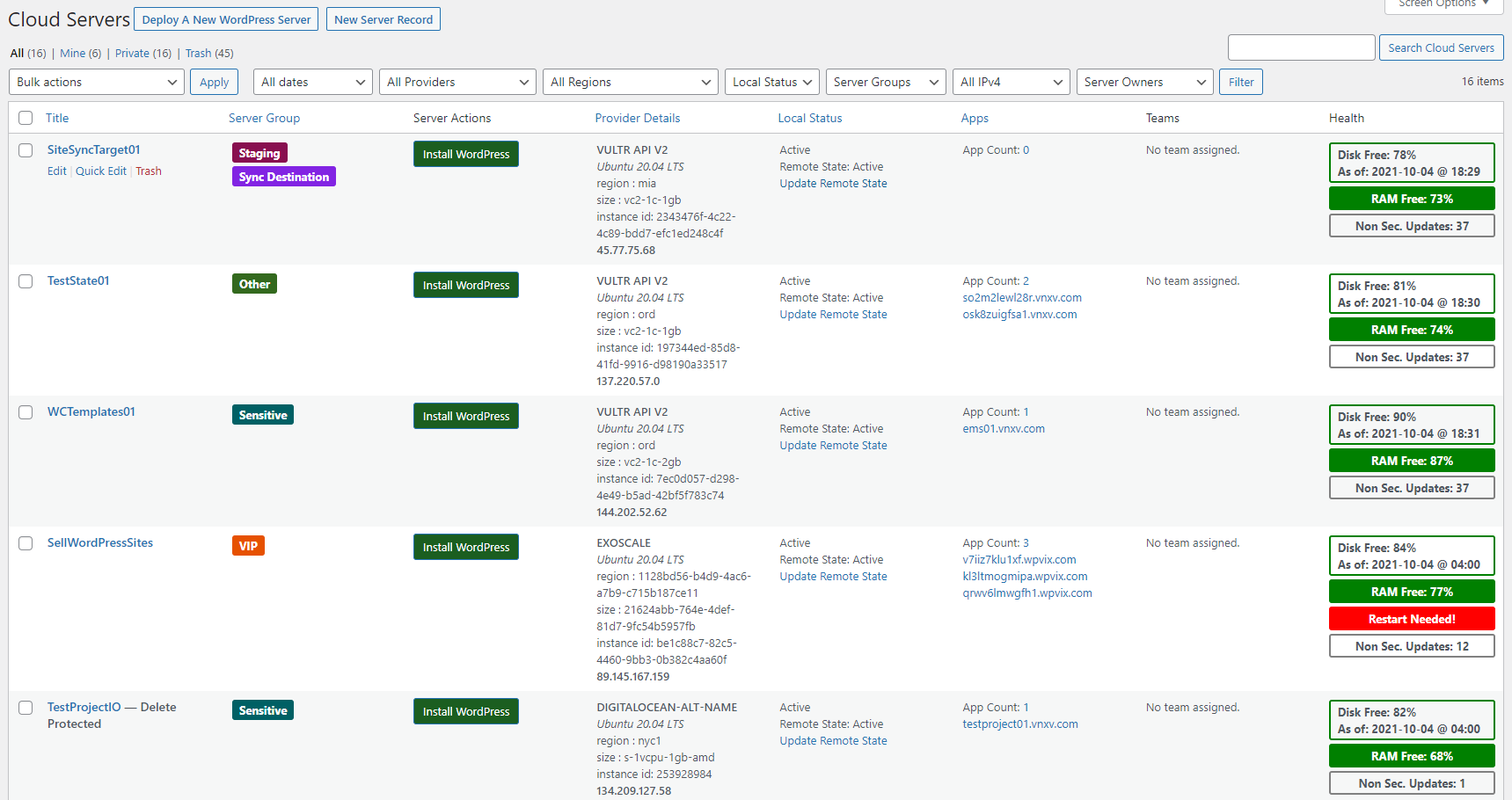
The plugin makes it easy to deploy servers at well-known providers such as DigitalOcean, Linode, Vultr, AWS, Google Cloud and more.
It is primarily used to install and manage WordPress servers and sites.
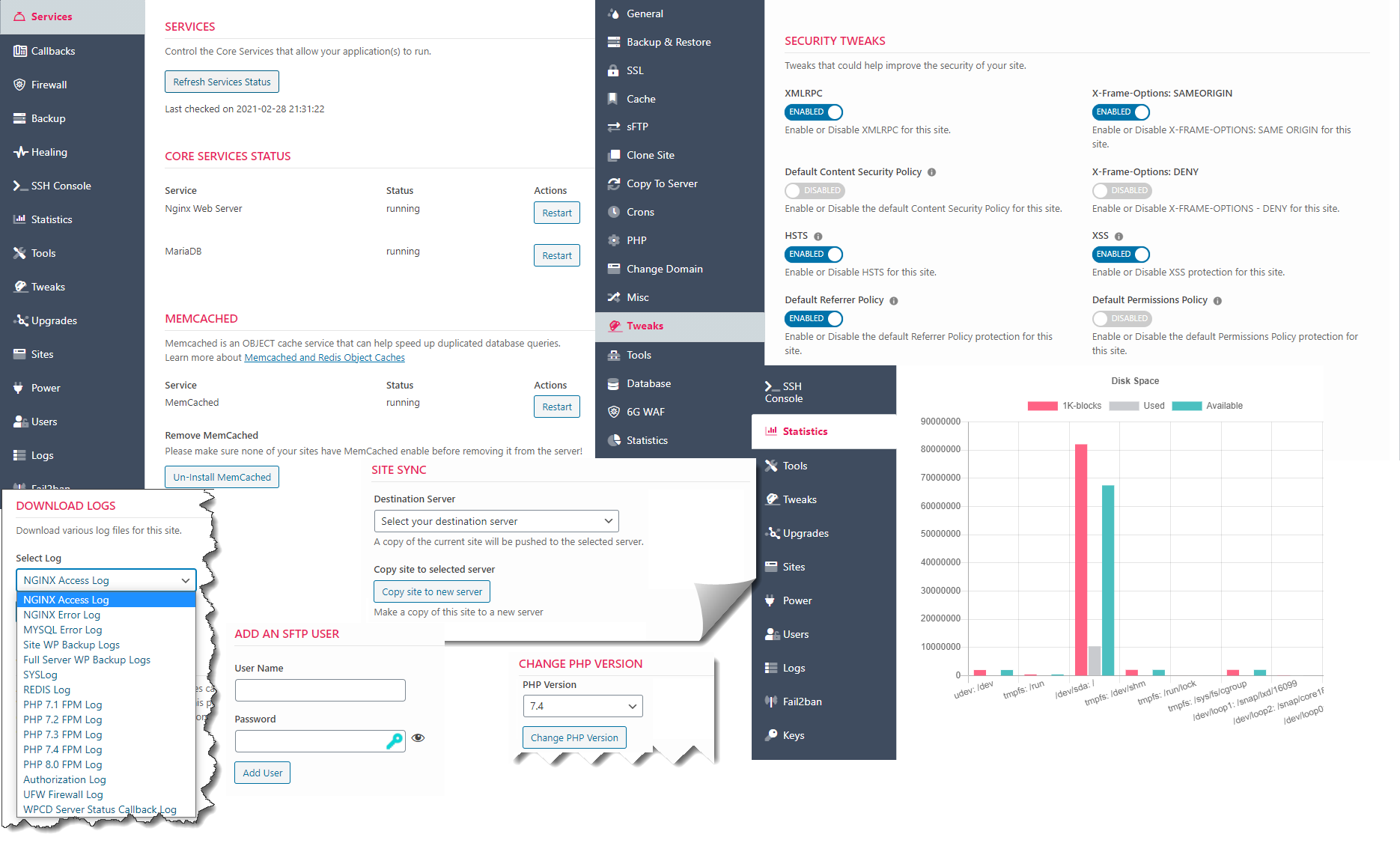
Its extensible model allow developers to add new apps in the future.
All management features are available inside of wp-admin on your WordPress site. Apart from your cloud server provider(s), you do not need a 3rd party SaaS service to manage your servers and sites.
View a full list of WordPress-focused features
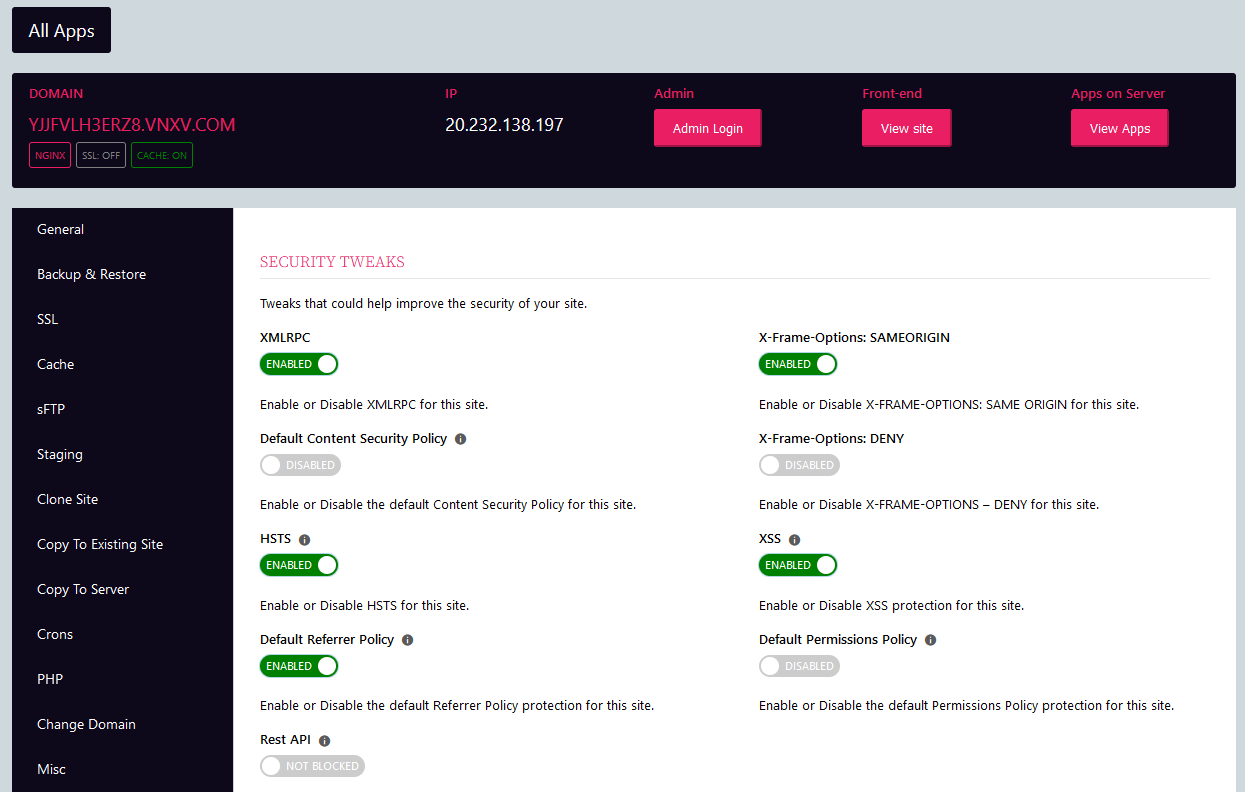
Getting Started: The Easier Way
The easiest way to get started is to use the pre-configured droplet at digital ocean.
Just deploy the droplet, login with your ssh credentials and follow the instructions to setup your domain and other info.
Then follow the getting started documentation on the WPCloudDeploy site.
These instructions will help you create ssh keys, api keys and connect to your account at DigitalOcean.
Getting Started: The Less Easier Way
Alternatively, you can download the zip file from here and install it like you would any other WordPress plugin. You will need to tweak your webserver so check out the pre-requisites before going down this road.
Then, to install WordPress servers and sites, follow the getting started documentation on the WPCloudDeploy site
Notifications and Updates
Please consider signing up for our notifications so that you can be notified of project updates.
Documentation
Full documentation is located on the WPCloudDeploy website.
Plugin Features
Features of the plugin include:
- APP: WordPress - EXTENSIVE support for deploying and managing WordPress servers and sites from inside the WordPress admin dashboard. This is the primary app type that this plugin supports.
- Integrated DigitalOcean Cloud Provider.
- Extensible server provider model supports EC2, LIGHTSAIL, LINODE, VULTR, UPCLOUD, HETZNER, EXOSCALE, AZURE, GOOGLE CLOUD and other public and private cloud providers via additional plugins.
- Extra App: OpenVPN - includes front-end purchase and management. This helps developers to see how multiple apps can potentially co-exist inside the framework.
- Extra App: Basic Server - deploy simple servers with no additional apps pre-installed. This helps developers to see how multiple apps can potentially co-exist inside the framework.
Roadmap
View the official roadmap on Trello
Requirements
- WordPress 5.8 or later
- PHP 7.4, 8.0, 8.1 or 8.2
Once the plugin is installed please view additional changes required to PHP and web server execution timeout values under the WPCLOUDDEPLOY → SETTINGS → GENERAL SETTINGS tab.
You can also view all requirements at the bottom of our getting started documentation or in the requirements documentation
How To Contribute
Have a change you would like to see incorporated? Then create a PR (pull request) against the dev branch.
Have some time to help test new versions? Download a zip of the dev branch and test - changes that need testing are usually listed in the CHANGE LOG section of this readme file below (under the most recent version number.)
If you'd like to contribute to translations, you can do so in our public POEDITOR project.
You can also assist by working on items in the issues list.
Premium Versions
A premium version of this plugin is available on the WPCloudDeploy website. You can view the additional features offered on the pricing page.
Premium features include:
- Support for additional cloud providers: EC2, LIGHTSAIL, LINODE, VULTR, UPCLOUD, HETZNER, EXOSCALE, GOOGLE, AZURE and ALIBABA
- WP Multisite support
- REDIS support for WP
- Bring your own server
- Sell server subscriptions with WOOCOMMERCE
- Sell WP Site subscriptions with WOOCOMMERCE
- Virtual Providers (support multiple accounts on each cloud server provider)
- Server Sync
- Powertools which include features such as summary statistics dashboards and charts, periodic server snapshots, automatic homepage images and much more.
Purchase a premium subscription.
Creating Extensions
Articles on creating WPCD extensions
About Branches
We generally use two branches - the MAIN branch is the most stable version and is suitable for use in a production environment.
The DEV branch is usually stable but not all existing features have been fully regression tested.
If you are starting a project of your own and you'd like to start with a version containing all the latest features, you can usually use the DEV branch.
The DEV branch is usually promoted to the MAIN branch every 30 to 60 days.
We commit EVERYTHING to our repository so there is no pesky build process necessary. You can just download the zip from either branch and upload to your WordPress site using the ADD NEW option in the WordPress plugins screen.
Plugin History
Development was started in 2019 and the first release to the public became available in March 2020. Since then there have been numerous updates, with an average pace of one update per month. The plugin was always open-source but until October 2021, the source was only available to purchasers.
In October 2021, Version 4.10.8 was pushed to a public Github repository. Now, anyone can just install the core plugin and immediately get WordPress server management functions that rival SaaS systems.
Note: Even though the entire git development history isn't available on github, the change log below still reflects the full release history.